








Featured Products See All
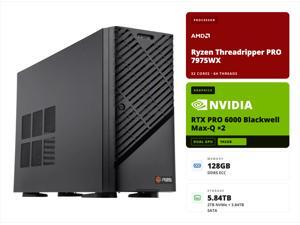

ABS AI Workstation - 192GB Aggregate VRAM (2x 96GB RTX PRO 6000 Blackwell Max-Q), AMD ...
Save: $3,000.00 (6%)
$45,999 .00
Free Shipping
- Compliance Documents Required for Purchase
- Assembled in USA
- TAA Compliant
- Operating System: Ubuntu
- CPU: AMD Ryzen Threadripper PRO 7975WX
- GPU: 2x RTX Pro 6000 Blackwell MaxQ (96 GB GDDR7)
- Motherboard: Gigabyte MH53-G40
- Memory: 128GB DDR5 Server RAM - ECC, Registered
- OS SSD: 2TB M.2 NVMe (Installed)
- Data SSD: 3.84TB SSD (Installed)
- LAN: 2 x 10GB/s LAN, 1 x 10/100/1000 Mbps Management LAN
- PSU: Single 2000W ATX 80 PLUS Gold power supply
- Barebone: Gigabyte W773-H5D-AA01
- AI Agent Ready: Optional pre-installed OpenClaw (enterprise AI agent framework)
- Local LLM Support: Optional Qwen 3.5 27B or higher models for on-prem AI inference
Save: $3,000.00 (6%)
$45,999 .00
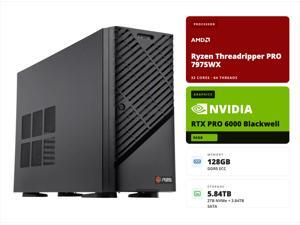
ABS AI Workstation - 96GB VRAM (NVIDIA RTX PRO 6000 Blackwell), AMD Ryzen Threadripper ...
Save: $2,000.00 (6%)
$29,999 .00
Free Shipping
- Compliance Documents Required for Purchase
- Assembled in USA
- TAA Compliant
- Operating System: Ubuntu
- CPU: AMD Ryzen Threadripper PRO 7975WX
- GPU: RTX Pro 6000 Blackwell (96 GB GDDR7)
- Motherboard: Gigabyte MH53-G40
- Memory: 128GB DDR5 Server RAM - ECC, Registered
- OS SSD: 2TB M.2 NVMe (Installed)
- Data SSD: 3.84TB SSD (Installed)
- LAN: 2 x 10GB/s LAN, 1 x 10/100/1000 Mbps Management LAN
- PSU: Single 2000W ATX 80 PLUS Gold power supply
- Barebone: Gigabyte W773-H5D-AA01
- AI Agent Ready: Optional pre-installed OpenClaw (enterprise AI agent framework)
- Local LLM Support: Optional Qwen 3.5 27B or higher models for on-prem AI inference
Save: $2,000.00 (6%)
$29,999 .00
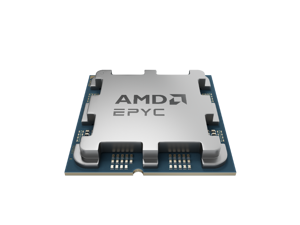

AMD EPYC 4005 (5th Gen) 4465P Dodeca-core (12 Core) 64MB L3 Cache Socket AM5 65W ...
$489 .99
Free Shipping
- Name AMD EPYC™ 4465P
- Family EPYC
- Series EPYC 4005 Series
- Form Factor Servers
- # of CPU Cores 12
- # of Threads 24
- Max. Boost Clock Up to 5.4 GHz
- Base Clock 3.4 GHz
- L3 Cache 64 MB
- Default TDP 65W
- CPU Socket AM5
- Socket Count 1P
- PCI Express® Version PCIe® 5.0 x28
- System Memory Type DDR5
- Memory Channels 2
- System Memory Specification Up to 5600 MT/s
- Per Socket Mem BW 89.6 GB/s
- Supported Technologies AMD Infinity Guard , AMD Infinity Architecture
- OEM - Tray Pack
$489 .99
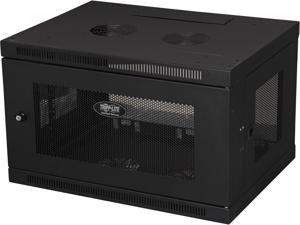
Eaton Tripp Lite Series SmartRack 6U Low-Profile Switch-Depth Wall-Mount Mini Rack ...
$267 .99
Free Shipping
- Maximum load capacity of 200 lb.
- Locking steel cabinet vented at sides, front, top and bottom
- Flow-through ventilation keeps equipment cool
- Secures 6U of 19 in. rack equipment up to 16.5 in. deep
- Mounts to wall or rolls on floor (with optional SRCASTER)
$267 .99
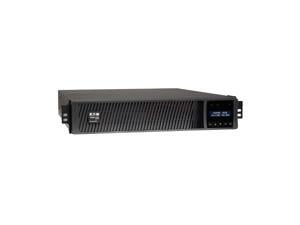
Tripp Lite SMART2200RMXL2U Series SmartPro 1950VA 1950W 120V Line-Interactive Sine ...
$1,440 .99
Free Shipping
- Load Capacity (VA) 1950 VA
- Load Capacity (Watt) 1950 W
- Surge Energy Rating 380 J
- Waveform Type Pure Sine Wave
- Output Frequency 60 Hz
- Minimum Operating Temperature 32°F (0°C)
- Maximum Operating Temperature 104°F (40°C)
- Maximum Operating Elevation 10000 ft
- Maximum Storage Elevation 32808 ft
- Storage Temperature 5°F (-15°C) - 122°F (50°C)
- Environmental Compliance Restriction of Hazardous Substances (RoHS)
- Battery Information
- Hot Swappable Yes
- Battery Characteristics Valve-regulated
- Replaceable Battery Yes
- DC System Voltage 72 V DC
- Typical Battery Recharge Time 4.50 Hour
- Emergency Power OFF Yes
- Overload Protection Yes
- Protection Type Over Voltage / Under Voltage
- Plug/Connector Type NEMA 5-20P
- Phase Single Phase
- Receptacle Type NEMA 5-20R
- NEMA L5-20R
- Transfer Time 4 ms
- Receptacle Detail 1 x NEMA L5-20R / 6 x NEMA 5-20R
- Ideal for protecting sensitive electronics from power interruptions: Backup/Run Time (Half Load) 12 Minute & Backup/Run Time (Full Load) 4 Minute
$1,440 .99
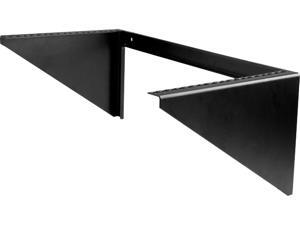
StarTech.com RK619WALLV 6U Vertical Wall-Mount Server Rack - Solid Steel - 6U
$107 .99
Free Shipping
- Black
- Steel
- 125.3 lbs. Weight Capacity
- 2 Post Open Frame Rack
$107 .99
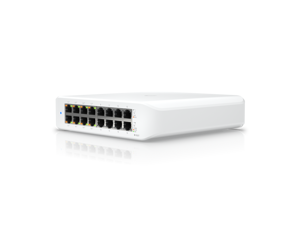
Ubiquiti Lite 16 PoE, 16-Port Layer 2 Switch ((USW-Lite-16-POE (45W))
$228 .95
Free Shipping
- A wall-mountable, 16-port, Layer 2 PoE switch with a fanless cooling system.
- (8) GbE PoE+, (8) GbE ports
- 45W total PoE availability
- Wall mountable
$228 .95
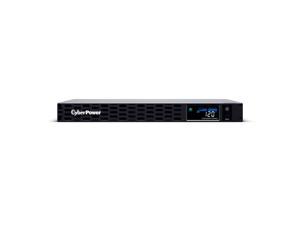
CyberPower CP1000PFCRM1U PFC Sinewave UPS Systems - 1000VA/600W, 120 VAC, NEMA ...
$579 .95
Free Shipping
$80 promotional gift card w/ purchase, limited offer
- Battery Chemistry Lead Acid
- Hot Swappable Yes
- Battery Size 6V
- Battery Capacity 7000 mAh
- Number of Batteries 4
- Backup/Run Time (Half Load) 10.50 Minute
- Backup/Run Time (Full Load) 1.50 Minute
- Battery Characteristics Sealed
- Replaceable Battery Yes
- Typical Battery Recharge Time 8 Hour
- Circuit Breaker Yes
- Input Voltage 120 V AC
- Output Voltage 120 V AC
- Surge Energy Rating 1150 J
- Waveform Type Sine Wave
- Input Voltage Range 88 V AC - 144 V AC
- Output Frequency 60 Hz
- Input Frequency 50 Hz, 60 Hz
- Load Capacity (VA) 1000 VA
- Load Capacity (Watt) 600 W
- Output Power Factor 0.6
- Application/Usage Server, Telecommunication, Workstation, Network Device, Security System, Audio/Video Equipment, Corporate
- Dataline Protection RJ-45
- Features Audible Alarm
- Overload Protection Yes
- Surge Suppression Yes
- Plug/Connector Type NEMA 5-15P
- Cord Length 10 ft
- Receptacle Type NEMA 5-15R
- EMI/RFI Noise Filter Yes
- AVR Yes
- Energy Saving GreenPower UPS™ Bypass Technology
- Number of Battery & Surge Outlets 4
- Number of Surge-only Outlets 2
- Transfer Time 8 ms
- Receptacle Detail 6 x NEMA 5-15R
- Status Indicators Power On
- Display LCD
- Network Management Dry Contact, SNMP/HTTP Remote Monitoring
- Alarm Battery Mode
- Minimum Operating Temperature 32°F (0°C)
- Maximum Operating Temperature 104°F (40°C)
- Maximum Operating Elevation 10000 ft
- Maximum Storage Elevation 50000 ft
- USB Yes
- Network (RJ-45) Yes
- Serial Port Yes
- USB (HID Compliant) Port Yes
$579 .95
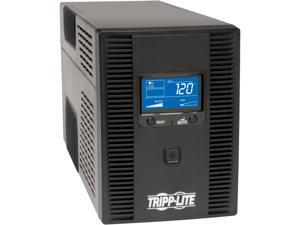
Tripp Lite SMART1500LCDT Series SmartPro 1500VA 900W 120V Line-Interactive Sine Wave ...
Free Shipping
- Surge Energy Rating 480 J
- Waveform Type Pulse-width Modulated Sine Wave
- Load Capacity (VA) 1500 VA
- Load Capacity (Watt) 900 W
- Protection Type Over Voltage
- Brownout
- Plug/Connector Type NEMA 5-15P
- Receptacle Type NEMA 5-15R
- Transfer Time 2 ms
- Receptacle Detail 5 x NEMA 5-15R
- Ideal for protecting sensitive electronics from power interruptions: Backup/Run Time (Half Load) 10 Minute & Backup/Run Time (Full Load) 2.30 Minute
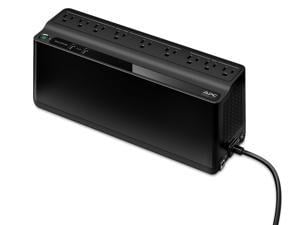
APC BE850G2 UPS 850VA, 120V, 2 USB charging ports, 9 NEMA outlets(3 surge)- Tower - 8 Hour ...
$137 .99
Free Shipping
- 850 VA / 450 Watts 6 x NEMA 5-15R (Battery Backup) 3 x NEMA 5-15R (Surge Protected) 2 USB Charging Ports 120V Input / 5 Feet Power Cord Step-up model of BE850M2
$137 .99
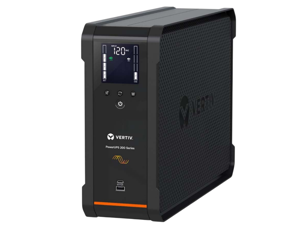
Vertiv PSA6S-1500LVT PowerUPS 200 Premium Line Interactive Series PSA6S-1500LVT, ...
$269 .99
Free Shipping
- Power Rating: 1440VA / 915W
- Input Voltage Range: 120 VAC
- Output Voltage Range: 120 VAC
- Power / Device Type: UPS
- Power Device / Form Factor: Desktop
- UPS Technology: line-interactive
- Power / Voltage Required: 120V
- Power Provided (VA): 1440 VA
- COO: VIET NAM
$269 .99
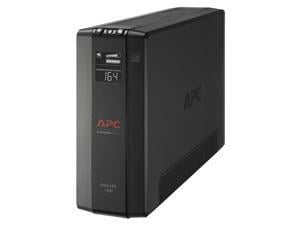
APC BX1500M Back-UPS Pro, 1500VA, Tower, 120V, 10 NEMA 5-15R outlets, AVR, LCD - Tower - ...
$189 .99
Free Shipping
- Battery Chemistry Lead Acid
- Backup/Run Time (Full Load) 3 Minute
- Typical Battery Recharge Time 16 Hour
- Product Type Line-interactive UPS
- Product Line Back-UPS Pro
- Input Voltage 120 V
- Output Voltage 120 V AC
- Input Current 15 A
- Surge Energy Rating 789 J
- Waveform Type Stepped Approximated Sine Wave
- Load Capacity (VA) 1500 VA
- Load Capacity (Watt) 900 W
- Weight (Approximate) 24.25 lb
- Form Factor Tower
- Height 9.84"
- Width 3.94"
- Depth 15.04"
- Plug/Connector Type NEMA 5-15P
- Cord Length 6 ft
- Phase Single Phase
- Receptacle Type NEMA 5-15R
- Number of Battery & Surge Outlets 10
- Transfer Time 10 ms
- Receptacle Detail 5 x NEMA 5-15R Surge, 5 x NEMA 5-15R
- Certifications & Standards California (CEC) Battery Charger|ENERGY STAR V2.0 (USA)|TUV C-US certified
- Environmentally Friendly Yes
- For Country/Region United States
- Energy Star Yes
- Optimized Energy Efficiency Yes
- Product Take Back Program Yes
$189 .99
Loading Dynamic Data...
Workstations & Servers for Business
When should you bring cloud servers in house?
Cloud servers are great for startup business ventures. However, costs grow as a business adds headcount, and runs up billing by accumulating data. After a certain point, it makes business sense to bring some server infrastructure in-house. When that time comes, you will access your data assets on your own terms, and take on the task of protecting the privacy of customer information.
Check your SLA contract and bills for an itemized cost of cloud. Weigh that against the price of buying small business server hardware. Consider long term growth projections. A five year refresh cycle is standard for the tax advantages. Figure in cost of maintenance, licensing server software, and plan to refresh on time. Does it add up to savings?
Often it makes sense to keep some services running in the cloud while others are moved on-site. Think efficiency: a single virtualized server handle the bulk of the workload for a company. Domain services, e-mail server exchange, distributed office applications, and security software can run on one machine. Buying Citrix or VMware is needed to manage virtual computing.
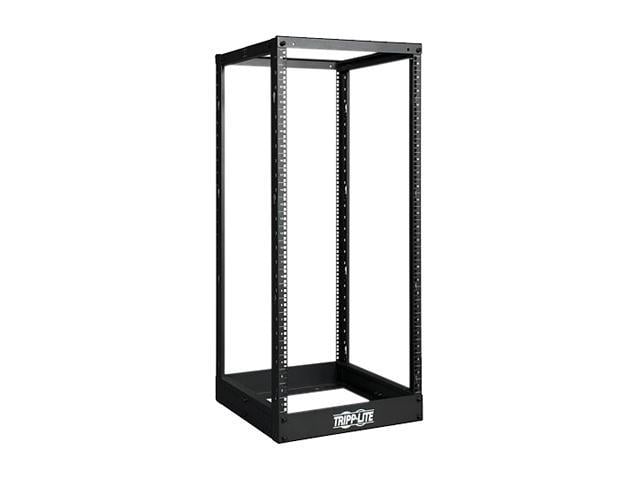
You will want racks and cabinets for servers guarding against physical hazards like dust and flooding. Tower servers fit inside server cabinets, and you can encase rackmount servers as well, or use wall mounts to save space. Elevating electrical devices off the floor helps avoid damage should the room take on water.
How are servers and workstations different?
Servers and workstations both supply muscle. Workstations are endpoints used like a regular desktop PC. Servers are infrastructure that distribute data and applications to endpoints. Servers are not usually configured to run endpoint applications. Server components have error-correcting firmware, server motherboards support redundancy—two LGA sockets for dual CPUs, extra space and connections for multiple power supply units and disk storage.
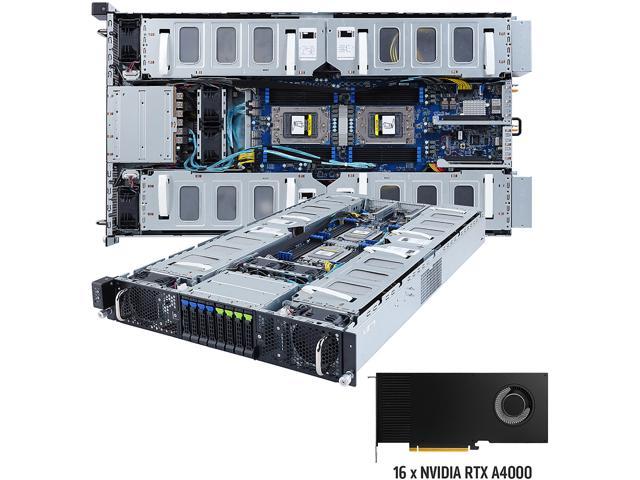
Often workstations have a server CPU and one or more professional-grade graphics cards. These help run engineering and modeling design software, or scientific applications that compute large datasets. These types of multi-threaded programs operate across CPU cores for peak performance.
Server configuration is managed with specialized software like Windows Server, Red Hat Linux, or Apache-based programming.
How does server hardware affect system performance?
Number of users, file size, application coding framework, queries per second—exceed certain thresholds slows a server and it fails eventually. Configuration, applications, and surrounding infrastructure affect hardware performance so calculations are difficult to pinpoint. Your best bet is to monitor use and performance, and test where applicable. Always set a growth trajectory for any IT purchase—especially when a buying small business server. You want to accommodate peak workload five years from now.
Hardware for a database server
Database applications like Oracle, SQL, MySQL, MS Access benefit from fast storage drives. Pay attention to drive ratings for read/write specifications to increase system I/O. Enterprise drives configured in RAID setup (redundant array individual disks) benefits reliability and performance. For redundancy, a business often deploys an identical slave server that stores a read-only database.
Hardware for a web server
Web applications add a front end to database servers. Web servers field HTTP requests from site users, and they benefit most from upgrading server RAM.For most sites, 80 percent of traffic queries 20 percent of site pages. Caching those high traffic pages in server memory powers up performance. If you generate revenue with e-commerce applications, make sure to attribute value to server uptime. Server motherboards with dual PSU and dual CPU support prevent outages.
Hardware for securing servers
The key to securing a transactional database is placing a firewall between a web server and database server. Protect files that contain customer information with a security appliance; place it between where sensitive data is stored and your internet-facing web server.
Hardware for shared application servers
Collaboration software hosted on a production server benefits from enterprise disk storage (SAS interface) and error correcting ECC RAM for faster, more accurate versioning. Avoid virtual instances as they slow performance of applications, install a Hardware RAID and network card for shorter backup times.
Should you build a server for business?
Unless you’re a systems integrator, consensus among hardware architects favors buying a prebuilt server for running business systems. Manufacturer support and warranty are too valuable to pass up. In your test lab you can use a cheap server assembled from parts.
Can you order a custom server from an account executive?
Yes. Call with hardware configurations and account executives can source HP ProLiant, Dell PowerEdge, Lenovo ThinkServer to your specifications. Keep in mind pricing for server combos online may not include disk storage pay attention to the copy on the product page for online purchasing.
Can Newegg Business help with Windows Server licensing?
Yes. Server licensing is one of the most convoluted and confusing IT decisions you will face. You can waste hours reading and deciphering rules for software procurement. Do you want to get better value? Call account executives with accreditation in Windows Server 2016, and take advantage of free expertise. Never overpay for device CALs and user CALs again. Note that prebuilt servers online computers may include server software so check the text on the product page closely.
Which server chassis fits your business?
- New mini-servers pack serious computing power in a text-book sized case and make a good single-use application server or box for shared storage.
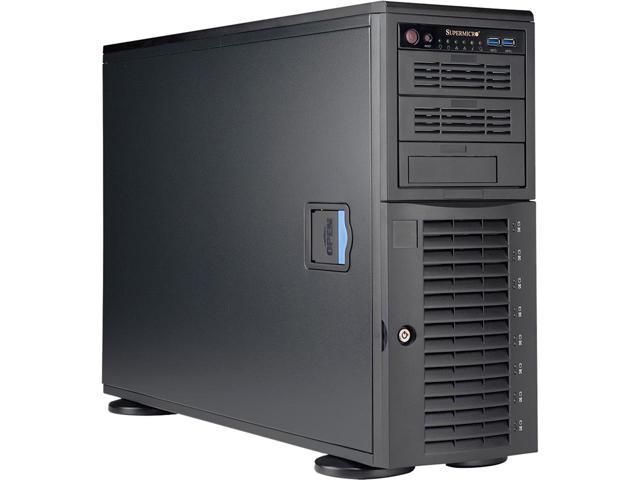
- A tower server resembles a desktop computer. A workable cheap server but has a couple drawbacks. Tower server run hot when clustered, and Ethernet cables tend to tangle when multiple Ethernet cables connect.
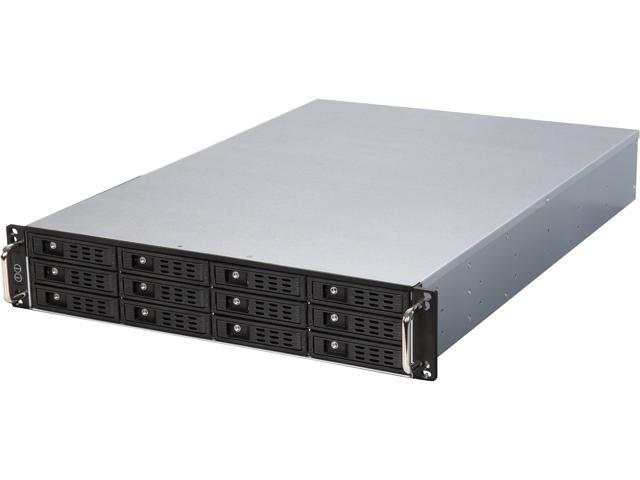
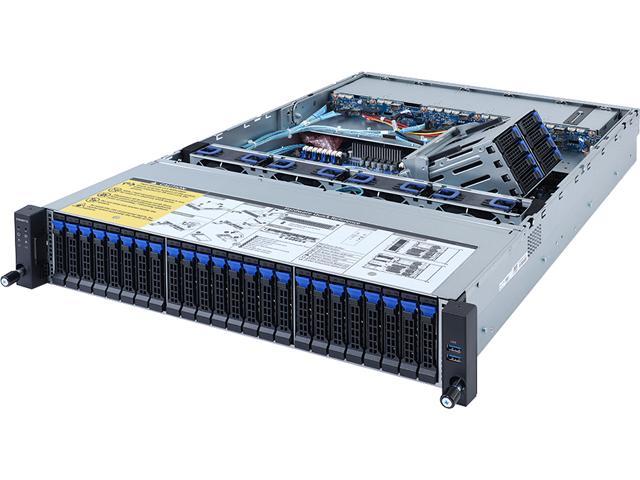
- You might opt for Rack-mounted servers with onboard fan cooling, accommodates neat cabling, and stackable for efficiency.
- Even smaller are Blade Servers rest inside enclosures that containing power cords and Ethernet cabling for the neatest look money can buy.
What comes with a barebones system?
Barebones means chassis and motherboard only. You need to buy server parts separately, the processor, server memory, drives, and power supply to install yourself. An account executive can find other components you need to complete the build. Note that a barebones system will require purchasing server software, or an open source distribution like Linux, Apache, Python, PHP, Perl, or whatever you choose.
What do RAID enclosures do?
Enclosures for external RAID adds protection around a disk redundancy setup you attach to production server. Depending on how many drives a storage array has, a server duplicates saved data across two or more drives called a RAID. Standard setups mirror drives for backup, a server with a RAID controller stripes data across different areas of drive platters. The server reads and writes in the same striping pattern.
SATA drives vs enterprise SAS hard drives
Drives for server motherboards have error correction built in the firmware, and a faster SAS interface. Servers run 24/7 in many instances, and enterprise drives are built to endure that wear and tear. An enterprise hard drive have a longer (five or seven year) warranty. Manufacturers make hard drives especially for RAID setup in addition to enterprise storage.
Become a NeweggBusiness Insider
Sign up to receive exclusive offers in your inbox.
See Current E-Blast Promotion
Who We Are
Who We Serve
Customer Service
B2B Marketplace
Newegg Logistics

© 2000-2026 Newegg Business Inc. All rights reserved.
Policy & Agreement | Privacy Policy | CA Transparency in Supply Chains Act | Cookie Preferences