


Battery Backup (UPS) - Showing 265 - 288 of 1081 Products


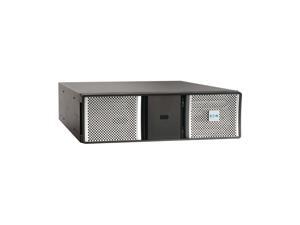
Eaton 9PXEBM240RTG2 240V Extended Battery Module (EBM) for Select Eaton 9PX G2 UPS ...
- Model #: 9PXEBM240RTG2
- Item #: 9SIV009KVN1363
- Return Policy: Antonline.com Return Policy
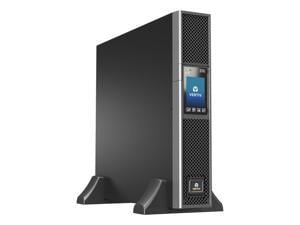
Vertiv Liebert GXT5-2000LVRT2UXLTAA UPS - 2000VA/1800W 120V Online 2U Rack/Tower ...
- Outlets: Sine wave
- Output Frequency: (user-configurable); ±3%
- Series: GXT5 TAA
- Part Number: GXT5-2000LVRT2UXLTAA
- International Version: Typical 120V
- Input Voltage Range: 60-150V
- Input Frequency: 40-70Hz; Auto Sensing
- Input Connection: 10 ft. attached w/ NEMA L5-20P A plug
- Model #: GXT5-2000LVRT2UXLTAA
- Item #: 9B-42-988-030
- Return Policy: Manufacturer Only Return Policy
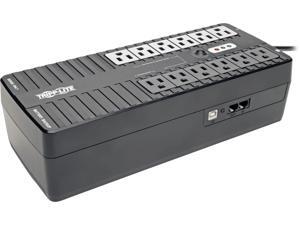
Tripp Lite 750 VA UPS Battery Backup, 450 Watts Eco Green, USB, RJ11, 12 Outlets ...
- Outlets: 12
- Battery Run Time: Half load runtime: 9.4 minutes (225 Watts)
- Output Frequency: 60 Hz
- Battery Recharge Time: 20 Hour(s)
- Input Voltage Range: 120V AC
- Input Connection: NEMA 5-15P; Right-Angled
- Output Voltage: 115V / 120V 115V (+/- 5%) (battery mode)
- Outlet Type: NEMA 5-15R output receptacles (6 UPS supported, 6 surge-only)
- Model #: ECO750UPS
- Item #: 9B-42-111-234
- Return Policy: Manufacturer Only Return Policy
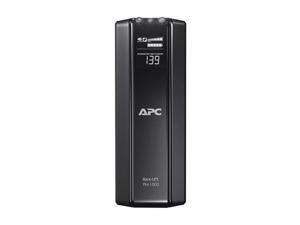
APC BR1500GI Back-UPS RS 500VA Tower UPS - Tower - 8 Hour Recharge - 230 V AC Output - ...
- Outlets: 12
- Output Frequency: 50/60Hz +/- 3 Hz
- Battery Recharge Time: 8 hour(s)
- Series: Back-UPS Pro
- International Version: 230V
- Input Voltage Range: 176 - 294V Adjustable range: 156 - 300V
- Input Frequency: 50/60 Hz +/- 3 Hz (auto sensing)
- Input Connection: IEC-320 C14
- Model #: BR1500GI
- Item #: 9B-42-101-436
- Return Policy: Manufacturer Only Return Policy
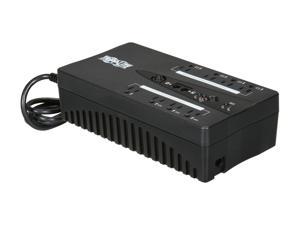
Tripp Lite ECO550UPS Energy Saving Green 550 VA 300 Watts 8 Outlets Standby UPS for PCs
- Outlets: 8
- Battery Run Time: Full load runtime: 3.5 minutes (300 Watts) Half load runtime: 10 minutes (150 Watts)
- Battery Recharge Time: 15 Hour(s)
- Output Voltage: 120V AC (line power mode) / 115V AC (battery mode)
- Outlet Type: 5-15R output receptacles (4 UPS supported, 4 surge-only)
- Battery Type: Valve Regulated Lead Acid (VRLA)
- Alarms: Audible alarms for ON BATTERY, LOW BATTERY and OVERLOAD status
- Interface Port: USB
- Model #: ECO550UPS
- Item #: 9B-42-111-233
- Return Policy: Manufacturer Only Return Policy
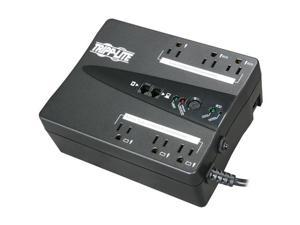
Tripp Lite ECO350UPS Energy Saving Green 350 VA 180 Watts 6 Outlets Standby UPS for PCs
- Outlets: 6
- Battery Run Time: Half load runtime: 11.3 min. (90w)
- Output Frequency: 60 Hz
- Battery Recharge Time: 7 Hour(s)
- Input Voltage Range: 120V AC
- Input Connection: 5-15P; Right-Angled
- Output Voltage: 115V; 120V 115V (+/- 5%) (Battery Mode)
- Outlet Type: 5-15R output receptacles (3 UPS supported, 3 surge-only)
- Model #: ECO350UPS
- Item #: 9B-42-111-232
- Return Policy: Manufacturer Only Return Policy
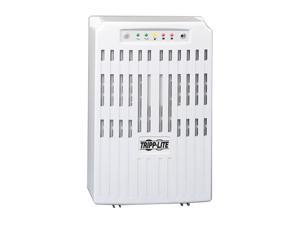
Tripp Lite SMART2200VS Smart Pro 2200 VA 1600 Watts Line Interactive Tower UPS
- Outlets: 9
- Battery Run Time: Full load runtime: 7 minutes (2200VA) Half load runtime: 19 minutes (1100VA)
- Battery Recharge Time: 2-4 hours to 90%
- Brand: TRIPP LITE
- Series: SmartPro
- Input Voltage Range: 120 V
- Input Frequency: 60 Hz +/- 3 Hz
- VA Rating: 2200 VA
- Model #: SMART2200VS
- Item #: 9SIV009K9A2219
- Return Policy: Antonline.com Return Policy
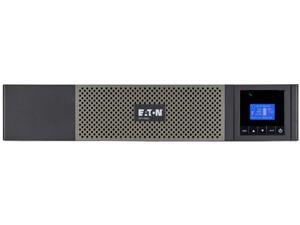
Eaton 5P Rackmount Compact 1000Va Ups
- Weight: 42.05
- Parts: Manufacturers Limited Warranty: 3 Year / Parts Only
- Model #: 5P1000RC
- Item #: 9B-2FT-000X-002G8
- Return Policy: Manufacturer Only Return Policy
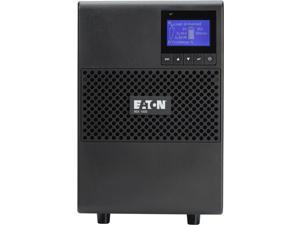
1000 VA Eaton 9SX 120V Tower UPS
- Outlets: 6 x NEMA 5-15R
- Input Voltage Range: 100 V AC - 138 V AC
- Output Voltage: 100 V AC 110 V AC 120 V AC 125 V AC
- Weight: 38
- Parts: 2 Year
- Model #: 9SX1000
- Item #: 9SIV00989D1241
- Return Policy: Antonline.com Return Policy
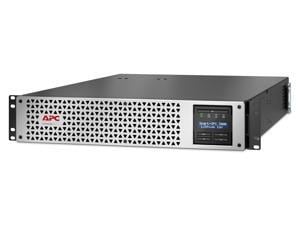
APC by Schneider Electric Smart-UPS, Lithium-Ion, 3000VA, 120V with SmartConnect Port - 2U ...
- Parts: 5 Year
- Model #: SMTL3000RM2UC
- Item #: 9B-2FT-0001-009V7
- Return Policy: Manufacturer Only Return Policy
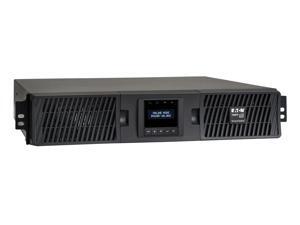
Tripp Lite series SmartOnline 3000VA 2700W 120V Double-Conversion UPS - 7 Outlets, ...
- Outlets: 7
- Battery Run Time: Full Load: 4.8 min. (2700W) Half Load: 13.9 min. (1350W)
- Output Frequency: 50 / 60 Hz
- Battery Recharge Time: 3 hours recharge to 90%
- Brand: TRIPP LITE
- Series: SmartOnline
- International Version: 120V
- Input Connection: NEMA L5-30P
- Model #: SU3000RTXLCD2UN
- Item #: 9SIV009K1V2375
- Return Policy: Antonline.com Return Policy
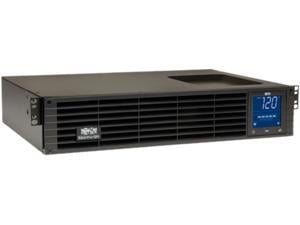
Tripp Lite SMC15002URM UPS System Series SmartPro 120V 1.5kVA 1kW Line-Interactive ...
- Outlets: 8
- Battery Run Time: Full Load Runtime: 6.5 minutes (1000 Watts) Half Load Runtime: 17.7 minutes (500 Watts)
- Output Frequency: 60 Hz
- Battery Recharge Time: Less than 4.5 hours from 10% to 90% (typical, full load discharge)
- Series: SmartPro
- Input Voltage Range: 120V AC
- Input Connection: NEMA 5-15P
- Output Voltage: 120V
- Model #: SMC15002URM
- Item #: 9SIV04ZKK45143
- Return Policy: IPC Store Return Policy
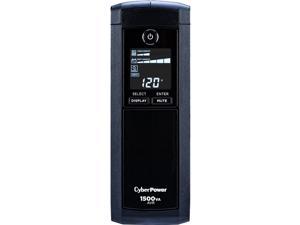
CyberPower CP1500AVRLCDTAA UPS - 1500VA/900W, NEMA 5-15P, Mini-Tower, 12 Outlets, ...
- Outlets: 12
- Battery Run Time: 3 min Full Load / 12 min Half Load
- Battery Recharge Time: 8 Hours
- Input Voltage Range: 90 - 142V
- Input Frequency: 57 - 63 Hz
- Input Connection: NEMA 5-15P
- Output Voltage: 120Vac +/- 5%
- Outlet Type: NEMA 5-15R
- Model #: CP1500AVRLCDTAA
- Item #: 9B-42-102-413
- Return Policy: Manufacturer Only Return Policy
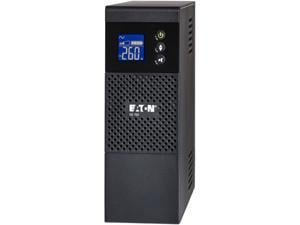
EATON 5S1500G 1500 VA 900 Watts 8 Outlets UPS
- Outlets: 8
- Input Voltage Range: 175 V AC to 275 V AC 230 V AC Nominal
- Input Frequency: 50/60 Hz
- Input Connection: (1) IEC-320-C14
- Output Voltage: 230 V AC Nominal
- Outlet Type: IEC 60320 C13
- Interface Port: USB
- Management Software: YES
- Model #: 5S1500G
- Item #: 9B-42-302-723
- Return Policy: Manufacturer Only Return Policy
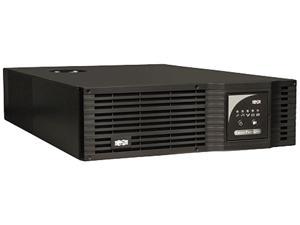
TRIPP LITE SmartPro SMART5000TEL3U 5000 VA 3750 Watts 5 Outlets Line-Interactive Sine ...
- Outlets: 5
- Battery Run Time: Full Load Runtime (min.): 8.5 min. (3750w) Half Load Runtime (min.): 20 min. (1875w)
- Output Frequency: 60 Hz
- Battery Recharge Time: Less than 4 hours from 10% to 90% (typical, full load discharge)
- Brand: TRIPP LITE
- Series: SmartPro
- International Version: 208V AC
- Input Connection: L6-30P
- Model #: SMART5000TEL3U
- Item #: 9B-42-111-085
- Return Policy: Manufacturer Only Return Policy
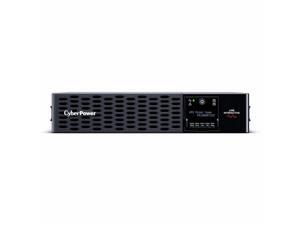
CyberPower PR1000RT2UC Smart App Sinewave UPS Systems - 1000VA/1000W, 120 VAC, ...
- Parts: 3 Year
- Model #: PR1000RT2UC
- Item #: 9B-2FT-0008-004E1
- Return Policy: Manufacturer Only Return Policy
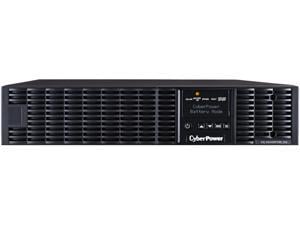
CyberPower Smart App Online OL1000RTXL2UN UPS - 1000VA/900W, 100 - 125 VAC, NEMA ...
- Outlets: 8 x NEMA 5-15R
- Brand: CyberPower
- Input Voltage Range: 60 V AC - 150 V AC
- Output Voltage: 125 V AC
- Battery Type: Sealed Lead Acid
- Parts: 3 Year
- Model #: OL1000RTXL2UN
- Item #: 9B-42-102-368
- Return Policy: Manufacturer Only Return Policy
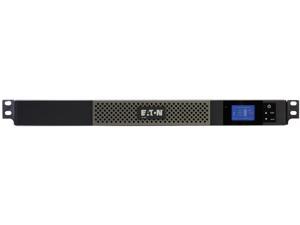
EATON 5P 5P550R 550 VA 420 Watts 5 Outlets UPS
- Outlets: 5
- Series: 5P
- Input Voltage Range: 89-151 Vac (adjustable to 70-153 Vac)
- Input Frequency: 50/60 Hz (auto-sensing)
- Output Voltage: 100 V AC Nominal 102 V AC to 132 V AC On Utility 120 V AC Nominal 125 V AC Nominal
- Interface Port: RS-232, USB
- Management Software: YES
- Weight: 19.70 lbs.
- Model #: 5P550R
- Item #: 9B-42-302-686
- Return Policy: Manufacturer Only Return Policy
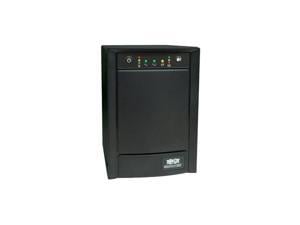
Tripp Lite SMART1500SLT Smart Pro 1500 VA 900 Watts Tower 8 Outlets Line Interactive UPS ...
- Outlets: 8 x NEMA 5-15R
- Battery Run Time: Full load runtime: 8 minutes Half load runtime: 20 minutes
- Battery Recharge Time: 4-8 hours to 90%
- Brand: TRIPP LITE
- Input Voltage Range: 120V factory default (100V, 110V user-selectable)
- Input Frequency: 50/60 Hz
- VA Rating: 1500 VA
- Watts: 900 Watts
- Model #: SMART1500SLT
- Item #: 9SIV0WNKDT2769
- Return Policy: Coretek Enterprises Return Policy
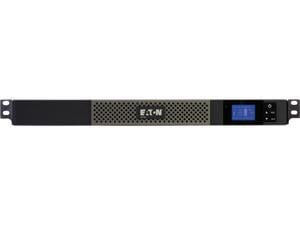
Eaton 5P750R 750 VA 600 Watts 5 Outlets 1U Rackmount UPS
- Outlets: 5
- Output Frequency: 50/60 Hz + / - 0.1 % (autosensing)
- Input Voltage Range: 89 - 151 Vac (adjustable to 70 - 153 Vac) 89 V AC to 151 V AC
- Input Frequency: 50/60 Hz (auto-sensing)
- Input Connection: NEMA 5-15P
- Output Voltage: 120V default (100/120/125V)
- Outlet Type: NEMA 5-15R
- Interface Port: RJ-45, RS-232, USB USB
- Model #: 5P750R
- Item #: 9B-42-302-688
- Return Policy: Manufacturer Only Return Policy
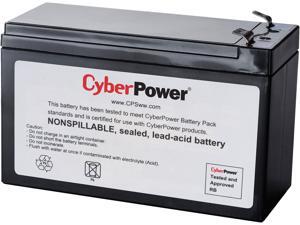
CyberPower RB1290 UPS Replacement Battery Cartridge - 1 X 12 V / 9 Ah Sealed Lead-Acid ...
- Type: Battery Unit
- Compatibility: CyberPower CP1000AVRLCD UPS
- Specifications: Battery Type: Sealed Lead-Acid Battery Size: 12V/9AH User Replaceable: Yes Number of Batteries: 1
- Dimensions: 3.86" x 5.94" x 2.56" (H x W x D)
- Weight: 6.06 lbs.
- Parts: 18 Month Limited
- Model #: RB1290
- Item #: 9SIV1PDABF1232
- Return Policy: Technology Galaxy Return Policy
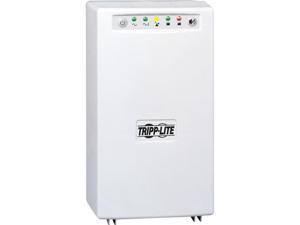
Tripp Lite SMART1200XLHG Smart Pro 1000 VA 750 Watts Hospital Medical Grade Line ...
- Outlets: 4
- Battery Run Time: Full load runtime: 10 minutes (1000 VA) Half load runtime: 28 minutes (500 VA)
- Battery Recharge Time: 2 - 4 hour(s) to 90%
- Series: SmartPro XL
- Input Voltage Range: 120V
- Output Voltage: LINE MODE: Sine wave line voltage 120V (-18% / +8%) BATTERY MODE: PWM sine wave output 115V +/-5%
- Outlet Type: NEMA 5-15R-HG Hospital-Grade
- Battery Type: Valve Regulated Lead Acid (VRLA)
- Model #: SMART1200XLHG
- Item #: 9B-42-111-143
- Return Policy: Manufacturer Only Return Policy
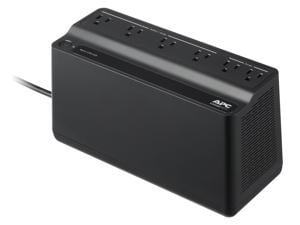
APC BE425M Battery Back-UPS 6 Outlets, 425VA, 120V - Tower - 8 Hour Recharge - 3 Minute ...
- Outlets: 6
- Battery Run Time: Full Load (255W): Around 2 minutes Half Load (127.5W): Around 10 minutes
- Output Frequency: 50/60 Hz +/- 3 Hz Sync to mains
- Battery Recharge Time: 8 Hour(s)
- Brand: APC
- Series: Back-UPS
- International Version: 120V
- Input Voltage Range: 88 - 139V
- Model #: BE425M
- Item #: 9SIV04ZK8M5643
- Return Policy: IPC Store Return Policy
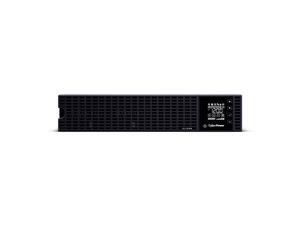
CyberPower OL1KRM UPS - Rack-Mountable - Online, Double Conversion - 100, 110, 115, ...
- Outlets: 8
- Battery Run Time: 4 min Full Load / 11.5 min Half Load
- Battery Recharge Time: 4 Hours (0% to 90% charged)
- Brand: CyberPower
- Series: Essential Online UPS
- International Version: 120V
- Input Voltage Range: 100 - 125V
- Input Frequency: 40 - 70 Hz
- Model #: OL1KRM
- Item #: 9B-42-102-511
- Return Policy: Manufacturer Only Return Policy
What is an Uninterruptible Power Supply?
Your organization can function without utilizing uninterruptible power supplies (UPS), but it is far from ideal. A UPS can protect your organization’s computer workstations and other electronic equipment from spikes in power, supply power during brief outages, and allow for time to safely power down computers in long outages. A UPS can be considered to be a type of insurance policy for computers and electronic equipment.
What Does a UPS Do?
Consider the following situation if you do not have UPSs deployed in your organization. During a heavy storm, lightning strikes and causes a black out. You don’t know how long it will last, your staff just lost all of their unsaved work, and electronic equipment may have been damaged. If your organization utilized uninterruptible power supplies throughout critical areas, your staff would have been able to save their work, safely power down their workstations, and your equipment would have been surge protected.
In addition to allowing your staff save their work and safely power down their desktops, a UPS can also defend against surges and under-voltage. However, they are not power generators that can power your organization’s workstations through extended periods of downtime. Rather, they keep your equipment powered and running while backup power generators – if you have them – start up and begin supplying power.
Considerations
If the above information about the benefits UPSs is something that your organization finds intriguing and would like to utilize them throughout its locations, then here are some considerations for selecting the ideal UPS.
Types of Uninterruptible Power Supplies
There are three main types of power supplies, differentiated by what they do and how much they cost.
- Stand-by UPS – The most basic type and lowest cost UPS, a stand-by UPS is essentially a backup battery that can supply power when it notices that the outlet has stopped providing it or isn’t providing enough. When the outlet supplies power normally, the UPS charges the battery to capacity.
- Line-Interactive UPS – A line-interactive uninterruptible power supply is a step up from a stand-by unit and features a built-in transformer that can moderate some voltage fluctuations. While a stand-by UPS is very useful for power outages, it is not designed to deal with small fluctuations in power.
- Online UPS – An online UPS is the most expensive option, but is the one that offers the most functionality. While stand-by and line-interactive UPSs are inactive while power is supplied regularly, an online UPS always modifies the power from the wall. It acts as an intermediary that is always moderating power so that it can smooth out even the tiniest of fluctuations. Online UPSs also tend to have larger batteries than the either stand-by or line-interactive UPSs. These are ideal for datacenters that employ equipment such as server systems and other costly equipment.
Wattage
Ensure that the UPS provides sufficient power for the equipment that will be connected to it. Add up the total wattage of all the equipment that will be connected to the UPS, and try to find one that provides several minutes of power for that amount of wattage. For example, if you calculate that your equipment uses a total of 500 watts, find a UPS that can supply 500 watts for several minutes and not a UPS that can supply 500 watts but only for a few seconds.
Outlets
Try to find a UPS with sufficient amount of outlets for your equipment. Be careful when looking at the numbers however, as not all outlets on an UPS may be powered by the backup battery. For example, a UPS with six outlets may only supply power from the backup battery to three outlets while the other three are just surge protected.
Operating System Compatibility
Some UPSs have the capability to alert your staff through their workstations when there is a power outage that they should save all work and safely shut down their computers.

