


Computer Cases - Showing 241 - 264 of 982 Products
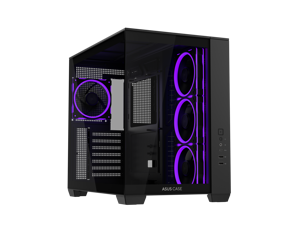

ASUS A32 PLUS Black ATX gaming PC case, support 360mm radiators and 420mm graphics ...
- Motherboard Compatibility: ATX / Micro ATX / Mini ITX
- Front Ports: 1 x headphone / Microphone 1 x USB 3.2 Gen 2x1 Type C 2 x USB 3.0
- Brand: ASUS
- Color: Black
- Case Material: Steel, Tempered Glass, ABS Plastic
- Internal 3.5" Drive Bays: 2
- Internal 2.5" Drive Bays: 3
- Expansion Slots: 7
- Model #: A32 PLUS TG ARGB BLACK
- Item #: 9B-11-173-082
- Return Policy: Standard Return Policy
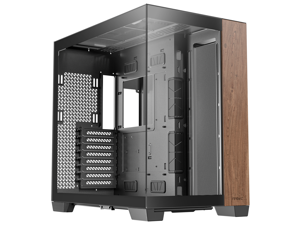
Antec C8 Wood, Fans not Included, Wooden Front Panel, Dual-chamber Layout, Type-C, ...
- Motherboard Compatibility: E-ATX (280mm), ATX, M-ATX, ITX
- Front Ports: 2 x USB 3.0, 1 x USB 3.1 Type-C, 1 x Audio, 2 x Buttons
- Brand: Antec
- Color: Black
- Case Material: Steel + Plastic + Glass
- Type: E-ATX Full Tower Case
- Side Panel: 4mm Tempered Glass
- Internal 3.5" Drive Bays: 2
- Model #: C8 Wood
- Item #: 9B-11-129-311
- Return Policy: Standard Return Policy
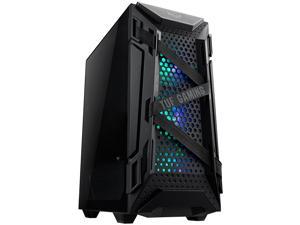
ASUS TUF Gaming GT301 Mid-Tower Compact Case for ATX Motherboards with Honeycomb ...
- Motherboard Compatibility: ATX
- Front Ports: 2 x USB 3.2 Gen 1, 2 x Audio, 2 x Buttons
- Power Supply Mounted: Bottom
- Brand: ASUS
- Series: TUF Gaming
- Color: Black
- Case Material: Steel, Tempered Glass, ABS Plastic
- Type: ATX Mid Tower
- Model #: GT301 TUF GAMING CASE/BLK/ARGB FAN//
- Item #: 9B-11-173-038
- Return Policy: Standard Return Policy
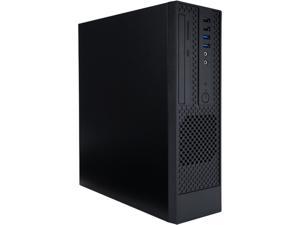
In-Win CK709 Micro-ATX S.F.F. Slim Chassis Built-in Standard TFX 12V 300W Power Supply
- Motherboard Compatibility: Micro ATX / Mini ITX
- Front Ports: 2 x USB 3.0, 2 x USB 2.0, 2 x Audio
- 120mm Fans: 1
- Brand: IN WIN
- Series: CK709
- Color: Green
- Case Material: Steel
- Type: Micro ATX Tower
- Model #: CK709.FF300TB3
- Item #: 9SIV009E5D8189
- Return Policy: Antonline.com Return Policy
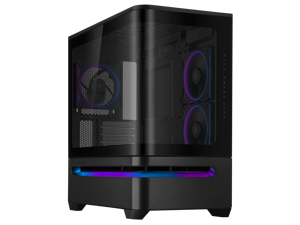
ASUS Prime AP202 ARGB Black mATX case with fully tempered curved glass, supports graphics ...
- Motherboard Compatibility: Micro ATX / Mini ITX
- Brand: ASUS
- Color: Black
- Case Material: Steel / Plastic / Tempered Glass
- Expansion Slots: 4
- Part Number: 90DC00P0-B18000
- Dust Filters: Bottom / Top
- Fan Options: Bottom - 3 x 120mm / Rear - 1 x 120mm / Side - 2 x 120mm / Top - 3 x 120mm
- Model #: AP202 ARGB CASE BLACK
- Item #: 9B-11-173-069
- Return Policy: Standard Return Policy
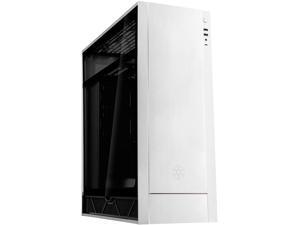
SilverStone ALTA F1 SST-ALF1S-G Silver Aluminuml / Steel / Tempered Glass ATX Mid Tower ...
- Motherboard Compatibility: Micro ATX / ATX / Mini-ITX
- Front Ports: 1 x USB 3.1 Gen 2 Type-C, 2 x USB 3.0, 1 x Audio
- Brand: SilverStone
- Series: ALTA F1
- Color: Silver
- Case Material: Aluminuml / Steel / Tempered Glass
- Type: ATX Mid Tower
- Model #: SST-ALF1S-G
- Item #: 9B-11-163-421
- Return Policy: Standard Return Policy
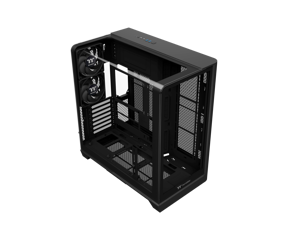

Thermaltake View 390 TG; Mid Tower;2x120mm CT PWM Fans Included; 360mm Radiator ...
- Motherboard Compatibility: 6.7 x 6.7 (Mini ITX), 9.6 x 9.6 (Micro ATX), 12 x 9.6 (ATX)
- Brand: Thermaltake
- Series: Thermaltake View 390 TG
- Color: Black
- Case Material: SPCC
- Type: ATX Mid Tower
- Side Panel: 4mm Tempered Glass x 2
- Internal 3.5" Drive Bays: 2
- Model #: CA-11F-00M1WN-01
- Item #: 9B-11-133-593
- Return Policy: Standard Return Policy
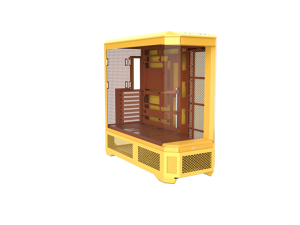
Thermaltake View 600 TG; Full Tower; 420mm Radiator Support; 480mm GPU Clearance; ...
- Motherboard Compatibility: ATX / E-ATX / Micro ATX / Mini ITX
- Brand: Thermaltake
- Color: Butter Caramel
- Case Material: SPCC
- Expansion Slots: 8
- Fan Options: Top: 3 x 120mm 3 x 140mm Right: 3 x 120mm 3 x 140mm Rear: 1 x 120mm 1 x 140mm Power cover: 3 x 120mm 3 x 140mm
- Radiator Options: Top : 1 x 360mm, 1 x 240mm, 1 x 120mm 1 x 420mm, 1 x 280mm, 1 x 140mm Right: 1 x 360mm, 1 x 240mm, 1 x 120mm 1 x 420mm, 1 x 280mm, 1 x 140mm Rear: 1 x 120mm 1 x 140mm
- Max GPU Length: 480 mm
- Model #: CA-11H-00FMWN-00
- Item #: 9B-11-133-576
- Return Policy: Standard Return Policy
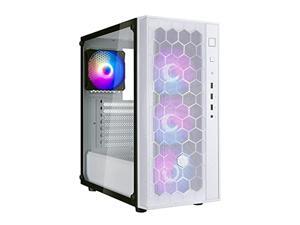
silverstone far1w-pro tempered glass mid tower atx case with argb (fara r1 pro)
- Front Ports: 2 x USB 3.0, 1 x USB 2.0, 1 x Audio
- Model #: RNAB0973VP7V1
- Item #: 9B-2AM-006F-00135
- Return Policy: Standard Return Policy
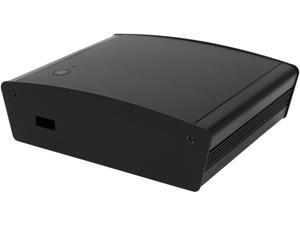
SilverStone PT15B-H1D2 Black Aluminum / Plastic Computer Case with 1x HDMI and 2x ...
- Motherboard Compatibility: Intel NUC
- Front Ports: 1 x USB port
- Brand: SilverStone
- Color: Black
- Case Material: Aluminum / Plastic
- Dimensions: 1.61" x 5.12" x 4.33"
- Weight: 0.66 lb.
- Features: Compatible with most Intel Haswell-based NUC motherboards Premium aluminum construction & SilverStone styling Pre-assembled WIFI antenna and Bluetooth for ease of deployment Super small design at 130mm x 110mm x 41mm Includes VESA MISD-75 mounting bracket Supports DIN rail mounting
- Model #: PT15B-H1D2
- Item #: 9B-11-163-268
- Return Policy: Standard Return Policy
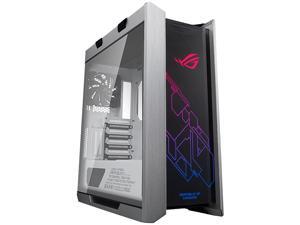
ASUS ROG Strix Helios GX601 White Edition RGB Mid-Tower Computer Case for ATX/ EATX ...
- Motherboard Compatibility: Micro ATX / ATX / Mini ITX / E-ATX (12" x 10.9")
- Front Ports: 1 x USB 3.1 Gen 2 Type-C, 4 x USB 3.1 Gen 1, 2 x Audio, , LED & Fan Control Buttons
- Power Supply Mounted: Bottom
- Brand: ASUS
- Series: ROG Strix Helios GX601 White Edition
- Color: White / Silver
- Case Material: Aluminum / Tempered Glass
- Type: ATX Mid Tower
- Model #: GX601 ROG STRIX HELIOS CASE/WT/AL/WITH HANDLE
- Item #: 9B-11-173-039
- Return Policy: Standard Return Policy
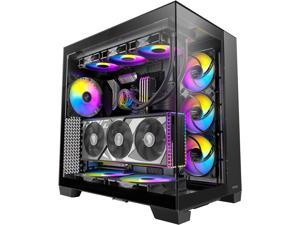
Antec C8 ARGB, 2x TQR 160mm & 1x TQ 140mm ARGB PWM Fans Included, Dual-chamber ...
- Motherboard Compatibility: E-ATX (280mm), ATX, M-ATX, ITX
- Front Ports: 2 x USB 3.0, 1 x USB 3.1 Type-C, 1 x Audio, 2 x Buttons
- Brand: Antec
- Color: Black
- Case Material: Steel + Plastic + Glass
- Type: E-ATX Full Tower Case
- Side Panel: 4mm Tempered Glass
- Internal 3.5" Drive Bays: 2/0
- Model #: C8 ARGB
- Item #: 9B-11-129-310
- Return Policy: Standard Return Policy
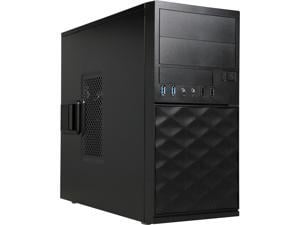
IN WIN EFS052.CH450TB3 Black Mini Tower Computer Case MicroATX 12V Form Factor, PSII ...
- Motherboard Compatibility: Micro ATX
- Front Ports: 2 x USB 2.0, 2 x USB 3.0, 2 x Audio
- Brand: IN WIN
- Color: Black
- Type: ATX Mini Tower
- Power Supply: ATX 12V Form Factor, PSII Size
- External 5.25" Drive Bays: 2
- Model #: EFS052.CH450TB3
- Item #: 9B-11-108-476
- Return Policy: Standard Return Policy
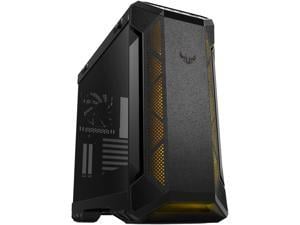
ASUS TUF Gaming GT501 Mid-Tower Computer Case for up to EATX Motherboards with USB 3.0 ...
- Motherboard Compatibility: Micro ATX / ATX / Mini ITX / E-ATX (12"x10.9")
- Front Ports: 2 x USB 3.1 Gen 1, Audio
- Power Supply Mounted: Bottom
- Brand: ASUS
- Series: TUF Gaming
- Color: Black / Grey
- Case Material: Steel / Plastic / Tempered Glass
- Type: ATX Mid Tower
- Model #: GT501 TUF GAMING CASE/GRY/WITH HANDLE
- Item #: 9B-11-173-034
- Return Policy: Standard Return Policy
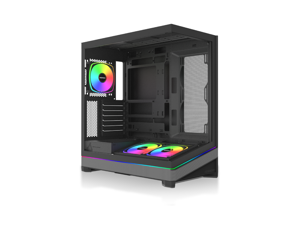
MONTECH SKY 3 ATX PC Case, Panoramic Glass, Adjustable Airflow, Personalized Design, ...
- Motherboard Compatibility: ATX / Micro ATX / Mini ITX
- Front Ports: Type-C (20G)*1; USB3.0*2
- Brand: Montech
- Color: Black
- Case Material: SPCC / Tempered Glass
- Type: ATX Mid Tower
- Internal 3.5" Drive Bays: 2
- Internal 2.5" Drive Bays: 2
- Model #: SKY 3 Black
- Item #: 9B-11-970-051
- Return Policy: Standard Return Policy
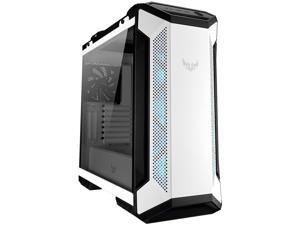
ASUS TUF Gaming GT501 White Edition Mid-Tower Computer Case for up to EATX ...
- Motherboard Compatibility: Micro ATX / ATX / Mini ITX / E-ATX (up to 12" x 10.9")
- Front Ports: 2 x USB 3.1 Gen 1 / 1 x Headphone / 1 x Microphone
- Power Supply Mounted: Bottom
- Brand: ASUS
- Series: TUF Gaming GT501 White Edition
- Color: White
- Case Material: Steel / Plastic / Tempered Glass
- Type: ATX Mid Tower
- Model #: GT501 TUF GAMING CASE/WT/HANDLE
- Item #: 9B-11-173-041
- Return Policy: Standard Return Policy
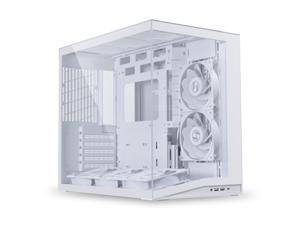

LIAN LI O11D MINI V2 Flow | Compact ATX Mid-Tower Airflow Computer Case | Panoramic View | ...
- Motherboard Compatibility: ATX (Back Connect) / Micro ATX / Mini ITX
- Front Ports: 2 x USB 3.0 1 x USB 3.2 Type C 1 x Audio 1 x Power Button
- Power Supply Mounted: Bottom
- Brand: LIAN LI
- Color: White
- Case Material: 2mm Aluminum Panel / 1mm Mesh Panel / 4.0mm Tempered Glass
- Type: ATX Mid Tower
- Model #: O11DMIV2FW
- Item #: 9B-2AM-000Z-000G1
- Return Policy: Standard Return Policy
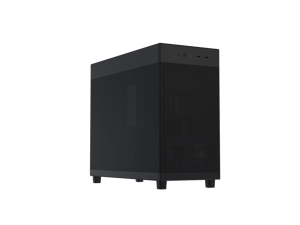
ASUS Prime AP303 Black Edition Mesh-Panel 44-Liter ATX PC case, structural GPU bracket, ...
- Motherboard Compatibility: ATX / Micro ATX / Mini ITX
- Front Ports: 2 x USB 3.2 Gen1, 1 x USB 3.2 Gen 2x2 (Type-C), 1 x Headphone + Microphone
- Brand: ASUS
- Color: Black
- Case Material: Steel / Plastic
- Internal 3.5" Drive Bays: 1
- Internal 2.5" Drive Bays: 2
- Expansion Slots: 7
- Model #: PRIME AP303 MESH BLACK
- Item #: 9B-11-173-077
- Return Policy: Standard Return Policy
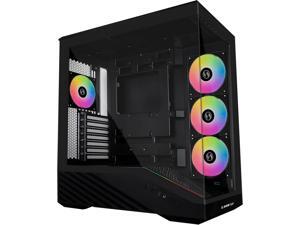
Lian Li V100 ATX Mid-Tower PC Case, 4 x 120mm ARGB PWM Fans Pre-Installed, LED RGB Strip, ...
- Front Ports: USB 3.0 x 2 , USB 3.1 Type C x 1 Audio
- 120mm Fans: 4
- Power Supply Mounted: Bottom
- Brand: LIAN LI
- Series: V100
- Color: Black
- Case Material: Steel / Tempered Glass
- Type: ATX Mid Tower
- Model #: V100RX
- Item #: 9B-2AM-000Z-000F6
- Return Policy: Standard Return Policy
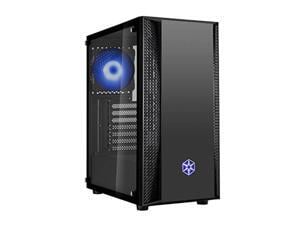
SilverStone FARA B1 RGB Sleek tempered glass mid-tower ATX case with RGB fans, ...
- Motherboard Compatibility: ATX / Micro ATX / Mini ITX
- Front Ports: 2 x USB 3.0, 1 x USB 2.0, Audio x 1
- 120mm Fans: 2
- Power Supply Mounted: Bottom
- Brand: SilverStone
- Series: FARA B1 RGB
- Color: Black
- Case Material: Steel / Plastic / Tempered Glass
- Model #: SST-FAB1B-RGB
- Item #: 9B-2AM-006F-00128
- Return Policy: Standard Return Policy
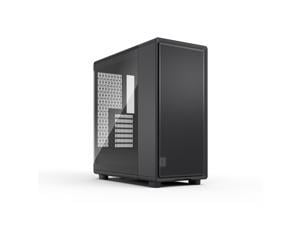

Fractal Design Epoch XL Black - Tempered Glass Light Tint - High Airflow PC Gaming Case - Mesh ...
- Motherboard Compatibility: ATX / mATX / Mini-ITX
- Front Ports: 1 x USB Type-C 20Gbps, 2 x USB Type-A 5Gbps, Audio & Mic
- Power Supply Mounted: Bottom
- Brand: Fractal Design
- Series: Epoch XL
- Color: Black
- Case Material: Steel
- Type: ATX Mid Tower
- Model #: FD-C-EPO1X-02
- Item #: 9B-11-352-246
- Return Policy: Standard Return Policy
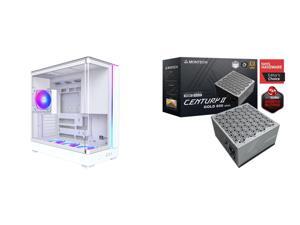
Computer Case PSU Combo - Montech KING 45 PRO (W) Bundle with Montech Century II 850
- Motherboard Compatibility: ATX
- Power Supply Mounted: Side Mount
- Brand: Montech
- Series: MONTECH KING 45 PRO
- Color: White
- Case Material: SPCC / Tempered Glass
- Type: ATX Full Tower
- Model #: COMBO 4853276
- Item #: 9B-CMB-4853276
- Return Policy: Standard Return Policy
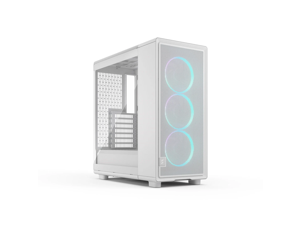
Fractal Design Epoch XL White RGB - Tempered Glass Clear Tint - High Airflow PC Gaming Case - ...
- Motherboard Compatibility: ATX / mATX / Mini-ITX
- Front Ports: 1 x USB Type-C 20Gbps, 2 x USB Type-A 5Gbps, Audio & Mic
- Power Supply Mounted: Bottom
- Brand: Fractal Design
- Series: Epoch XL
- Color: White
- Case Material: Steel
- Type: ATX Mid Tower
- Model #: FD-C-EPO1X-05
- Item #: 9B-11-352-249
- Return Policy: Standard Return Policy
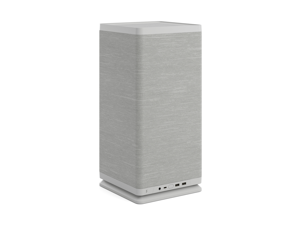
Fractal Design Mood Light Gray Mini-ITX Small Form Factor PC Case with PCIe 4.0 Riser
- Motherboard Compatibility: Mini ITX
- Front Ports: 1 x USB 3.2 Gen 2x2 Type-C, 2 x USB 3.0 Type-A, 1 x Audio
- Power Supply Mounted: Top
- Brand: Fractal Design
- Series: Mood
- Color: Light Gray
- Case Material: Steel, Plastic, Cloth
- Type: Small Form Factor
- Model #: FD-C-MOD1N-01
- Item #: 9B-11-352-219
- Return Policy: Standard Return Policy
Considerations for Choosing a New PC Case
Introduction
When assembling a new computer system, you will at some point need to decide what computer case to use. To find the ideal case for your build, you should consider details such as size, weight, compatibility, number of drive bays, and more.
Size / Form Factor
The size of a computer case is an important factor that can determine what type of motherboard you can use, how many internal drives you can install, and more. As the size of the case increases, the number and size of components that you can install increase as well.
Computer cases fall into several categories in terms of size and form factor. For standard ATX form factor motherboards, tower cases are one of the most popular types of cases. They can be categorized as being either full size tower, mid-size tower, or mini tower. Computer cases for smaller form factors such as Mini-ITX and Micro ATX tend to be more varied in design.
Weight
The weight of a computer case is a factor of both its size and materials. There are several types of materials commonly used in computer cases, each with their own pros and cons.
- Steel – The heaviest type of case material, steel is also very sturdy and durable. Cases that are made from steel are not as transportable due to their weight.
- Aluminum – Computer cases made from aluminum are relatively light but tend cost more than steel cases. Aluminum is often used to make cases that are designed to be easily transportable.
- Acrylic – Acrylic is primarily used for clear computer cases to achieve a completely transparent aesthetic. It is also sometimes used in steel and aluminum computer cases that have transparent surfaces or windows.
Drive Bays
There are three types of drive bays, 5.25 inch external bays, 3.5 inch external bays, and 3.5 inch internal bays. External bays are typically used by devices such as optical drives, card readers, and floppy disk drives. Internal drive bays are mostly used for solid state drives and hard disk drives. When choosing a computer case, ensure that it has the adequate amount of internal and external bays for your needs.
Expansion Slots
An expansion slot is used to add and enhance a system’s functionality, such as adding wireless networking or improving graphics performance. Most mid and full tower computer cases can support up to seven expansion cards, which is the ATX standard.
However, larger motherboards such as extended ATX motherboards can sometimes have more than seven expansion card slots. In order to take advantage of the additional slots, you will need to find a computer case that supports E-ATX motherboards with additional slots.
Front Panel Ports
Connecting audio and USB cables to a computer using rear ports can be a hassle and sometimes may require the use of a longer cable. Front panel ports add convenience by providing more easily accessible ports for many different types of devices. When shopping for a computer case, try to find one with a front panel port that is adequate for your needs.

