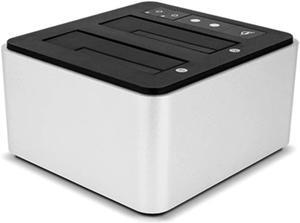
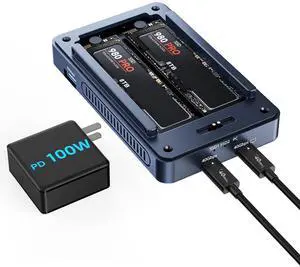
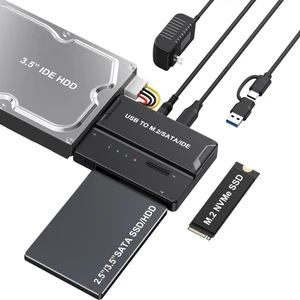
• In Stock
  • Sold by NeweggBusiness
  • New
  • Combo Deals Only
Brands
Show More
Price
Show More
Size
Show More
AC Adapter
Material
Show More
Thunderbolt 3
Internal Interface
Show More
External Interface
Show More
Number of Bay
Show More
Maximum Capacity (per Bay)
Show More
Sold by
Fan
All Top Brands
Availability
Condition
Useful Links
Customer Ratings
  • Featured Brands

    See Deals from Rosewill
Sort By:
View:
ORICO M.2 SATA SSD Enclosure,  Type-C 6Gbps to M.2 SATA SSD Enclosure for SATA M.2(M-Key/B+M-Key) SSD Support 2230/2242/2260/2280, Up to 4TB
Quick View
Orico
ORICO M.2 SATA SSD Enclosure, Type-C 6Gbps to M.2 SATA SSD Enclosure for SATA M.2(M-Key/B+M-Key) SSD Support 2230/2242/2260/2280, Up to 4TB
  • Brand: ORICO
  • Series: ORICO-TXM2
  • Color: Transparent Clear
  • External Interface: USB 3.1 Type-C
  • Model #: TXM2F-C3-GY-EP
  •  
  • $15.99 
ORICO 20Gbps M.2 NVMe SSD Enclosure with Cooling Fan, Ideal for Content Creators, Support 2230 2242 2260 2280(only M Key) Max 8TB
Quick View
ORICO 20Gbps M.2 NVMe SSD Enclosure with Cooling Fan, Ideal for Content Creators, Support 2230 2242 2260 2280(only M Key) Max 8TB
  • Brand: ORICO
  • Series: ORICO-COM2-U4-GY-BP
  • Color: Gray
  • External Interface: Type-C
  • Model #: COM2-G20-GY-BP
  •  
  • $49.99 
EnLabs mSATA to 2.5inch SATA Adapter Converter w/ 7mm Case Enclosure,2.5" SATA III to 3050 miniSATA Card with Metal Housing
Quick View
EnLabs mSATA to 2.5inch SATA Adapter Converter w/ 7mm Case Enclosure,2.5" SATA III to 3050 miniSATA Card with Metal Housing

Limited time offer, ends 08/31

  • Brand: En-Labs
  • Color: Black
  • External Interface: SATA
  • Material: Aluminum
  • Model #: ENMSATA2SATA
  •  
  • $13.19 
  • $10.39 - $13.19
TERRAMASTER D1 SSD Plus 40Gbps M.2 NVMe SSD Enclosure - Aluminum M.2 Enclosure USB Type-C, Compatible with USB 4/3.2/3.1/3.0/2.0, Thunderbolt 5/4/3, Mobile App for Data Backup Included (Diskless)
Quick View
  •  
  • $119.99 
  • $67.49 - $119.99
ORICO 3.5 Inch External Hard Drive Enclosure with Removable Enclosure USB 3.0 to SATA 3.0 5Gbps for SATA 3.5 Inch HDD with 12V 2A Power Supply Adapter (16TB Max, Blue Display) 7688U3
Quick View
  •  
  • $25.99 
  • $22.99 - $25.99
PARD PRO TYPE-C USB3.1 USB3.0 m.2 NGFF B-Key SSD Mobile Drive VIA VLI716 Support TRIM SATA3 6Gbps UASP Aluminum SSD HDD Enclosure
Quick View
PARD PRO TYPE-C USB3.1 USB3.0 m.2 NGFF B-Key SSD Mobile Drive VIA VLI716 Support TRIM SATA3 6Gbps UASP Aluminum SSD HDD Enclosure
  • Material: Aluminum
  • Type: Enclosure
  • Maximum Capacity (per Bay): Up to 3TB
  • Model #: 908500844240
  •  
  • $43.69 
EN-Labs M.2NVMe & NGFF Duplicator Cloner Docking Station Dual-Bay 20Gbps USB C to PCIe M Key / SATA-based B+M Key NGFF SSD Dock Enclosure,Supports 22110 / 2280 / 2260 / 2242 / 2230
Quick View
EN-Labs M.2NVMe & NGFF Duplicator Cloner Docking Station Dual-Bay 20Gbps USB C to PCIe M Key / SATA-based B+M Key NGFF SSD Dock Enclosure,Supports 22110 / 2280 / 2260 / 2242 / 2230

Limited time offer, ends 08/31

  • Compatibility: Motherboard Chipsets
  • Features: Fit for raspberry Pi B+,Pi2 B,Pi 3 ,set of 3 heatsinks These heatsinks have a layer of thermal adhesive that allow for easy installation on to your board. These heat sinks have profiles which are short enough to fit within standard Raspberry Pi cases. Pure copper heatsink thermal conductivity up to 401w / mk,good idear for processor,CPU and GPU cooling,Tested to fit the Raspberry Pi CPU / SoC,reduce the risk of hardware failure due to overheating. These heat sinks include adhesive thermal tape for efficient thermal transfer to the heat sink providing additional cooling to the IC. Also, it is easy to remove with a razor blade, so you can remove the heatsink without damaging the chips. These heat sinks can be used with other devices such as the Beaglebone to cool processor, regulators, etc. Installation Instructions: ...
  • Model #: 11-001-099
  •  
  • $94.99 
  • $74.99 - $94.99
(USB3.1 Type-C Gen II 10Gbps) ORICO Aluminum Dual-bay mSATA to USB3.1 Type-C/USB-C External SSD Enclosure Support Raid 0 Raid PM Mode 4TB (2 x 2TB) Max for Windows, XP, Vista, Linux, MAC OS
Quick View
  •  
  • $89.99 
ORICO M.2 NVMe SSD Enclosure, USB 3.1 Gen 2 (10 Gbps) PCIe External Adapter NVMe Case for 2230/2242/2260/2280 M.2 SSD up to 8TB, UASP Supported - M2PV
Quick View
  •  
  • $17.99 
  • $14.99 - $17.99
ORICO 5 Bay DAS Hard Drive Enclosure USD3.0 Support Raid for 2.5/3.5 inch HDD SSD for Enterprise Class Data Storage Aluminum  (9958RU3)
Quick View
Orico
ORICO 5 Bay DAS Hard Drive Enclosure USD3.0 Support Raid for 2.5/3.5 inch HDD SSD for Enterprise Class Data Storage Aluminum (9958RU3)
  • Brand: ORICO
  • Series: ORICO-3559C3-US-BK-BP
  • Size: 2.5" & 3.5"
  • Color: Silver
  • Model #: 9958RU3-US-SV-BP
  •  
  • $199.99 
ICY DOCK 2.5 SSD Dock Trayless Hot-Swap SATA/SAS Mobile Rack for Ext 3.5 Bay - flexiDOCK MB521SP-B
Quick View
  •  
  • $109.69 
PCIe 3.0 M.2 NGFF / NVMe SSD to U.2 Adapter SFF-8639, Full Aluminum 2.5" Enclosure
Quick View
  •  
  • $31.98 
  • $30.58 - $31.98
2.5 inch Hard Drive Enclosure SATA to USB C 3.1 Gen1 5Gbps External Hard Drive Case for 7/9.5mm HDD/SSD Support UASP Up to 6TB -2139C3-CR
Quick View
  •  
  • $27.88 
USB 3.0 USB-C Type-C to NVME M-key M.2 NGFF SATA SSD Docking Vertical External PCBA Case Enclosure RTL9210B Chipset
Quick View
  •  
  • $29.38 
  • $27.98 - $29.38
Sharge Disk M.2 NVMe SSD Enclosure with Active Cooling System, 10Gbps USB C 3.2 Gen2, Enclosure NVMe Reader Supports M Keys and Size 2230 SSDs, Gray
Quick View
  •  
  • $74.98 
  • $73.58 - $74.98
M.2 to USB Adapter, RIITOP M.2 NVME SATA SSD to USB3.1 Gen2 10Gbps, USB to NVME PCIe SSD Reader M Key & B+M Key Max 4TB Support UASP for 2280 2260 2242 2230 SSD Enclosure
Quick View
  •  
  • $16.98 
  • $15.58 - $16.98
MSATA M.2 NGFF SATA SSD to 2.5" SATA 2 in 1 Combo JBOD HDD Disk Drive Enclosure Adapter
Quick View
MSATA M.2 NGFF SATA SSD to 2.5" SATA 2 in 1 Combo JBOD HDD Disk Drive Enclosure Adapter

Limited time offer, ends 08/09

  • Model #: HYH-20260709-C7CC-2084
  •  
  • $66.31 
mSATA 5Gbps SSD Adapter, mSATA to USB 3.0 Toolless Enclosure for SSD 3050, with USB Cable, 2TB Max-TC10
Quick View
  •  
  • $17.99 
  • $16.59 - $17.99

How to Buy a Hard Drive Enclosure

Introduction

External hard drives are useful for a variety of purposes, why not create your own with a hard drive enclosure? By using an enclosure, you will have the ability to use an internal hard drive or solid state drive of your choice. Alternatively, if you have multiple internal hard drives that you want to use externally, consider a hard drive dock. If the customizability of a hard drive enclosure or dock appeals to you, NeweggBusiness offers some considerations that will help you select the ideal solution.

Special Features

In this section, NeweggBusiness will outline some special features that you will find in some hard drive docks and enclosures.

Hot Swapping

The ability to hot swap a hard drive means that you can remove and replace the drive without the need to restart the computer. To the operating system, the enclosure or dock will still show as being connected even if the hard drive has been removed. It is a feature that makes backing up data to multiple hard drives a more time-efficient process.

Cloning/Duplication

Cloning or duplicating a hard drive means mirroring all the contents to an image file or another hard drive. It is more comprehensive than copying and pasting files, as cloning captures all data on the drive and not just visible files. With some dual-bay docks, cloning can be as simple as inserting two hard drives and pressing a button to begin the process.

Redundant Array of Independent Disks/Drives (RAID)

A RAID array is a method of setting up multiple hard drives so that they appear and function as a single volume. A RAID setup can be used to improve read/write performance and decrease the likelihood of total data loss, depending on how it is configured.

Just a Bunch of Disks/Drives (JBOD)

Similar to a RAID setup, a JBOD array consists of multiple hard drives. But with JBOD, you can choose to have the drives appear as distinct volumes or one volume.

However, when the drives are set up to appear as one to the operating system, data is not striped or mirrored like how it is in a RAID array. Instead, the JBOD writes data to a drive until it is at capacity and then continues on another drive.

Enclosure or Dock

Below, NeweggBusiness details the differences between external hard drive enclosures and docks.
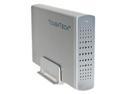
Enclosure

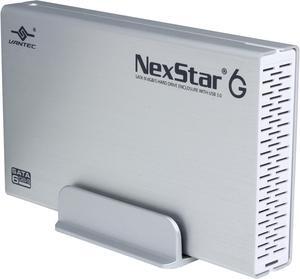
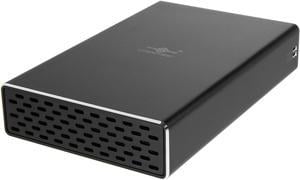
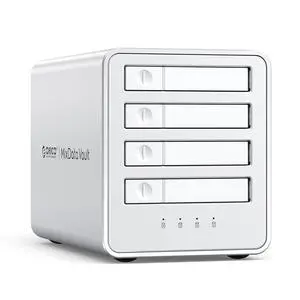
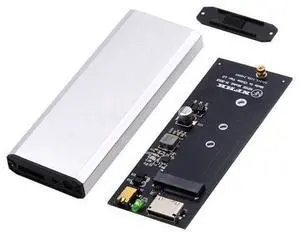
Hard Drive EnclosureAn enclosure is a case that houses an internal hard drive to protect it and adapt the internal connectors for external use. Similar to external hard drives, enclosures come in a variety of sizes and form factors.

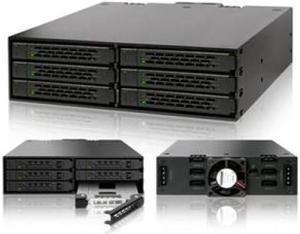
Some smaller cases for instance, can convert laptop hard drives into portable solutions. On the other end of the spectrum, there large enclosures that can accommodate multiple hard drives and manage them in RAID and JBOD configurations.
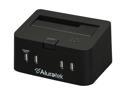
Dock

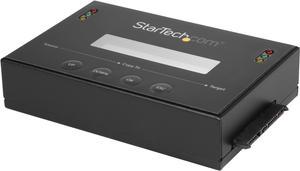
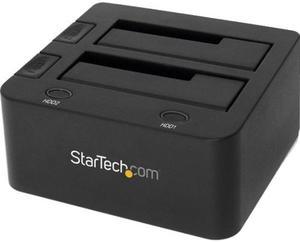
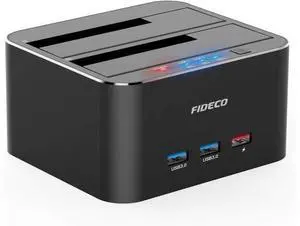
Hard Drive DockCompared to an enclosure, a hard drive dock fulfills a slightly different role. A dock is ideal if you have multiple hard drives and frequently switch between them. For that reason, many docks support hot swapping. Some dual-bay hard drive docks also have duplication functionality built-in.