


Laptop Internal Hard Drives - Showing 1 - 24 of 458 Products
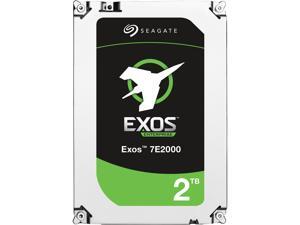

Seagate Exos 7E2000 2TB 512e SAS 12Gb/s 7200 RPM 128MB Cache Enterprise Hard Drive ...
- Brand: Seagate
- Series: Exos 7E2000
- Capacity: 2TB
- RPM: 7200 RPM
- Form Factor: 2.5"
- Interface: SAS 12Gb/s
- Cache: 128MB
- Average Latency: 4.16ms
- Model #: ST2000NX0273
- Item #: 9SIV0AHA7S0315
- Return Policy: Best Hdd Inc Return Policy
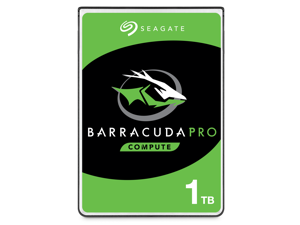
Seagate 1TB BarraCuda 5400 RPM 128MB Cache SATA 6.0Gb/s 2.5" Laptop Internal Hard ...
- Brand: Seagate
- Series: BarraCuda
- Capacity: 1TB
- RPM: 5400 RPM
- Form Factor: 2.5"
- Interface: SATA 6.0Gb/s
- Packaging: Bare Drive
- Cache: 128MB
- Model #: ST1000LM048
- Item #: 9SIA4N9EED3793
- Return Policy: Platinum Micro Inc. Hard Drives - Notebooks / Laptops Return Policy
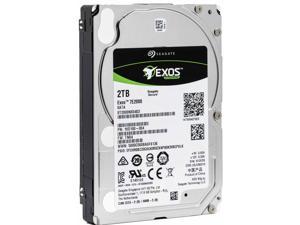
Seagate Exos 7E2000 ST2000NX0403 2TB 512n SATA 6Gb/s 7200RPM 2.5-Inch Enterprise ...
- NAND Flash Memory Type: MLC
- Average Latency: 4.16ms
- Features: Design Small and Deliver BIG - 2.5-Inch Nearline Drive - Up to 2TB capacity in 15mm z-height, 2.5-inch form factor for space-constrained data centers - Designed for high-density storage solutions requiring environmentally sound low power consumption and low weight for maximum storage efficiency - Choose 12Gb/s SAS for high data integrity, scalability and
- Usage: For Enterprise Storage
- Height (maximum): 15mm
- Width (maximum): 70.10mm
- Length (maximum): 100.46mm
- Model #: ST2000NX0403
- Item #: 9SIV126K9J7223
- Return Policy: Brute Networks Return Policy
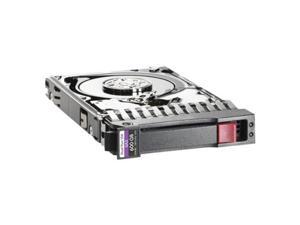

HPE SOURCING Enterprise Hard Drive
- NAND Flash Memory Type: MLC
- Features: HP SAS Enterprise and Midline hard drives deliver high performance solutions for hosting high transaction based applications. Available in HP hot plug carriers or non-hot plug. HP SAS Enterprise and Midline hard drives come in both 2.5-inch (SFF) and 3.5-inch (LFF) industry standard form factors and are available in a
- Usage: For Enterprise Storage
- Model #: 759212-S21
- Item #: 9SIV126K9J7069
- Return Policy: Brute Networks Return Policy
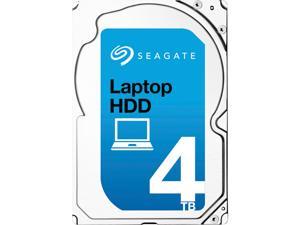
Seagate ST4000LM016 4TB 5400 RPM 128MB Cache SATA 6.0Gb/s 2.5" Internal Notebook ...
- Brand: Seagate
- Capacity: 4TB
- RPM: 5400 RPM
- Form Factor: 2.5"
- Interface: SATA 6.0Gb/s
- Cache: 128MB
- Average Seek Time: 12ms
- Features: Big Storage in a Small Package! - Highest-capacity mobile hard drive for DIY external box setup for upgraders - Each drive can store more than 1 million songs or 480 hours of HD video - Consumes less power than Seagate and competitive 3.5-inch desktop HDDs - Size matters. At 2.5 inches, it's smaller than your regular 3.5-inch desktop HDD, yet delivers a whopping 4TB of capacity to satisfy your need for storage - Perfect size for external box setup for upgraders and ultra-slim desktop HDD setup or replacements Best-Fit Applications - External storage - All-in-one PC storage - Ultra-slim desktop storage
- Model #: ST4000LM016
- Item #: 9SIV0AHACE0948
- Return Policy: Best Hdd Inc Return Policy
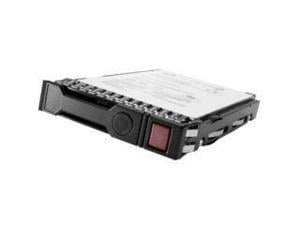
HPE G8-G10 1.8-TB 12G 10K 2.5 SAS 512e - 872481-B21
- Brand: HPE - SERVER OPTIONS
- Capacity: 1.8TB
- RPM: 10000 RPM
- Form Factor: 2.5"
- Interface: Serial Attached SCSI (SAS)
- Model #: 872481-B21
- Item #: 9SIV126K9J7360
- Return Policy: Brute Networks Return Policy
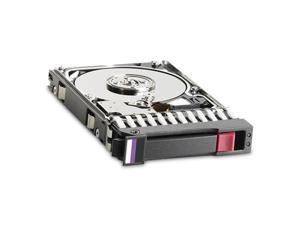
HP 832514-B21 1TB 7200 RPM SAS 12Gb/s 2.5" SC Midline Server Hard Drive
- Height (maximum): 15.6mm
- Width (maximum): 75.70mm
- Length (maximum): 118.70mm
- Model #: 832514-B21
- Item #: 9SIV126K9J7375
- Return Policy: Brute Networks Return Policy
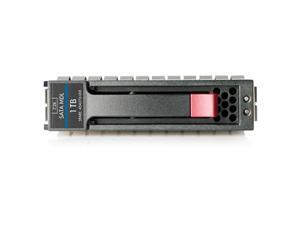
HP 655710-B21 1TB 7200 RPM SATA 6.0Gb/s 2.5" SFF SC Midline Hard Drive
- Brand: HP
- Capacity: 1TB
- RPM: 7200 RPM
- Form Factor: 2.5"
- Interface: SATA 6.0Gb/s
- NAND Flash Memory Type: Hard Drive
- Features: HP SATA Hard Drives are designed for the reliability and larger capacities demanded by today's entry server and external storage environments. HP SATA Midline drives are designed with economical reliability and performance for external storage, backups and archival applications. These high capacity drives provide the lowest $/GB to our customers, and the best price advantage for non-mission critical applications with low workloads of 40% or less. HP SATA drives are available in both Large Form Factor (LFF) (3.5-inch) and Small Form Factor (SFF) (2.5-inch) and ship with a standard one year warranty, 1,0,0. All HP hard drives pass a rigorous qualification process, which ensures that ever...
- Model #: 655710-B21
- Item #: 9SIV126K9J7080
- Return Policy: Brute Networks Return Policy
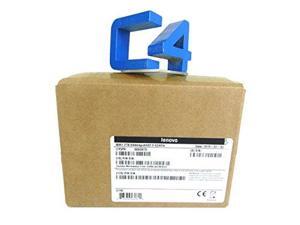

Lenovo 00AD075 1.2TB 10000 RPM SAS 6Gb/s 2.5" Hard Drives - Notebooks / Laptops
- NAND Flash Memory Type: MLC
- Model #: 00AD075
- Item #: 9SIV126K9J7339
- Return Policy: Brute Networks Return Policy
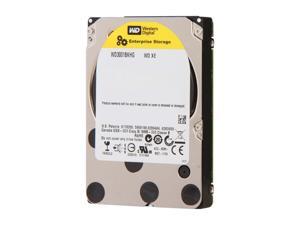

Western Digital XE WD3001BKHG 300GB 10000 RPM 32MB Cache SAS 6Gb/s 2.5" Internal ...
- Brand: Western Digital
- Series: XE
- Capacity: 300GB
- RPM: 10000 RPM
- Form Factor: 2.5"
- Interface: SAS 6Gb/s
- Packaging: Bare Drive
- Cache: 32MB
- Model #: WD3001BKHG
- Item #: 9SIV126K9J7524
- Return Policy: Brute Networks Return Policy
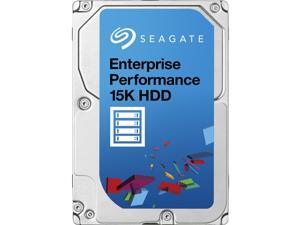
Seagate ST300MP0006 300GB 15000RPM SAS 12GB/S 256MB Enterprise Performance 15K ...
- NAND Flash Memory Type: MLC
- Average Latency: 2.0ms
- Features: Accelerates I/O operations and completes more transactions faster - even during peak demand At 900GB, stores 50% more mission-critical data than any other 15K HDD Optimizes TCO with higher capacity at lower cost than high-performance alternatives Delivers more predictable performance (up to 27% SDR over previous generation) while helping to protect data from
- Usage: For Enterprise Storage
- Height (maximum): 15mm
- Width (maximum): 69.85mm
- Length (maximum): 100.45mm
- Model #: ST300MP0006
- Item #: 9SIV126K9J7274
- Return Policy: Brute Networks Return Policy
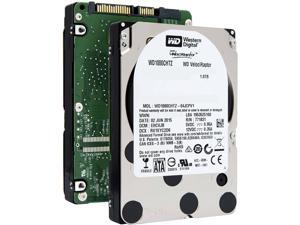
Western Digital WD VelociRaptor WD1000CHTZ 1TB 10000 RPM 64MB Cache SATA 6.0Gb/s ...
- Height (maximum): 15mm
- Width (maximum): 69.85mm
- Length (maximum): 100.45mm
- Model #: WD1000CHTZ
- Item #: 9SIV126K9J7490
- Return Policy: Brute Networks Return Policy
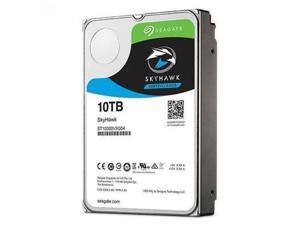
Seagate SkyHawk AI 10TB Surveillance Hard Drive 256MB Cache SATA 6.0Gb/s 3.5" Internal ...
- Usage: For Video Surveillance
- Model #: ST10000VE0004
- Item #: 9SIV126K9J6888
- Return Policy: Brute Networks Return Policy
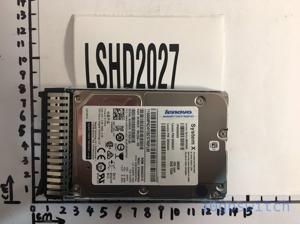
Lenovo 00WG660 300 GB HDD
- Model #: 00WG660
- Item #: 9SIV126K9J7468
- Return Policy: Brute Networks Return Policy
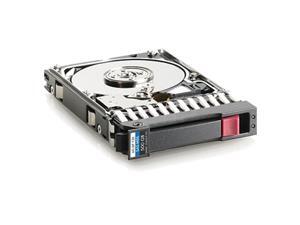
HP Midline 507610-B21 500GB 7200 RPM SAS 6Gb/s 2.5" Internal Hard Drive Retail
- Brand: HP
- Series: Midline
- Capacity: 500GB
- RPM: 7200 RPM
- Form Factor: 2.5"
- Interface: SAS 6Gb/s
- Packaging: Retail
- Features: Hot Plug SFF Compatibility: BladeSystem ProLiant Server Blades: - HP ProLiant BL465c G6 series Server - HP ProLiant BL685c G6 series Server HP ProLiant DL Servers: - HP ProLiant DL320 G6 series Server - HP ProLiant DL370 G6 series Server - HP ProLiant DL385 G6 series Server - HP ProLiant DL585 G6 series Server HP ProLiant ML Servers: - HP ProLiant ML350 G6 series Server - HP ProLiant ML370 G6 series Server
- Model #: 507610-B21
- Item #: 9SIV126K9J7082
- Return Policy: Brute Networks Return Policy

HP 619291-B21 900 GB 2.5' Internal Hard Drive
- Parts: 3 Year
- Model #: 619291-B21
- Item #: 9SIV126K9J7507
- Return Policy: Brute Networks Return Policy

Western Digital WD VelociRaptor WD5000BHTZ 500GB 10000 RPM 64MB Cache SATA ...
- Brand: Western Digital
- Series: WD VelociRaptor
- Capacity: 500GB
- RPM: 10000 RPM
- Form Factor: 2.5"
- Interface: SATA 6.0Gb/s
- Packaging: Bare Drive
- Cache: 64MB
- Model #: WD5000BHTZ
- Item #: 9SIV126K9J7416
- Return Policy: Brute Networks Return Policy


Dell Hard Drive - 1.2 TB 400-AJPD Hard Drives
- Model #: 463-7475
- Item #: 9SIV173KEJ7631
- Return Policy: Digitzy Return Policy
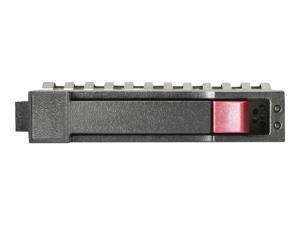
HPE ISS BTO 765455-B21 2TB 6G SATA 7.2k 2.5in 512e SC
- Model #: 888182855492
- Item #: 9SIV126K9J7001
- Return Policy: Brute Networks Return Policy
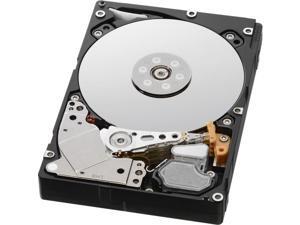
HGST Ultrastar C10K1800 HUC101890CSS200 (0B27976) 900GB 10520 RPM 128MB Cache ...
- Brand: HGST
- Series: Ultrastar C10K1800
- Capacity: 900GB
- RPM: 10520 RPM
- Form Factor: 2.5"
- Interface: SAS 12Gb/s
- Packaging: Bare Drive
- Cache: 128MB
- Model #: 0B27976
- Item #: 9SIV0AHJNM3707
- Return Policy: Best Hdd Inc Return Policy
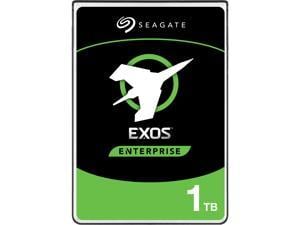
Seagate Exos 7E2000 1TB 512e SATA 6Gb/s 7200 RPM 2.5-Inch Enterprise Hard Drive ...
- Average Latency: 4.16ms
- Height (maximum): 15mm
- Width (maximum): 70.10mm
- Length (maximum): 100.45mm
- Model #: ST1000NX0313
- Item #: 9SIV0AHAPC7461
- Return Policy: Best Hdd Inc Return Policy
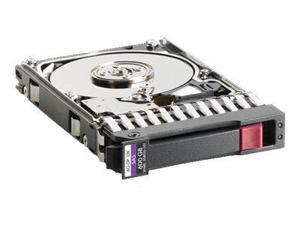
HP E7W47A 10000 RPM SAS 6Gb/s 2.5" SFF Dual Port Enterprise Hard Drive
- NAND Flash Memory Type: MLC
- Features: Storage Capacity: 1.20 TBRotational Speed: 10000 rpmWireless LAN: NoDrive Interface: SASDrive Interface Standard: 6Gb/s SASColor: BlackDrive Type: InternalDrive Width: 2.5"Height: 4.6" (117.6 mm)Width: 7" (177.8 mm)Depth: 9" (228.6 mm)Weight (Approximate): 412.8 gCompatibility: HP MSA StorageDevice Supported: Storage SystemLimited Warranty: 3 Year
- Usage: For Enterprise Storage
- Parts: 3 Year
- Labor: 3 Year
- Model #: E7W47A
- Item #: 9SIV126K9J7382
- Return Policy: Brute Networks Return Policy
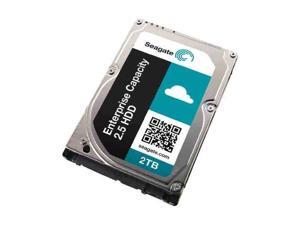
Seagate 1TB Enterprise Capacity 2.5 Internal Hard Disk Drive SAS 12Gb/s 7200 RPM 128MB ...
- Brand: Seagate
- Capacity: 1TB
- RPM: 7200 RPM
- Form Factor: 2.5"
- Interface: SAS 12Gb/s
- Cache: 128MB
- Average Latency: 4.16ms
- Features: Design Small and Deliver BIG - 2.5-Inch Nearline Drive - Up to 2TB capacity in 15mm z-height, 2.5-inch form factor for space-constrained data centers - Designed for high-density storage solutions requiring environmentally sound low power consumption and low weight for maximum storage efficiency - Choose 12Gb/s SAS for high data integrity, scalability and fast data access or SATA 6Gb/s for economical nearline performance - Third-generation, enterprise-class reliability for 24x7 environmental robustness - Highest efficiency with over 50% improvement in watts/TB, and 18% sequential performance improvement compared to the previous generation - Improved rotational vi...
- Model #: ST1000NX0323
- Item #: 9SIV126K9J7346
- Return Policy: Brute Networks Return Policy
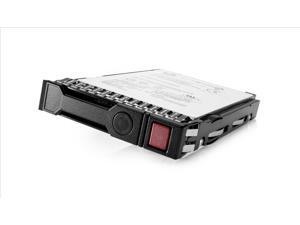
HPE - SERVER OPTIONS 765466-B21 2TB SAS 7200 RPM 2.5IN 12G 512E
- Brand: HP
- RPM: 7200 RPM
- Interface: SAS
- Model #: 765466B21
- Item #: 9SIV173KEC6269
- Return Policy: Digitzy Return Policy
Common Laptop Hard Drive Questions
Introduction
The term laptop hard drive is often applied to 2.5 inch hard drives even though they are used in many types of devices and not just laptops. For instance, they can be found in entertainment devices, desktop computers, server workstations, and more. Below, NeweggBusiness answers several common questions about 2.5 inch and laptop hard drives.
Questions
What does 2.5 inch refer to?
The designation stems from the fact that the disk platters inside of the drive are traditionally 2.5 inches in diameter. The exterior of a 2.5 inch hard drive is actually 100 millimeters (length) by 69.85 millimeters (width).
Thickness can vary, though 9.5 millimeters is very common for most laptops. On the lower end of the scale, Ultrabooks™ can sometimes have hard drives as slim as 5 millimeters. Enterprise-grade hard drives can sometimes be as thick as 15 millimeters.
How do I use a 2.5 inch or laptop hard drive with a device doesn’t support that form factor?
In order to use a 2.5 inch hard drive with a device that is designed for 3.5 inch or desktop hard drives, you will need an adapter bracket. Even with the bracket however, you will still need to ensure that the connectors are compatible.
Can I use an enterprise-grade 2.5 inch hard drive with a laptop?
While some enterprise-grade hard drives and laptop hard drives have similar form factors, they typically utilize different connectors. A laptop for instance, will usually have a SATA connector—or PATA/IDE in the case of older laptops. A server-grade hard drive on the other hand, will typically have a SAS or SCSI connector.
So while a SAS hard drive may physically fit inside a laptop, it cannot be used due to connection differences.
How do I replace a laptop hard drive?
Not all laptops feature removable hard drives, so you will first need to consult the laptop’s user guide or manufacturer’s website for confirmation. If the manufacturer states that your laptop’s hard drive can be replaced, the information below can serve as a general outline.
The first step is to ensure that you have the appropriate tools. Recommended tools include a Phillips screwdriver with a relatively small head, a flat-head screwdriver, and possibly Torx® screwdrivers.
While each laptop model may have a unique design, there are some commonalities with how the hard drives can be accessed. Three of the more common laptop hard drive configurations are as follows.
- Tray-mounted
- Access panel on the underside
- Underneath the keyboard
Once you have determined how to access the laptop hard drive, you should remove the battery and unplug the laptop to avoid electrical damage or injury.

