


Laptop Memory - Showing 1081 - 1085 of 1085 Products


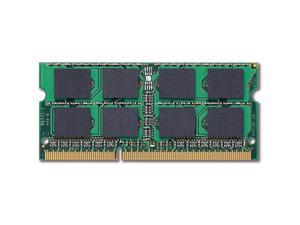
Refurbished: ELPIDAElpida Ebj21Ue8Bds0-Dj-F Elpida 2Gb (2X1Gb) 1333Mhz Pc310600 ...
- Brand: Elpida
- Capacity: 2GB (2 x 1GB)
- Type: 204-Pin DDR3 SO-DIMM
- Speed: DDR3 1333 (PC3 10600)
- CAS Latency: CL9
- Voltage: 1.50V
- Buffered/Registered: Unbuffered
- Model #: EBJ21UE8BDS0-DJ-F
- Item #: 9SIV1ZZDPU5299
- Return Policy: OEMPCWORLD Return Policy
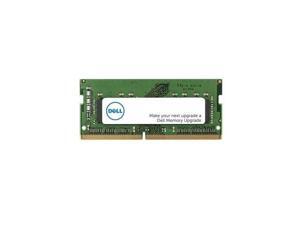

Dell SNPKRVFXC/8G 8GB Memory Module - DDR4 SDRAM - 3200MHz - PC-25600 - 260 Pin - ...
- Capacity: 8GB
- Type: 260-Pin DDR4 SO-DIMM
- Speed: DDR4 3200 (PC4 25600)
- Voltage: 1.20V
- Model #: SNPKRVFXC/8G
- Item #: 9B-0RN-002J-00DT1
- Return Policy: Standard Return Policy
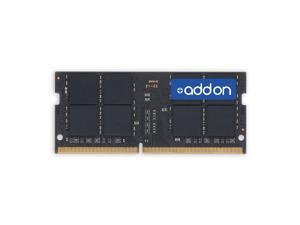
AddOn 16GB DDR4-3200MHz Unbuffered Single Rank x8 1.2V 260-pin CL22 SODIMM - JEDEC ...
- Capacity: 16GB
- Model #: AA3200D4SR8S/16G
- Item #: 9B-0RM-002A-001S9
- Return Policy: Standard Return Policy
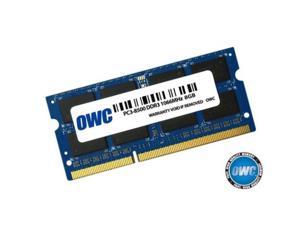
owc 8.0gb pc8500 ddr3 non ecc 1066 mhz 204 pin sodimm memory module for macbook pro, ...
- Model #: ADIB00KH9O5N2
- Item #: 9B-0H0-002C-00015
- Return Policy: Standard Return Policy
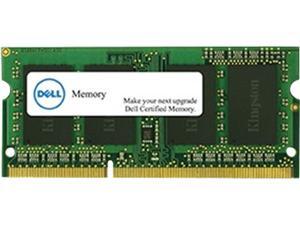
Dell 16GB 260-Pin DDR4 SO-DIMM DDR4 2400 (PC4 19200) Memory Upgrade - 2RX8 Model ...
- Voltage: 1.20V
- Buffered/Registered: Unbuffered
- Features: Random Access Memory (RAM) is a type of hardware that your computer uses to store information. Adding memory is one of the most cost-effective ways to improve your computer's performance. Dell Branded memory offered in the Memory Selector has gone through rigorous quality assurance and quality control testing to ensure it will work with your specific Dell System so it is fully compatible and supported by Dell. Getting unqualified or generic products from other vendors can cause downtime that can seriously cost your business and put your entire system at risk. Memory offered now may differ in speed from the original system memory but has been qualified to work in the system. When mixed, the memory will perform at the lowest speed populated or the highest speed allowed by the system.
- Model #: A9168727
- Item #: 9SIV126K9J7861
- Return Policy: Brute Networks Return Policy
Common Questions about Laptop Memory
Introduction
When shopping for a laptop memory upgrade, you will encounter technical terms such as CAS latency, bandwidth, and SO-DIMM. Knowing what those terms mean is very important, as they can be indicators for performance and determine compatibility. To help you find the ideal laptop memory upgrade, NeweggBusiness defines the most important terms and technologies below.
Terms
Bandwidth
Also sometimes referred to as memory speed, it is a measurement of the rate that data can be transferred onto and off memory. The higher the bandwidth, the faster the laptop will be able to load files that are stored in memory. However, it is generally more beneficial to have more memory than to have faster memory.
CAS Latency
CAS latency a measure of the delay from when the motherboard requests data stored in memory to when the data is received by the motherboard. A lower CAS latency rating is better for performance. However, you should prioritize having more memory over having memory with lower CAS latencies. Having more laptop memory will provide more performance gains than having faster laptop memory.
Double Data Rate (DDR)
A technology that improves data transfer speeds for memory, it has since been superseded by DDR2 and DDR3. DDR, DDR2, and DDR3 laptop memory are not interchangeable with each other. Of the three different types of memory, DDR3 has the fastest speeds and is the current standard for new laptops and notebooks.
SO-DIMM
Short for Small Outline Dual In-line Memory Module, SO-DIMM laptop memory modules have much smaller dimensions than desktop memory. SO-DIMM memory is commonly used by laptops and small-form-factor desktops, such as PCs with Mini-ITX motherboards.
Voltage
A memory module’s rated voltage indicates how much power it needs to achieve its rated speed and timings. Lower voltage memory has the advantage of utilizing less power, which can mean longer battery life.

