


Portable Monitor - Showing 289 - 299 of 299 Products
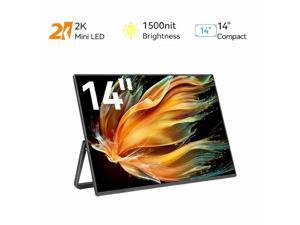

UPERFECT 14" Mini LED Portable Monitor, 2560x1600 2.5K, 1500 Nits, 1ms FreeSync, Built-in ...
- Screen Size: 14"
- Resolution: 2560 x 1600 (2K)
- Brightness: 1500 cd/m2
- Contrast Ratio: 2000:1
- Response Time: 1ms
- Maximum Resolution: 2560 x 1600
- Viewing Angle: 178° (H) / 178° (V)
- Display Colors: 16.7 Million
- Model #: M140T03W-WJM
- Item #: 9SIVJKEKV35197
- Return Policy: Uperfect Return Policy

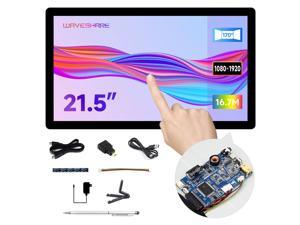
Waveshare 21.5inch Capacitive Touch Display, Compatible with Raspberry Pi ...
- Model #: 7460834300944
- Item #: 9SIVPDHKKB3673
- Return Policy: chaomao Return Policy
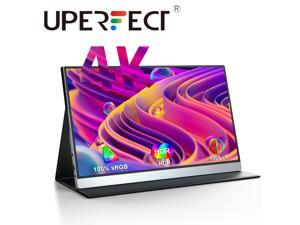
Portable 4K Monitor for Working and Traveling, UPERFECT 15.6" Portable Monitor W/ Smart ...
- Resolution: 3840 x 2160 (4K)
- Built-in Speakers: 2 x 2W
- Panel: IPS
- Display Type: UHD
- Maximum Resolution: 3840 x 2160
- Viewing Angle: 178° (H) / 178° (V)
- Display Colors: 16.7 Million
- Refresh Rate: 60Hz
- Model #: M156C10W
- Item #: 9SIVJKEKB96342
- Return Policy: Uperfect Return Policy
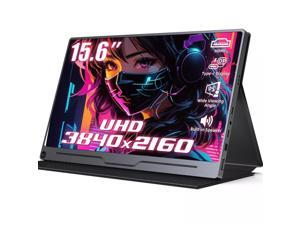
Uperfect Portable Monitor 4K 15.6 inch, 450 cd/m² High Brightness 100% sRGB Color Gamut ...
- Cabinet Color: Black
- Screen Size: 15.6"
- Resolution: 3840 x 2160 (4K)
- Brightness: 450 cd/m2
- Contrast Ratio: 1200:1
- Response Time: 3ms
- Built-in Speakers: 2 x 2W
- Panel: IPS
- Model #: M156A07W
- Item #: 9SIVJKEKB96338
- Return Policy: Uperfect Return Policy
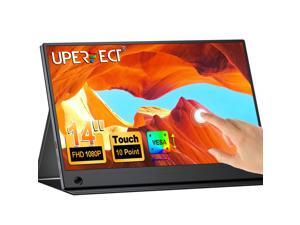
UPERFECT 1080P FHD Mini Monitor Touchscreen IPS HDR Display External Second Monitor with ...
- Brand: UPERFECT
- Screen Size: 14"
- Resolution: 1920 x 1080
- Brightness: 300 cd/m2
- Response Time: 3ms
- Panel: IPS
- Display Type: FHD
- Maximum Resolution: 1920 x 1080
- Model #: M140J02-WJM
- Item #: 9SIVJKEKEH4858
- Return Policy: Uperfect Return Policy
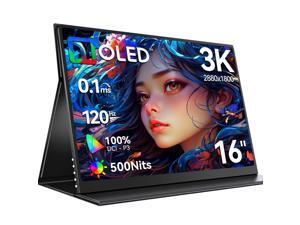
UPERFECT 16" OLED Portable Monitor - 3K 2880x1800, 120Hz, 0.1ms, 500 Nits, 100% ...
- Brand: UPERFECT
- Cabinet Color: Black
- Screen Size: 16"
- Resolution: 3K 2880x1800
- Brightness: 500 cd/m2
- Contrast Ratio: 100000:1
- Panel: OLED
- Display Type: UHD
- Model #: M160B01W-WJM
- Item #: 9SIVJKEKEH4862
- Return Policy: Uperfect Return Policy
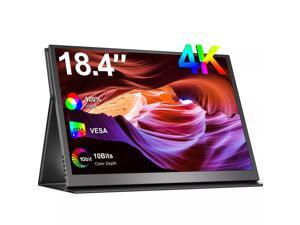
UPERFECT 18.4" 4K 3840x2160 HDR Portable Monitor USB C Monitor Gaming Screen ...
- Cabinet Color: Black
- Screen Size: 18.5"
- Resolution: 3840 x 2160 (4K)
- Brightness: 300 cd/m2
- Contrast Ratio: 1000:1
- Response Time: 3ms
- Built-in Speakers: 2 x 2W
- Panel: IPS
- Model #: M184T02F-W
- Item #: 9SIVJKEKG87962
- Return Policy: Uperfect Return Policy
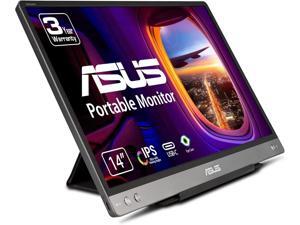

Refurbished: Asus ZenScreen MB14AC 14" Full HD LCD Monitor - 16:9 - Dark Gray - 14" Class - ...
- Type: Misc
- Model #: 90LM0631-B011B0
- Item #: 9SIV02WK4H4071
- Return Policy: Tech For Less Return Policy
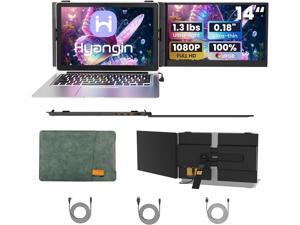
Hyangin S8 14" Portable Monitor for Laptop, Ultra-Slim 1080P IPS USB-C Screen Extender with ...
- Brand: Hyangin
- Cabinet Color: Black
- Screen Size: 14"
- Resolution: 1920 x 1080
- Brightness: 300 cd/m2
- Connectors: USB Type-C
- Built-in Speakers: Yes
- Panel: IPS
- Model #: S8
- Item #: 9SIVEPUKJ94713
- Return Policy: Powerness US Return Policy
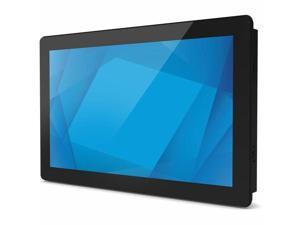
Elo 1594L 16" Class Open-frame LED Touchscreen Monitor 16:9 25 ms E131375
- Brand: Elo Touch Solutions
- Screen Size: 16"
- Monitor Type: Touchscreen Monitor
- Model #:
- Item #: 9SIV0F2KM83079
- Return Policy: TELeasy Return Policy

UPERFECT 15.6" 4K Portable Monitor 3840*2160 4K Portable Display Gaming Monitor USB C ...
- Cabinet Color: Black
- Screen Size: 15.6"
- Resolution: 3840 x 2160 (4K)
- Brightness: 400 cd/m2
- Contrast Ratio: 1200:1
- Response Time: 3ms
- Built-in Speakers: 2 x 2W
- Panel: IPS
- Model #: M156J10-B
- Item #: 9SIVJKEKB96626
- Return Policy: Uperfect Return Policy
Questions to Ask When Buying a Touch Screen Monitor
Introduction
In recent years, touch screen monitors have become more prevalent than ever. They have always been popular for point of sale computers and specialized workstations, but now are also more widely used with desktops and laptops for general office tasks. Microsoft® Windows® 8 furthers this trend by being much more touch-compatible than any other Windows operating system ever before. However, shopping for a touch screen monitor for a desktop or laptop computer will require you to a bit more selective than shopping for a non-touchscreen monitor.
As with shopping for a conventional monitor, some core considerations include: resolution, price, size, and panel type. The resolution of a monitor will determine the how much detail it is able to display, and you should aim for a 1920 × 1080 monitor if your budget allows. You should also consider what type of panel technology a touch screen monitor uses, as it can affect color accuracy, response time, and viewing angles.
The most common panel technologies for touchscreen monitors are: twisted nematic (TN), vertical alignment (VA), and in-plane-switching (IPS). Twisted nematic (TN) is the most common LCD monitor panel technology due to its low cost but has narrower viewing angles and less color accuracy than other panel technologies. VA and IPS panels offer superior viewing angles and color accuracy, but are more expensive. If you expect that the touch screen monitor will be used by a single user looking at it straight on, then a TN panel will be just fine. However, if it is going to be constantly viewed from the sides then you will need to look for a VA or IPS display.
When shopping for a non-touchscreen monitor, the importance of the stand is often downplayed and the focus is more on the display. For touch screen monitors though, the stand plays a central role. Because users will be touching the monitor with varying amounts of force, the stand will need to be sturdy enough to hold the monitor in place. Also, it needs to offer a large amount of adjustability for customizable ergonomics.
A touch screen monitor relies on its stand being both adjustable and also sturdy.
If your organization plans to use a touchscreen monitor with Windows 8, one of the most important considerations will be Windows 8 certification. Why does it matter? Because Windows 8 allows for greater touch input than any other desktop operating system before it and some inputs will require hardware functionality that not all touch screen monitors are capable of. Only touch screen monitors that meet Microsoft’s stringent hardware requirements are certified.
A touch screen monitor that is not Windows 8 certified will not be able to take full advantage of Windows 8’s touch-input features. For instance, a touch screen monitor with a large bezel surrounding the screen will not meet Windows 8 certification requirements because the bezel may interfere with edge to edge swiping motions. There are also more obscure requirements such as a touch screen monitor’s digitizer being human interface device (HID) complaint, which ensures that no software drivers are needed for the touchscreen functionality to work.
Touch screen monitors are more popular than ever, and new operating systems continue to integrate touch functionality into their designs. So if you are shopping for a touch screen monitor, not only should you consider the basic criteria such as resolution, price, size but also additional criteria such as panel type, and adjustability.

