


Server & Workstation System - Showing 73 - 96 of 11406 Products


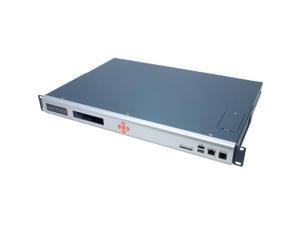
SLC8000 ADV CONSOLE MANAGER SVR
- Model #: SLC80082201S
- Item #: 9SIV1DSKV98175
- Return Policy: NothingButSavings Return Policy
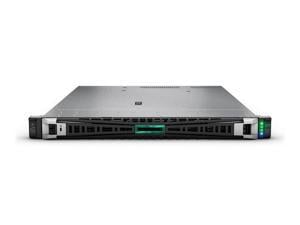
HPE SMART CHOICE ProLiant DL325 G11 1U Rack Server -1 x AMD EPYC 9124 3 GHz - 64 GB RAM - ...
- Rack Height: 1U
- Cache Memory: 64 MB L3
- CPU Features: 200W TDP
- MAX Processors: 1
- Ethernet Controller: Broadcom BCM57416 Ethernet 10Gb 2-port BASE-T OCP3 Adapter for HPE
- LAN Ports: 2 x Ports
- Expansion Slots: 4 maximum
- Power Characteristics: 2 x HPE 500W Flex Slot Platinum Hot Plug Low Halogen Power Supply Kit
- Model #: P77246-005
- Item #: 9B-59-319-227
- Return Policy: Manufacturer Only Return Policy
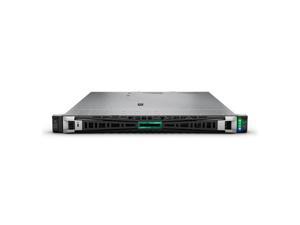
HPE P84107-005 ProLiant DL320 Gen11 4514Y 2.0GHz 16-Core / 1P / 2x32GB / 8SFF / ...
- Brand: HPE
- Series: ProLiant DL320 G11
- Type: Rack
- CPU Type: Intel Xeon Silver
- CPU Speed: 4514Y (2.00 GHz)
- Number of CPU Cores: 16-Core Processor
- Cache Memory: 30MB Cache
- # of Processors Installed: 1
- Model #: P84107-005
- Item #: 9B-59-319-282
- Return Policy: Manufacturer Only Return Policy
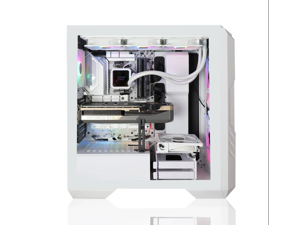

AVGPC Workstation Intel Core i9 - 14900KF Intel ARC B60 24G; 32GB DDR5 RAM 2TB NVMe SSD ...
- Brand: AVGPC
- Series: Standard Workstation
- Type: Mid-tower
- Server Scalability: 1-Way
- AI Features: AI Ready
- CPU Type: Intel Core i9 14th Gen
- CPU Speed: Intel Core i9 - 14900KF
- Model #: WS-I9-B60-V1001
- Item #: 9B-2NS-00JR-00004
- Return Policy: Manufacturer Only Return Policy

HPE ProLiant DL320 Gen11 3508U 2.1GHz 8-Core / 1x16GB / 8SFF / 2x480GB SATA SSD / ...
- Brand: HPE
- Series: ProLiant DL320 G11
- Workload: General Purpose Server
- Type: Rack
- Rack Height: 1U
- Hot-swap Fans: 5 x Standard Fans
- CPU Type: Intel Xeon Bronze
- CPU Speed: 3508U (2.10 GHz)
- Model #: P83283-005
- Item #: 9B-59-319-265
- Return Policy: Manufacturer Only Return Policy
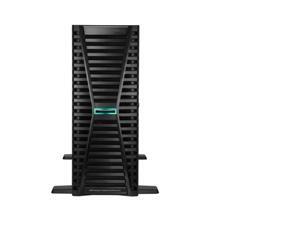
HPE ProLiant ML350 G12 Tower Server Intel Xeon 6 32GB DDR5 2 x HPE 8TB SAS 12G Business ...
- Brand: HPE
- Series: ProLiant ML350 G12
- Workload: General Purpose Server
- Type: Tower
- Rack Height: 4U
- Hot-swap Fans: 3 x Standard Fans
- Security: UEFI Secure Boot and Secure Start support. Intel Software Guard Extensions (SGX) support. Immutable Silicon Root of Trust. TPM (Trusted Platform Module) 2.0 support.
- CPU Type: Intel Xeon 6
- Model #: P90002-005
- Item #: 9B-59-319-333
- Return Policy: Manufacturer Only Return Policy
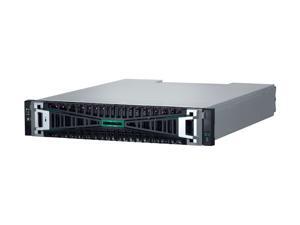
HPE MSA 2070 SAN Storage System - 24 x HDD Supported - 24 x SSD Supported - 12 x SSD ...
- Brand: HPE
- Series: MSA 2070 Gen7
- Workload: Storage Server
- Type: Small Form Factor
- Rack Height: 2U
- Storage Controller: 2 x 10/25 GbE iSCSI 4-port Controller
- SSD (Installed): 12 x 1.92TB SAS SSD
- Max HDD Capacity: Up to 2.71 PB with maximum capacity expansion
- Model #: P76571-B25
- Item #: 9B-59-319-245
- Return Policy: Manufacturer Only Return Policy
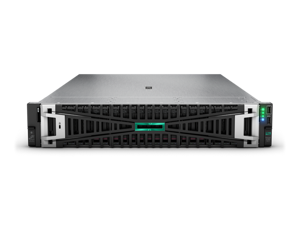
HPE ProLiant DL380 Gen11 5515+ 3.2GHz 8-Core / 2x32GB / BCM57416 10GbE / 8SFF / ...
- Brand: HPE
- Series: ProLiant DL380 G11
- Workload: General Purpose Server
- Type: Rack
- Rack Height: 1U
- Hot-swap Fans: 4 x Standard Fan
- CPU Type: Intel Xeon Gold
- CPU Speed: 5515+ (3.20 GHz)
- Model #: P83303-005
- Item #: 9B-59-319-273
- Return Policy: Manufacturer Only Return Policy

HPE ProLiant MicroSvr Gen11 6315P 2.8GHz 4-Core 1x16GB 4LFF-NHP iLO KIT 1GbE 1x180W ...
- Brand: HPE
- Series: ProLiant MicroServer Gen11
- Workload: General Purpose Server
- Type: Ultra Micro Tower
- Hot-swap Fans: 1 x Standard Fan
- CPU Type: Intel Xeon 6
- CPU Speed: 6315P (2.80 GHz)
- Number of CPU Cores: Quad-Core Processor
- Model #: P86811-005
- Item #: 9SIV0UUKSB4064
- Return Policy: iNetSupply Return Policy
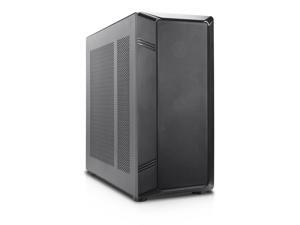

ABS Tower workstation, AMD EPYC 4345P, 32GB DDR5 ECC Memory, 1TB SSD, 750W Power ...
- Model #: ABS-XE1-2KT00/03
- Item #: 9B-59-991-096
- Return Policy: Final Sale Return Policy

HPE ProLiant DL325 Gen11 server with one AMD EPYC™ 9015 Processor, 64 GB (2x32 GB) Dual ...
- Brand: HPE
- Series: ProLiant DL325 G11
- Workload: General Purpose Server
- Type: Rack
- Rack Height: 1U
- Hot-swap Fans: 7 x Standard Fans
- CPU Type: AMD EPYC 9005 Series
- CPU Speed: 9015 (3.6 GHz)
- Model #: P81847-005
- Item #: 9B-59-319-256
- Return Policy: Manufacturer Only Return Policy
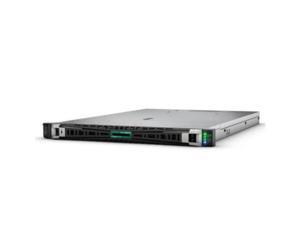
HPE ProLiant DL325 Gen11 server with one AMD EPYC™ 9354P Processor, 256 GB (4x64 GB) ...
- Brand: HPE
- Series: ProLiant DL325 G11
- Workload: General Purpose Server
- Type: Rack
- Rack Height: 1U
- Hot-swap Fans: 7 x Performance Fans
- CPU Type: AMD EPYC 9004 Series
- CPU Speed: 9354P (3.25 GHz)
- Model #: P72990-005
- Item #: 9SIVSYTKUR9092
- Return Policy: SuZhouLiYuanLiXinBaiHuo Return Policy
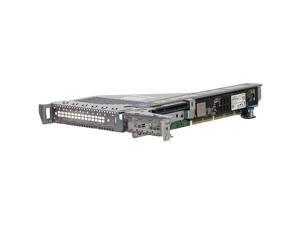

HPE ProLiant DL3X5 Gen11 1U x16 Riser Kit
- Brand: HPE
- Model #: P48920-B21
- Item #: 9SIV009KRU7052
- Return Policy: Antonline.com Return Policy
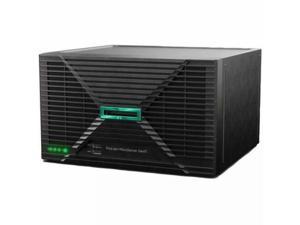
HPE ProLiant MicroServer Gen11 server with 1Intel® Xeon® E-2414 Processor, 16 GB (1x16 GB ...
- Brand: HPE
- Series: ProLiant MicroServer Gen11
- Workload: General Purpose Server
- Type: Ultra Micro Tower
- Hot-swap Fans: 1 x Standard Fan
- Security: Trusted Platform Module (TPM) 2.0
- CPU Type: Intel Xeon E
- CPU Speed: E-2414 (2.60 GHz)
- Model #: P78521-005
- Item #: 9B-2NS-0006-3HRT2
- Return Policy: Manufacturer Only Return Policy
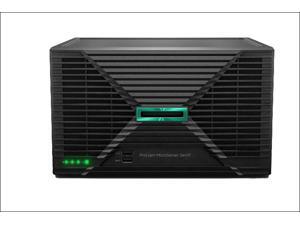
HPE ProLiant MicroServer Gen11 server with one Intel® Pentium® Gold G7400 Processor, 16 GB ...
- Brand: HPE
- Series: ProLiant MicroServer Gen11
- Workload: General Purpose Server
- Type: Ultra Micro Tower
- Hot-swap Fans: 1 x Standard Fan
- Security: Trusted Platform Module (TPM) 2.0
- CPU Type: Intel Pentium Gold
- CPU Speed: G7400 (3.70 GHz)
- Model #: P74439-005
- Item #: 9B-59-319-223
- Return Policy: Manufacturer Only Return Policy


Lenovo ThinkStation P3 Ultra Gen 2 30J50031US Workstation - Intel Core Ultra 9 2nd Gen 285 - ...
- Brand: Lenovo
- Series: ThinkStation P3 Ultra Gen 2
- Part Number: 30J50031US
- Workload: Intel Core Ultra 9 2nd Gen
- Type: computer_tower
- Server Scalability: 1
- CPU Type: Intel Core Ultra 9
- CPU Speed: 2.5 GHz
- Model #: 30J50031US
- Item #: 9SIV04ZKK44008
- Return Policy: IPC Store Return Policy
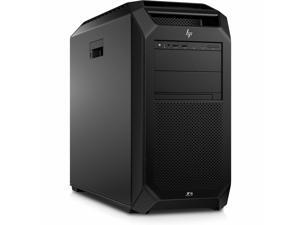
HP Z8 Fury G5 Workstation - Intel Xeon w7-3545 - 16 GB - 512 GB SSD -Windows 11 Pro - NVIDIA ...
- Brand: HP
- Series: Z8 Fury G5 Workstation
- Part Number: BG9C7UT#ABA
- Type: Tower
- CPU Type: Intel Xeon
- Installed Memory Size: 16GB
- Memory Type: DDR5 SDRAM
- Max Memory Capacity: 2TB
- Model #: BG9C7UT#ABA
- Item #: 9SIV009KK13477
- Return Policy: Antonline.com Return Policy
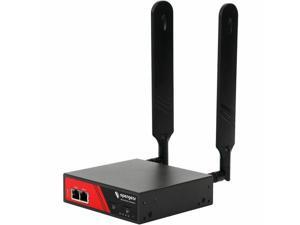
Opengear ACM7000 Resilience Gateway - Remote Management, Remote Monitoring
- Model #: ACM7004-2-GLB
- Item #: 9SIV009KS68510
- Return Policy: Antonline.com Return Policy
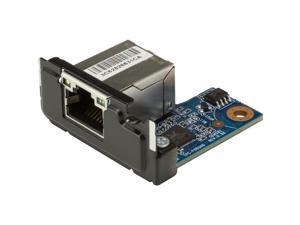
HP 2.5GbE LAN Flex Port Z2 Mini
- Brand: HP
- Model #: 169K0AA
- Item #: 9SIV009KS68511
- Return Policy: Antonline.com Return Policy
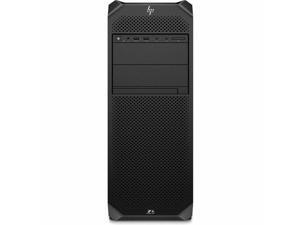
HP Z6 G5 Workstation - Intel Xeon w5-3423 (2 GHz) - 16 GB - 512 GB SSD - Tower - Intel W790 ...
- Brand: HP
- Series: Z6 G5 Workstation
- Part Number: BG9B7UT#ABA
- Workload: Workstation
- Type: Tower
- CPU Type: Intel Xeon
- CPU Speed: w5-3423 (2 GHz)
- # of Processors Installed: 1
- Model #: BG9B7UT#ABA
- Item #: 9SIV009KK13478
- Return Policy: Antonline.com Return Policy

HP Z8 Fury G5 Workstation - Intel Xeon w7-3545 - 16 GB - 512 GB SSD - Intel W790 Chip - ...
- Brand: HP
- Series: Z8 Fury G5 Workstation
- Part Number: BG9C6UT#ABA
- Workload: Workstation
- Type: Tower
- CPU Type: Intel Xeon
- CPU Speed: w7-3545 (2.70 GHz)
- # of Processors Installed: 1
- Model #: BG9C6UT#ABA
- Item #: 9SIV009KK13472
- Return Policy: Antonline.com Return Policy
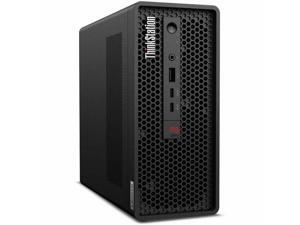
Lenovo ThinkStation P3 Ultra Gen 2 30J50032US Workstation - Intel Core Ultra 7 2nd Gen 265 - ...
- Brand: Lenovo
- Part Number: 30J50032US
- CPU Type: Intel Core Ultra 7
- Installed Memory Size: 32GB
- SSD (Installed): 512GB
- Parts: 3 Year
- Model #: 30J50032US
- Item #: 9SIV009KJU8320
- Return Policy: Antonline.com Return Policy
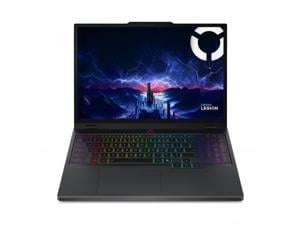
Lenovo Legion 5 15.1" OLED WQXGA 165Hz Gaming Notebook Intel Core Ultra 9 275HX 16GB ...
- Screen Size: 15.1"
- Brand: Lenovo
- Resolution: 2560 x 1600
- GPU/VPU: GeForce RTX 5070
- Graphic Type: Integrated Card
- Bluetooth: Yes
- HDMI: 1
- Type: Gaming
- Model #: 83F0001TUS
- Item #: 9SIV009KJR3424
- Return Policy: Antonline.com Return Policy
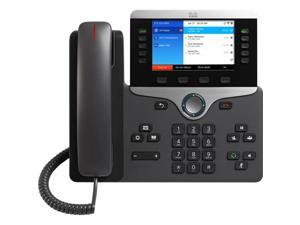
CISCO - HW UNIFIED COMM CP-8861-3PCC-K9= IP PHONE 8861 FOR 3RD PARTY
- Model #: CP-8861-3PCC-K9=
- Item #: 9SIV009J6F3191
- Return Policy: Antonline.com Return Policy
Choosing the Right Server System
Introduction
If your organization has several computers and will continue to increase that number, you should consider purchasing server and workstation systems. They are computer systems that function as centralized resources for a network. Before shopping for a server though, there are a few basics that you need to know.
What is a Server?
A server is a computer that provides services or data to other computers, known as clients. In most network configurations, the server is the main gateway between an organization’s internal network and the internet. It can be used for a variety of purposes, from storing files to hosting Web sites. The hardware inside server and workstation systems is similar to what you would find in a desktop computer. They have the usual components such as processors, memory, and hard drives. The difference is that the components inside a server are designed for long and continuous use with little to no downtime.
Do I Need a Server?
If your organization has data that needs to be accessed by multiple users, then it will benefit from utilizing server and workstation systems. Even if a network is comprised of only two computers, a server is excellent for storing and sharing files for those two computers. And if you have mobile staff that frequently travel, they will be able to remotely access information and programs on your organization’s network through the server.
Larger organizations will probably have several servers, each performing different tasks. For example, one server could be for file sharing, one for hosting the Web site, and another for handling the e-mail needs of the staff. For larger organizations with multiple offices, having a server means that the staff will be able to easily share files across different geographic locations.
What Server Should I Get?
There are three types of server and workstation systems, tower, rack-mount, and blade. Which one you should use depends on the size of your organization’s network and the amount of traffic you expect.
Tower
The most basic of the three, a tower server looks very similar to a desktop tower computer. One advantage of a tower server is that it does not require a great deal of space and is ideal for organizations with a small network.
The downsides of a tower system are that it has limited expandability and utilizes a fair amount of cabling. In an office with several tower server systems, this can mean a jumble of cables and a lot of space used up by peripherals and input devices.
Rack-mounted
A rack-mounted server bears little resemblance to a desktop tower. It has standardized dimensions and is designed to be inserted into a rack-mount server chassis. A rack-mount chassis can hold several servers in slots, one on top of another. A rack-mount setup is much more space-efficient than a tower and it is possible to put many more servers into one space than with tower server systems. Aside from the space savings, rack-mount servers also makes cabling more manageable.
Blade
A blade server is similar to a rack-mounted workstation computer in that it also needs to be installed into an enclosure. However, a blade computer server is much more compact and space-efficient than a rack-mount, because the internal components are designed to have a low profile or be integrated onto the motherboard.

