


Monitor Accessories - Showing 529 - 552 of 1911 Products
Search Within
Go
Filter (0)
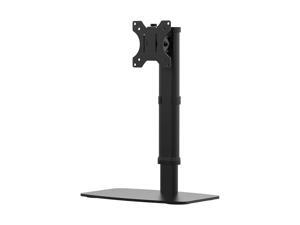
Monoprice Free Standing Single Monitor Desk Mount For Monitors Up To 27 Inches | Easy ...
$54 .53
Free Shipping
- Type: Single-Monitor Stand
- Model #: 136083
- Item #: 9SIV0GS8X05546
- Return Policy: Monoprice Return Policy
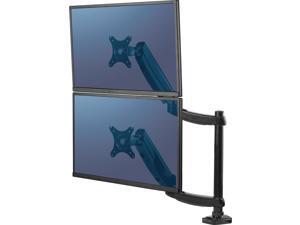
Fellowes Mounting Arm 8043401
$168 .95
Free Shipping
- Brand: Fellowes
- Type: Tools and Hardware
- Weight: 12.8
- Model #: 8043401
- Item #: 9SIV0Z4BVX5307
- Return Policy: Compute4Less Corp Return Policy
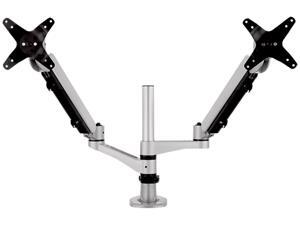
Spring-Loaded Dual Monitor Mounting Arm for Two Monitors up to 27 Inches Each VESA 75x75 ...
$199 .99
Free Shipping
- Type: Monitor Arm
- Weight: 3.2600
- Model #: LCD-DMA-002
- Item #: 9SIVHNDKCK9357
- Return Policy: ViewSonic Return Policy

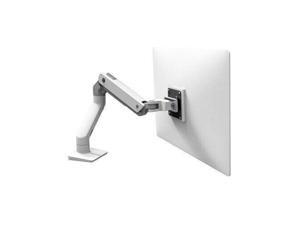
ERGOTRON 45-475-216 HX DESK MONITOR ARM BRIGHT WHITE
$382 .58
Free Shipping
- Type: Tools and Hardware
- Features: Sold as 1 Each.
- Model #: 45-475-216
- Item #: 9SIV0Z45DR9154
- Return Policy: Compute4Less Corp Return Policy
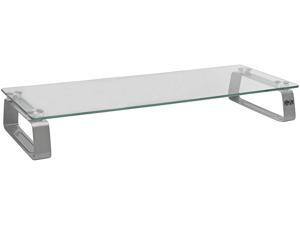
Tripp Lite MR2208G Universal Glass-Top Monitor Riser
$56 .15
Free Shipping
- Brand: Tripp Lite
- Type: Monitor Riser
- Specifications: Raises your monitor 3 in. above your desk, table or workspace’s surface to help ease eye and neck strain and free up valuable space. Also ideal for laptops, printers, fax machines and small televisions. Extra-large 8 x 22 in. tempered glass platform Brushed aluminum legs with rubber feet Allows room underneath for keyboard storage Supports up to 40 lb. Assembles easily in seconds
- Features: Raises a Monitor 3 in. Above Your Desk’s Surface Frees up valuable work space Helps ease strain on eyes and neck For home or office Allows room underneath for keyboard storage Also ideal for laptops, printers, fax machines and small televisions Durable Construction Extra-large 8 x 22 in. tempered glass platform supports up to 40 lb. Brushed aluminum legs with rubber feet secure riser on smooth su...
- Model #: MR2208G
- Item #: 9SIV1PD7SA4625
- Return Policy: Technology Galaxy Return Policy

Ergotron 33-091-200 DS100 Dual-Monitor Desk Stand, Vertical (black)
$409 .32
Free Shipping
- Type: Multi-Monitor Stand
- Color: Black
- Specifications: LCD Size: Up to 24"(Up to 61 cm) Weight Capacity: Up to 23 lbs(Up to 10.35 kg) Tilt: 180° Pan: 180° Rotation: 360° P/L VESA: MIS-D DS100 Dual-Monitor Desk Stand, Vertical (black) Mounting Standards: VESA FDMI, MIS-D, 75/100, C (hole pattern: 100 x 100 mm & 75 x 75 mm) Shipping Dimensions: 28" x 16" x 7.5" (711 x 406 x 191 mm) Shipping Weight: 16 lbs (7.3 kg)
- Weight: 15.3
- Parts: 5 years limited
- Labor: 5 years limited
- Model #: 33-091-200
- Item #: 9SIV1PD7S94105
- Return Policy: Technology Galaxy Return Policy
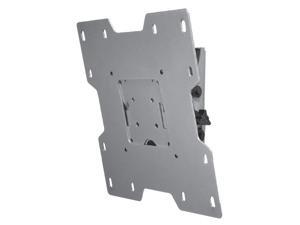
Peerless-AV ST632 Tilting wall mount for small to medium 10"-37" lcd screens vesa ...
$76 .70
Free Shipping
- Brand: Peerless-AV
- Type: Mount
- Specifications: Hardware: Security Color: Black Minimum Screen Size: 10 Maximum Screen Size: 37
- Features: Fits most 22"-40" LCD screens VESA 75, 100, 200 x 100, 200 x 200 compatible Additional screen adapter plates also available Tilt feature allows adjustment of +15/-5deg. without the use of tools Screen adapter plate simply hooks onto the wall plate for quick and easy installation
- Dimensions (H x W x D): 9.50" x 12.80" x 2.80"
- Weight: 4.20 lbs.
- Model #: ST632
- Item #: 9SIV0F3BG05609
- Return Policy: MichaelElectronics2 Return Policy
Ergotron 20-137-200 DS100 28" Pole
$118 .92
Free Shipping
- Type: Mount Pole
- Specifications: Dimensions: 28"H x 1.5"D (711 x 38 mm)
- Weight: 2.4
- Model #: 20-137-200
- Item #: 9SIV0F3K3X9731
- Return Policy: MichaelElectronics2 Return Policy
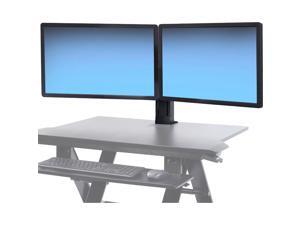
Ergotron 97-934-085 WorkFit Dual Monitor Kit, universal
$257 .90
Free Shipping
- Brand: Ergotron
- Type: Dual Monitor Kit
- Specifications: Maximum outside width of display is 24.5" (62 cm) when displays are 2" (5 cm) thick. Accommodates most displays with screen-size up to 24" as well as some displays with screens as large as 26". Actual allowable width of displays will vary slightly depending on display thickness
- Features: Holds displays above worksurface, freeing up space Cost-effective height-adjustable mounting solution Simple installation and effortless operation Patented CF motion technology provides premium ease-of-use display adjustment Increase viewing comfort by reducing eye, back and neck strain Increase productivity and reduce errors-conclusion of scientific study of multi-monitor workstations
- Model #: 97-934-085
- Item #: 9SIV0Z48GT2488
- Return Policy: Compute4Less Corp Return Policy
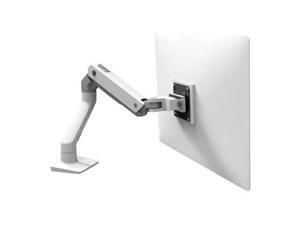
Ergotron 45-475-026 Hx Desk Monitor Arm - Mounting Kit (Articulating Arm, Desk Clamp ...
$376 .92
Free Shipping
- Type: Desk Monitor Arm
- Model #: 45-475-026
- Item #: 9SIV1PD7S87916
- Return Policy: Technology Galaxy Return Policy
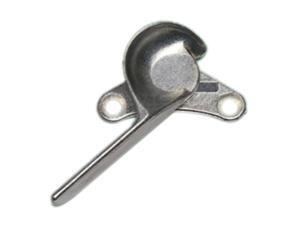
Ergotron 90-018 Surface Mounting Kit
$97 .68
Free Shipping
- Type: Surface Mounting Kit
- Specifications: Colour: Grey Description: Hardware, 4 Stud Anchors Dimensions: 0.4" x 4"
- Weight: 0.7
- Parts: 3 years limited
- Labor: 3 years limited
- Model #: 90-018
- Item #: 9SIV0F3JVD5459
- Return Policy: MichaelElectronics2 Return Policy
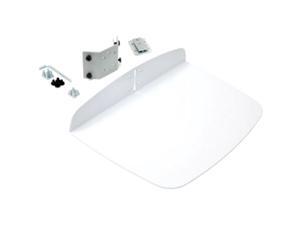
Ergotron 97-507-216 Utility Shelf for Ergotron Carts (white)
$149 .21
Free Shipping
- Type: Shelf
- Parts: 3 years limited
- Labor: 3 years limited
- Model #: 97-507-216
- Item #: 9SIV0Z4G299571
- Return Policy: Compute4Less Corp Return Policy
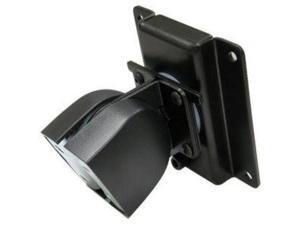
Ergotron 47-092-800 100 Series Single Pivot (black or grey)
$74 .52
Free Shipping
- Type: Mount
- Specifications: 360° Rotation 180° Tilt Weight Capacity: 25 lbs LCD Size < 24" Monitor depth greater than 3" (7.5 cm) may diminish capacity VESA FDMI MIS-D, 100/75, C (hole pattern: 100 x 100 mm & 75 x 75 mm)
- Weight: 1.9
- Parts: 5 years limited
- Labor: 5 years limited
- Model #: 47-092-800
- Item #: 9SIV1PD7SA2057
- Return Policy: Technology Galaxy Return Policy
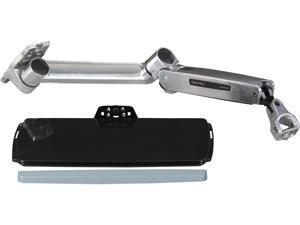
Ergotron 45-354-026 LX Sit-Stand Wall Mount Keyboard Arm
$439 .49
Free Shipping
- Type: Keyboard Tray
- Specifications: Device Supported: Keyboard Mouse Maximum Load Capacity: 4.85 lb Product Weight: 14.4 lbs (6.5 kg)
- Weight: 19.2
- Model #: 45-354-026
- Item #: 9SIV02WKBU8777
- Return Policy: Tech For Less Return Policy

Ergotron 33-324-200 DS100 Quad-Monitor Desk Stand
$522 .00
Free Shipping
- Type: Multi-Monitor Stand
- Color: Black
- Specifications: LCD Size: < 24" Wt. Capacity: 31 lbs (14 kg) per monitor; 124 lbs (56 kg) total Rotation: 360° P/L VESA: MIS-D Description: DS100 Quad-Monitor Desk Stand (black) Includes: Base, 28" pole, two (2) Paraview bows, four (4) sliding brackets, manual Maximum LCD outside width is 23-1/4" (59 cm) Mounting Standards: VESA FDMI, MIS-D, 75/100, C (hole pattern: 100 x 100 mm & 75 x 75 mm)
- Weight: 20.3
- Parts: 5 years limited
- Labor: 5 years limited
- Model #: 33-324-200
- Item #: 9SIV0Z45DS0598
- Return Policy: Compute4Less Corp Return Policy
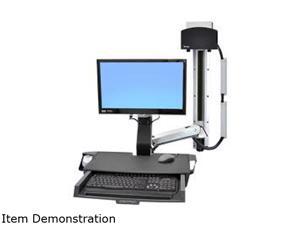
Ergotron 45-272-026 StyleView Sit-Stand Combo System with Worksurface
$1,372 .96
Free Shipping
- Brand: Ergotron
- Type: Monitor Arm
- Specifications: Weight Capacity: display = 6-18 lbs (2.7-8.2 kg), worksurface = 10 lbs (4.5 kg), keyboard, mouse and barcode scanner = 4 lbs (1.8 kg), CPU = 50 lbs (22.7 kg) Lift Range: LCD and keyboard adjusts 20" (51 cm) in tandem with single-motion, LCD adjusts 5" (13 cm) independently, maximum LCD height adjustment = 25" (64 cm) Monitor up/down tilt: +25 degree /-5 degree Mounting Standards: VESA FDMI, MIS-D, 75/100, C (hole patterns = 100 x 100 mm and 75 x 75 mm) Worksurface: 22.75"W x 10.6"D (57.8 x 26.9 cm) Keyboard tray: 18.6"W x 9"D (47.2 x 22.8 cm) Back-tilt keyboard tray adjustable: 0 degree to -10 degree CPU Size Range: 1-3/8" to 3-3/4" (35 to 95 mm) wide, accommodates most small form factor and ultra small form factor CPUs Product Weight: 39.6 lbs (18 kg)
- Features: Support workflow ne...
- Model #: 45-272-026
- Item #: 9SIV0Z45DR8416
- Return Policy: Compute4Less Corp Return Policy
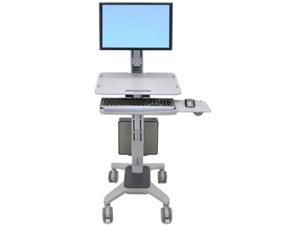
Ergotron 24-198-055 WorkFit C-Mod, Single Display Sit-Stand Workstation
$1,286 .19
Free Shipping
- Type: WorkFit C-Mod, Single Display Sit-Stand Workstation
- Specifications: LCD Size: = 22" Capacity: 5–18 lbs/2.3–8.1 kg Lift: 25"/63 cm Tilt: 25° Rotation: 360° P/L VESA: MIS-D Includes cart, LCD pivot, integrated worksurface, keyboard tray with left/right mouse tray, wrist rest, mouse holder, cable storage box, CPU holder, four dual casters (two locking) Lift Range: LCD/keyboard/worksurface adjusts 20" (51 cm) in tandem; LCD adjusts 5" (13 cm) independently; maximum LCD height adjustment = 25" (63 cm) Mounting Standards: VESA FDMI MIS-D, 100/75, C (hole pattern: 100 x 100 mm & 75 x 75 mm) Constant Force (CF) lift-and-pivot motion technology CPUs attach safely to rear of cart with CPU Holder. Accommodates CPUs from 12"H x 3"D to 18"H x 8.5"D (30 x 8 cm to 46 x 22 cm) CPU Holder capacity = 40 lbs (18 kg) Ergonomic negative-t...
- Model #: 24-198-055
- Item #: 9SIV0Z45DS0072
- Return Policy: Compute4Less Corp Return Policy
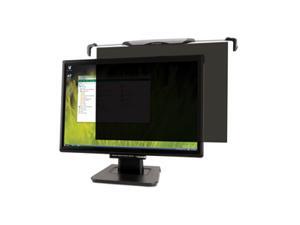
Kensington K55779WW Snap2 Privacy Screen Filter for Widescreen
$171 .71
Free Shipping
- Type: Privacy Filter
- Specifications: Display Type Support: LCD Display Size Support: 20" to 22" LCD - Widescreen Features: Anti-glare Widescreen proportions 16:10 Dimensions bracket expands from 18.5" to 23.5" 18.5"L X 1.25"H X 12.75"W
- Weight: 1.85
- Parts: 2 years limited
- Labor: 2 years limited
- Model #: K55779WW
- Item #: 9SIV1PD92U1487
- Return Policy: Technology Galaxy Return Policy
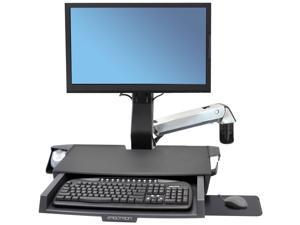
Ergotron StyleView Mounting Arm for Keyboard Monitor Bar Code Scanner Mouse Wrist Rest ...
$1,114 .53
Free Shipping
- Model #: 45583026
- Item #: 9SIV0Z4D0V1359
- Return Policy: Compute4Less Corp Return Policy
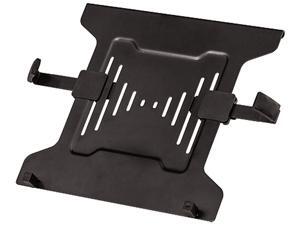
Fellowes Professional Series Freestanding Dual Stacking Monitor Arm
$80 .99
Free Shipping
- Brand: Fellowes
- Type: Stand
- Features: Free-standing design allows dual monitors to be used in spaces that do not allow a clamp or grommet mount Create a multi-display productive workspace and position your monitors to reduce eye, neck and shoulder strain Save space in tight workspaces with a dual stacked position Low profile, weighted base provides enhanced stability Minimize clutter with the intuitive cord management system Holds 32” monitors up to 17 lbs. Meets VESA mounting standards
- Weight: 11
- Model #: 8044001
- Item #: 9SIV1PDKPC6801
- Return Policy: Technology Galaxy Return Policy
ERGOTRON - ERGOTRON NEO-FLEX DUAL MONITOR WALL MOUNT.LOW-PROFILE DIGITAL ...
$440 .70
Free Shipping
- Type: Others
- Model #: 28-514-800
- Item #: 9SIV0F3BGY9442
- Return Policy: MichaelElectronics2 Return Policy
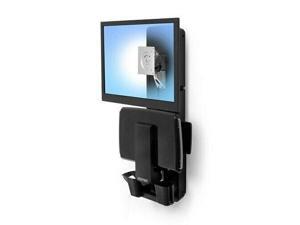
ERGOTRON 61-080-085 StyleView Sit-Stand Vertical Lift, Patient Room (Black)
$1,034 .56
Free Shipping
- Brand: Ergotron
- Type: Lift
- Specifications: Screen <= 24" Capacity: 8 - 33 lbs. Lift: 18" Tilt: 10 Degree Pan: 50 Degree Vesa: MIS-D
- Features: Side-to-side pan of keyboard and display promotes patient-caregiver interaction while accessing data Sit-stand height adjustment improves working comfort and ergonomics; easily accommodates the heights of multiple users With the keyboard folded up, total system depth is as little as 6" (15.2 cm) Ergonomic back-tilt keyboard tray with left or right mouse tray ensures wrists remain in a neutral position during data entry Patented CF lift technology provides smooth adjustment while maintaining touch-screen stability High-quality construction for long-lasting durability Cable management system conceals and organizes cords and makes cleaning a snap
- Weight: 30.00 lbs.
- Model #: 61-080-085
- Item #: 9SIV0Z45DR7774
- Return Policy: Compute4Less Corp Return Policy
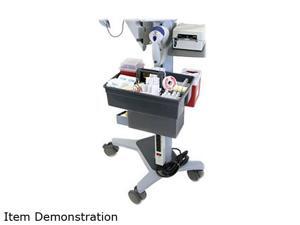
Ergotron 60-587-207 T-Slot Interface Bracket Kit
$66 .22
Free Shipping
- Type: T-Slot Bracket Kit
- Specifications: Description: Interface Bracket Kit (aluminum); aka T-Slot Bracket Kit Includes: (1) Angled T-Slot Interface Bracket, (2) Light-Duty T-Slot Brackets, mounting hardware, manual Light-Duty Brackets can be used with most Ergotron carts; Angled Interface Bracket can be used with Neo-Flex Mobile WorkSpace Carts, Mobile MediaCenters, StyleView 31/32 Carts and WorkFit C-Mod Workstations Install either the Angled Interface Bracket or the Light-Duty Brackets; to deploy both types of brackets on a cart requires two kits Consideration should be given to weight of component being mounted relative to its height on cart to avoid tip hazard
- Parts: 3 years limited
- Labor: 3 years limited
- Model #: 60-587-207
- Item #: 9SIV0F3BH24101
- Return Policy: MichaelElectronics2 Return Policy

Tripp Lite Dual-Display Monitor Arm w/ Desk Clamp Height Adjustable 17-27in
$135 .23
Free Shipping
- Type: Kits
- Weight: 8.1
- Model #: DDR1727DC
- Item #: 9SIV0Z4K673205
- Return Policy: Compute4Less Corp Return Policy

