


USB Flash Drives - Showing 745 - 768 of 969 Products
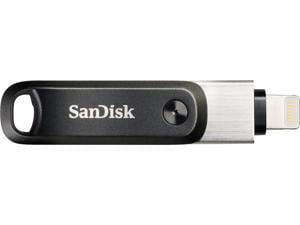

SanDisk 128GB iXpand Flash Drive Go for Your iPhone and iPad (SDIX60N-128G-GN6NE)
- Brand: SanDisk
- Series: iXpand Go
- Capacity: 128GB
- USB Specification: USB 3.0
- USB Connectors: Type A & Lightning
- Features: Free up space on your iPhone Out of space on your iPhone? Simply plug in the iXpand Flash Drive Go and easily move files off your iPhone, freeing up valuable space. So you can take more selfies, play more games, watch more videos or whatever else you do with your iPhone. Automatically back up photos and videos Your iPhone holds some of your most cherished memories. All you need to do is plug in the iXpand Flash Drive Go and it automatically backs up your latest photos, videos and contacts for you. So you can rest assured that even if you lose your phone, you've got the memories that matter most. Shoot videos directly to the drive Videos taking up too much space? With the iXpand Flash Drive Go you c...
- Model #: SDIX60N-128G-GN6NE
- Item #: 9SIV1ZZB954341
- Return Policy: OEMPCWORLD Return Policy
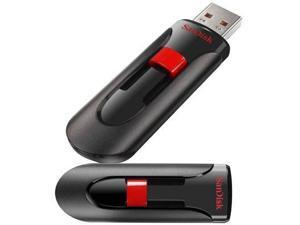
SanDisk 32gb Cruzer Glide Usb - SDCZ60-032G-B35
- Brand: SDCZ60-032G-B35
- Capacity: 32GB
- Model #: DHSDCZ60032GB35
- Item #: 9SIV1ZZ8ET4974
- Return Policy: OEMPCWORLD Return Policy
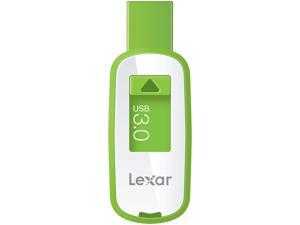
LEXAR 16GB USB FLASH DRIVE 3.0 LJDS23-16GBASBNA GREEN
- Capacity: 16GB
- USB Specification: USB 3.0
- Color: White / Green
- Parts: 1 Year
- Model #: LJDS23-16GBASBNA GRN
- Item #: 9SIV2NJA2B2392
- Return Policy: Memory Company Return Policy
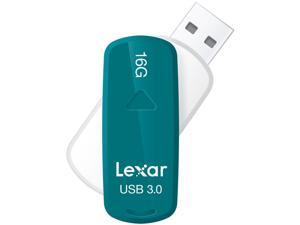
Lexar JumpDrive S33 16GB USB 3.0 Flash Drive LJDS33-16GASBNA
- Brand: Lexar
- Series: JumpDrive S33
- Capacity: 16GB
- USB Specification: USB 3.0
- Color: Teal
- Model #: LJDS33-16GASBNA
- Item #: 9SIV2NJA2J6781
- Return Policy: Memory Company Return Policy
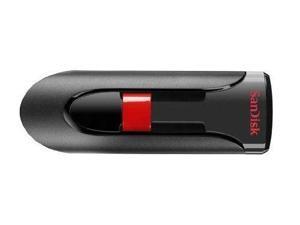
Sandisk SDCZ60-128G-B35 128gb Cruzer Glide Flash Drive Ext Usb (sdcz60128gb35)
- Model #: 13a-537831000232731
- Item #: 9SIV1ZZ97S8717
- Return Policy: OEMPCWORLD Return Policy

SanDisk Cruzer Blade 128 GB USB 2.0 Flash Drive
- Capacity: 128GB
- Security: AES Encryption
- USB Specification: USB 2.0
- Color: Black
- Read Speed: up to 20MB/s
- Write Speed: up to 3MB/s
- Model #: SDCZ50-128G-B35-NW
- Item #: 9SIV1ZZ9852016
- Return Policy: OEMPCWORLD Return Policy
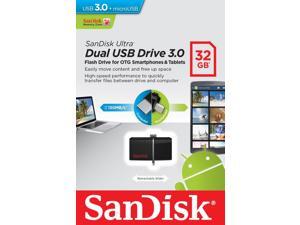
32GB ULTRA SDDD2-032G-A46 DUAL
- USB Specification: USB 3.0
- Model #: SDDD2-032G-A46
- Item #: 9SIVAFKH0A8183
- Return Policy: F22PARTS Return Policy

Quantum Qml20000Ld-A 20.4Gb Ide 20.4At
- Model #: qml20000ld-a
- Item #: 9SIV1W8CYC9617
- Return Policy: The Best Part Inc. Return Policy
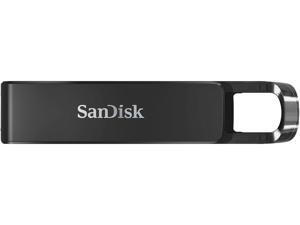
SanDisk 64GB Ultra USB Type-C Flash Drive, Speed Up to 150MB/s (SDCZ460-064G-G46)
- Brand: SanDisk
- Series: Ultra
- Capacity: 64GB
- Security: 128bit AES Encryption
- USB Specification: USB 3.1 Gen 1
- USB Connectors: Type C
- Color: Black
- Read Speed: up to 150MB/s
- Model #: SDCZ460-064G-G46
- Item #: 9SIV1ZZDE19626
- Return Policy: OEMPCWORLD Return Policy
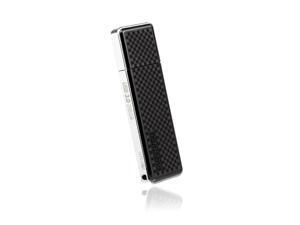
256GB Transcend JetFlash 780 Ultra-fast USB3.0 Flash Drive (up to 210MB/sec)
- Brand: Transcend
- Series: JetFlash 780
- Capacity: 256GB
- Ready Boost: Yes
- USB Specification: USB 3.0
- Color: Black
- Model #: TS256GJF780
- Item #: 9SIV1ZZDE19767
- Return Policy: OEMPCWORLD Return Policy
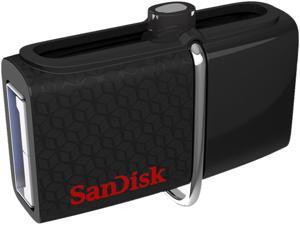
SanDisk 32GB Ultra Dual OTG USB 3.0 Flash Drive, Speed Up to 150MB/s ...
- Brand: SanDisk
- Series: Ultra Dual
- Capacity: 32GB
- USB Specification: USB 3.0
- USB Connectors: USB-A Micro B
- Features: Flash Drive for Your OTG-enabled Android Devices** This is the flash drive you've always wanted, the one that makes it fast and easy to transfer or share files from your OTG-enabled Android smartphone or tablet** onto your PC or Mac computer, or with other Android devices. Now your phone is always in the zone, ready to shoot more pictures and videos or add more songs on the go. Dual Connectors Bridge Phones, Tablets, and Computers With a micro-USB connector on one end, and a USB 3.0 connector on the other, this sleek, handy flash drive lets you move content easily between all the devices in your world - from your OTG-enabled Android smartphone to your tablet, your laptop, your Mac or PC. The USB connecto...
- Model #: SDDD2-032G-GAM46
- Item #: 9SIV1ZZ8ET8994
- Return Policy: OEMPCWORLD Return Policy
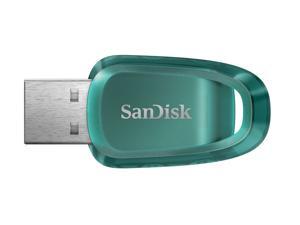
Sandisk 64GB Ultra Eco USB 3.2 Gen 1 Flash Drive, Speed Up to 100MB/s (SDCZ96-064G-G46)
- Brand: SanDisk
- Series: Ultra Eco
- Capacity: 64GB
- USB Specification: USB 3.2 Gen 1
- Read Speed: up to 100MB/s
- Model #: SDCZ96-064G-G46
- Item #: 9SIV1VHK7Y6400
- Return Policy: Best iStore Return Policy
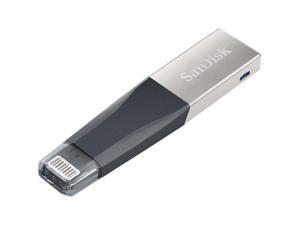
SanDisk 16GB iXpand Mini USB 3.0 Flash Drive
- Brand: SanDisk
- Series: iXpand
- Capacity: 16GB
- Security: Lightweight
- Part Number: SDIX40N-016G-GN6NN
- USB Specification: USB 3.0
- Color: Black
- Read Speed: 45 megabytes_per_second
- Model #: SDIX40N-016G-GN6NN
- Item #: 9SIV1ZZ9436955
- Return Policy: OEMPCWORLD Return Policy
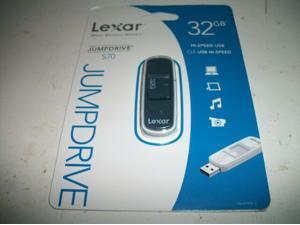
Lexar JumpDrive S70 32GB USB 2.0 Flash Pen Stick Thumb Drive - Gray - LJDS70
- Brand: Lexar
- Series: LJDS70-32GASBNAS
- USB Specification: USB 2.0
- Color: Black
- Model #: LJDS70-32GASBNAS
- Item #: 9SIV2NJ9G19334
- Return Policy: Memory Company Return Policy
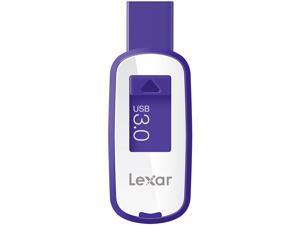
Lexar JumpDrive S23 64GB SuperSpeed USB 3.0 Stick Thumb Pen Flash Drive - Purple
- Brand: Lexar
- Capacity: 64GB
- Ready Boost: Yes
- USB Specification: USB 3.0
- Color: Purple
- Read Speed: up to 100MB/s
- Write Speed: up to 100MB/s
- Labor: 1 Year
- Model #: LJDS23-64G-100-104
- Item #: 9SIV2NJBDF6306
- Return Policy: Memory Company Return Policy
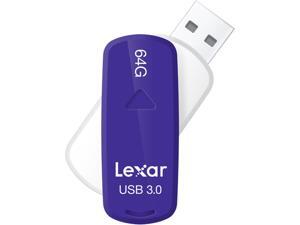
Lexar JumpDrive LJDS33-64GASBNA 64 GB USB 3.0 Flash Drive - Purple
- Brand: Lexar
- Series: JumpDrive
- Capacity: 64GB
- USB Specification: USB 3.0
- Color: Purple
- Parts: 3 Year
- Model #: LJDS33-64GASBNA
- Item #: 9SIV2NJA2J7151
- Return Policy: Memory Company Return Policy
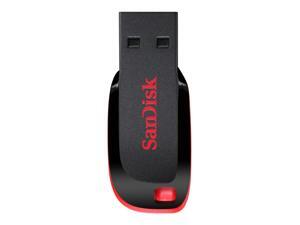
SanDisk SDCZ50-0128G-B35 USB Flash Drive Z50 Cruzer Blade - 128 GB
- Brand: SanDisk
- Series: Cruzer Blade
- Capacity: 128GB
- USB Specification: USB 2.0
- Model #: SDCZ50-0128G-B35
- Item #: 9SIV1ZZ9852011
- Return Policy: OEMPCWORLD Return Policy
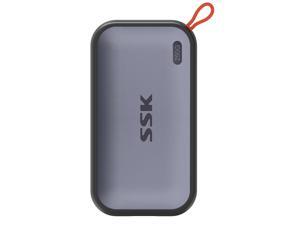
SSK 250GB Portable External NVME SSD,up to 1050MB/s Extreme Transmission Speed USBC ...
- Capacity: 250GB
- USB Specification: USB 3.2 Gen 2
- Color: Gray
- Model #: NE SD500 250GB
- Item #: 9SIV6NDJPF4206
- Return Policy: SSK Direct US Store Return Policy

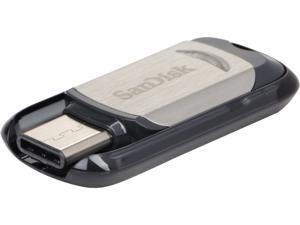
SanDisk 128GB Ultra USB Type-C Flash Drive, Speed Up to 150MB/s (SDCZ450-128G-G46)
- Brand: SanDisk
- Series: Ultra
- Capacity: 128GB
- USB Specification: USB 3.1 Gen 1
- USB Connectors: Type C
- Read Speed: up to 150MB/s
- Features: The flash drive for USB Type-C devices The super-thin SanDisk Ultra USB Type-C flash drive is designed specifically for next-generation devices with the new USB Type-C port. The reversible connector has a uniform design, so that it's always right-side up, making it easy and fast to plugin. High-speed USB 3.1 High-speed USB 3.1 performance of up to 150MB/s (32GB-128GB) means you spend less time waiting to transfer your photos, videos, songs, and other files between devices. Compatible with smartphones, tablets, and laptops with USB Type-C ports Free up space on your smartphone or tablet, or transfer files between multiple USB Type-C devices. SanDisk Memory Zone app for ea...
- Model #: SDCZ450-128G-G46
- Item #: 9SIV1ZZ8D37227
- Return Policy: OEMPCWORLD Return Policy
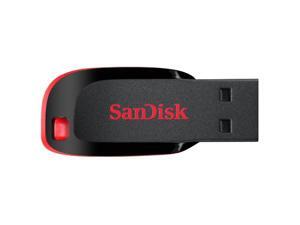
SanDisk Cruzer Blade 8GB USB 2.0 Flash Drive- SDCZ50-008G-B35
- Brand: SanDisk
- Series: Cruzer Blade
- Capacity: 8GB
- Security: 128bit AES Encryption
- Ready Boost: Yes
- USB Specification: USB 2.0
- USB Connectors: Type A
- Color: Black
- Model #: SDCZ50-008G-B35.
- Item #: 9SIV1VHK7E1947
- Return Policy: Best iStore Return Policy
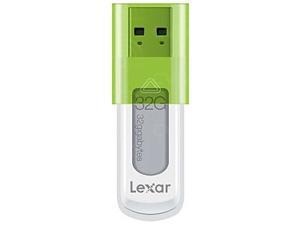
Lexar JumpDrive S50 32GB USB Flash Drive LJDS50-32G-000-112 (White Green)
- Brand: Lexar
- Capacity: 32GB
- Ready Boost: Yes
- USB Specification: USB 2.0
- Color: White / Green
- Labor: 1 Year
- Parts: 1 Year
- Model #: LJDS50-32G-000-112
- Item #: 9SIV2NJBDG1389
- Return Policy: Memory Company Return Policy
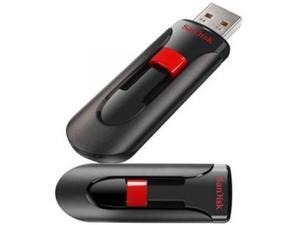
SANDISK SDCZ60-064G-B35 Disk Cruzer Glide USB Flash Drive
- Model #: SDCZ60064GB35/SAN
- Item #: 9SIV1ZZ8ET6476
- Return Policy: OEMPCWORLD Return Policy
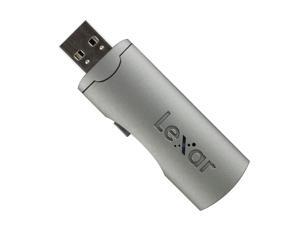
Lexar 32GB Echo SE USB 2.0 Backup Flash Drive LEHSE32GBSBEU SILVER GRAY
- Brand: Lexar
- Capacity: 32GB
- USB Specification: USB 3.0
- Color: Metallic Gray
- Parts: 1 Year
- Model #: LEHSE32GBSBEU GRAY
- Item #: 9SIV2NJA2J0781
- Return Policy: Memory Company Return Policy
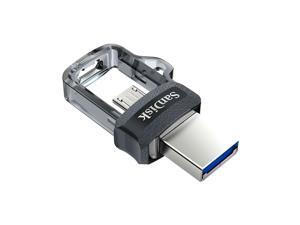
SanDisk Ultra Dual Drive M3.0 OTG Micro USB Flash Drive for Android SDDD3
- Brand: SanDisk
- Series: Ultra Dual
- Capacity: 64GB
- USB Specification: USB 3.0 and micro-USB
- Color: Black
- Read Speed: up to 150MB/s
- Model #: SDDD3/064G-G46
- Item #: 9SIV1ZZ8ET9828
- Return Policy: OEMPCWORLD Return Policy
Other Uses for USB Flash Drives
Introduction
A USB flash drive is a versatile data storage solution that can be used for many purposes, some of which are not widely known. While flash drives are popular for backing up and transferring data, other uses include boosting computer performance or serving as an operating system boot disk. Below, NeweggBusiness presents several lesser-known benefits of flash drives that you may find useful.
Increase System Performance
Certain operating systems allow you to use a USB flash drive to increase system performance by complementing the main system memory. Known as ReadyBoost ®, it is supported by Windows® Vista®, Windows 7, and Windows 8. In order for a USB flash drive to be used, it must have at least 256 MB of unused space.
Portable Applications
What are portable applications? They are programs that can be installed onto a USB flash drive and run on a host computer without modifying the host computer’s settings or configurations. For instance, a portable .pdf reader on a USB flash drive will allow you to read .pdf files without requiring installation.
Boot Disk
A boot disk can be used for many purposes, including operating system installation, updating Basic Input / Output System (BIOS) settings, and troubleshooting operating system issues. Traditionally, boot disks were specially formatted 3.5 inch floppy disks and later optical discs, but USB flash drives can also be used. The process to make a USB flash drive a boot disk varies depending on the operating system.
Automated Backup
Some USB flash drives include automated backup software bundled or preinstalled onto the drive. With automatic backup, files, folders, and settings can be backed up to a flash drive whenever it is inserted into a USB slot.
Lock or Unlock a Computer
If you have concerns about computer security and do not feel that a password is sufficient protection, a USB flash drive can be used to add an extra layer of security. Some programs, when installed onto your computer and USB flash drive, require the flash drive to be inserted in order for the computer to be locked or unlocked.
Security Tools
By installing portable security tools onto a USB drive, you can scan for viruses and malware on any computer that the flash drive is connected to. A useful tool if you need to remove viruses, malware, or other malicious software from multiple computers or frequently use public computers.
Optical Drive Replacement
Installing an operating system typically requires you to have the installation disc, which can be an issue if the computer does not have an optical drive. One workaround is to use a USB flash drive as the installation medium, rather than an optical disc. This is accomplished by formatting the USB flash drive as a boot disk and copying the operating system installation files.

