









Featured Products See All
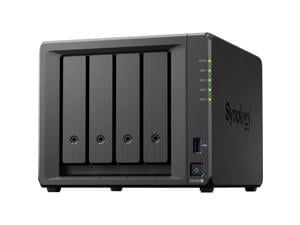
Synology 4-bay DiskStation DS425+ (Diskless)
Save: $29.00
$519 .99
Free Shipping
- Capable Performance
- Up to 278/281 MB/s sequential read/write throughput1 supports stable data
- transfers
- Fast Networking
- Built-in 2.5GbE port for fast connectivity out of the box
- Versatile Network Storage
- Leverage built-in file and photo management, data protection, and surveillance solutions
- Centralized Data Storage
- Store up to 80 TB of data2 in one place,maintain 100% data ownership, and enjoy multi-platform access
- Extendable Product Support
- Backed by Synology's 3-year limited hardware warranty, extendable to 5 years
- in select markets3,4
Save: $29.00
$519 .99
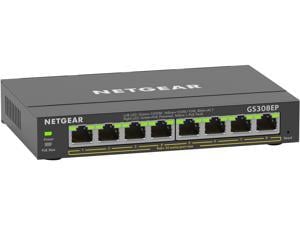

Netgear GS308EP 8-Port Gigabit Ethernet PoE+ Smart Managed Plus Switch (62W), ...
Save: $20.00 (20%)
$79 .99
Free Shipping
- Gigabit Ethernet: 8 ports provide up to 1000 Mbps of dedicated, non-blocking bandwidth each
- PoE+ Support: 8 PoE+ ports provide a total of 62W of power so you can power and connect your devices with a single wire
- Advanced PoE Controls: Manage PoE prioritization, PoE power limit per port, and more for simple control over all PoE-powered devices
- Non-Blocking Switching: 10Gbps (10/100/1000 Mbps) line rate fabric ensures congestion-free connectivity to your devices
- Fanless Design: Silent operation makes this switch perfect for noise-sensitive environments
- Versatile Mounting Options: Install your switch on your desktop, or mount it to your wall or rack with the hardware provided in the box
Save: $20.00 (20%)
$79 .99
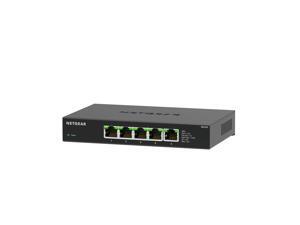
Netgear MS305 5-Port Multi-Gigabit (2.5G) Ethernet Unmanaged Switch, MS305-100NAS
Save: $35.00 (26%)
$99 .99
Free Shipping
- Reliable Performance: Superior network performance at non-blocking rate delivers true Multi-Gig speed with no compromise
- Silent Operation: The fanless design means zero added noise wherever its located, making it ideal for noise-sensitive environments
- Energy Efficient: Energy Efficient Ethernet (IEEE 802.3az) standard, which reduces energy consumption when there is light traffic on an active port or when there is no link or no activity detected
- Versatile Mounting Options: Install your switch on your desktop, or mount it to your wall with the hardware provided in the box
- Plug and Play: No software to install. No configuration needed. Zero maintenance required
Save: $35.00 (26%)
$99 .99
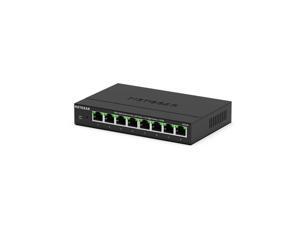
Netgear MS308 8-Port 2.5G Multi-Gigabit Ethernet Unmanaged Switch, MS308-100NAS
Free Shipping
- Featuring eight (8) 2.5G ports encased in durable metal, the MS308 Multi-Gigabit Ethernet Switch is designed for versatility—it can be placed on a desk, mounted on a wall, or under a table using the included kit.
- Simple set up with no software or configuration needed.
- Flexible desktop or wall placement.
- Easy monitoring through per port LEDs for port activity and speed.
- Energy Efficient Ethernet (IEEE 802.3az) support for maxium power savings.
- Non-blocking switching architecture for maximum throughput at wire speed.
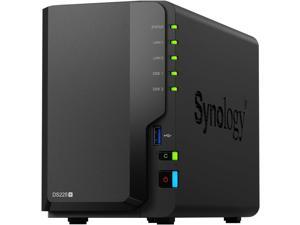
Synology DS225+ Diskless System Network - Storage
$339 .99
Free Shipping
- Capable Performance
- Up to 282/217 MB/s sequential read/write throughput supports stable data
- transfers
- Fast Networking
- Built-in 2.5GbE port for fast connectivity out of the box
- Versatile Network Storage
- Leverage built-in file and photo management, data protection, and surveillance solutions
- Centralized Data Storage
- Store up to 40TB of data in one place, maintain 100% data ownership, and enjoy multi-platform access
- Extendable Product Support
- Backed by Synology's 3-year limited hardware warranty, extendable to 5 years
- in select markets
$339 .99
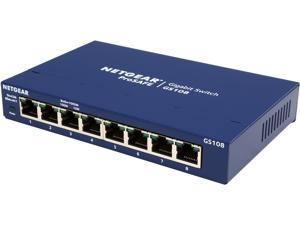
Netgear GS108 8-Port Gigabit Ethernet Unmanaged Switch, GS108-400NAS
$49 .99
Free Shipping
- Ethernet Port Configuration: 8 Gigabit ports
- Plug-and-Play: Simple set up with no software to install or configuration needed
- Versatile Mounting Options: Supports desktop or wall mount placement
- Silent Operation: The fanless design means zero added noise wherever its located, making it ideal for noise-sensitive environments
- ProSafe Lifetime Protection: Covered by an industry-best Hardware Warranty, Next Business Day Replacement and 24/7 chat with a NETGEAR expert
- Energy Efficient: Designed to optimize power usage lowering its cost to operate. Most models are compliant with IEEE802.3az Energy Efficient Ethernet mode.
- Built to Last: Every NETGEAR Network switch is rigorously tested for reliability, quality, and performance.
$49 .99
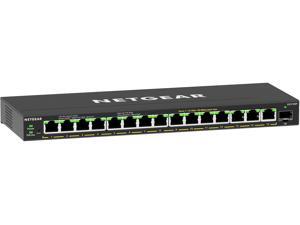
Netgear GS316EP 16-Port PoE+ Gigabit Ethernet Plus Switch 180W with 1 SFP Port, ...
$239 .99
Free Shipping
- Gigabit Ethernet and Fiber: 15 ports provide Gigabit Ethernet connectivity to your devices and 1 SFP fiber port for long distance connections
- PoE+ Support: 15 PoE+ ports provide a total of 180W of power so you can power and connect your devices with a single wire
- Easy PoE Controls: Manage PoE prioritization, PoE power limit per port, PoE scheduling and more for advanced control over all PoE-powered devices
- VLANS: Port-based and 802.1Q-based network separation into smaller groups for more secure and efficient use of network resources
- Fanless Design: Silent operation makes this switch perfect for noise-sensitive environments
- Versatile Mounting Options: Place your switch on your desktop or mount it to your wall with the hardware provided in the box. Silent operation makes this switch perfect for noise-sensitive environments
$239 .99
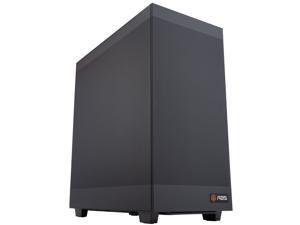

ABS Zaurion Ruby Mid-tower GPU Workstation / Desktop Computer PC - AMD EPYC 4565P - RTX ...
$8,899 .00
Free Shipping
- Compliance Documents Required for Purchase
- Positioning: Entry AI Developer Workstation
- AI developers building LLM apps, RAG, and AI agents
- Data scientists running model experiments and inference
- Operating System: Ubuntu (Request a Quote for Windows)
- CPU: AMD EPYC 4565P 16 Core, Liquid cooling
- GPU: RTX Pro 4500 Blackwell (32 GB GDDR7)
- Motherboard: ASUS Pro WS B850M-ACE SE AMD Micro-ATX
- Memory: 128GB DDR5 Server RAM - ECC, Unbuffered
- SSD: 2 x 2TB M.2 NVMe
- LAN: 1 x 10GB/s LAN, 1 x 2.5GB/s LAN, 1 x 10/100/1000 Mbps Management LAN
- PSU: Single 1000W 80 PLUS Platinum power supply
- Optional: Phison aiDAPTIV+ SSD (for VRAM expansion & large model fine-tuning)
- Optional: Pre-engineered AI environment with LLM, RAG, automation, submit a quote for pricing
- AI Agent Ready: Pre-installed OpenClaw (enterprise AI agent framework)
- Made in USA
- TAA Compliant
$8,899 .00
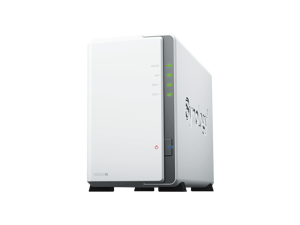
Synology 2-bay DiskStation DS223j (Diskless)
Save: $25.00 (11%)
$194 .99
Free Shipping
- Centralized Data Storage: Consolidate up to 36 TB of data, and enjoy 100% data ownership and multi-platform access from anywhere
- Next-Generation File System: Leverage file self-healing, lightning-fast data snapshots, and rapid data cloning
- Secure Sharing and Syncing: Safely access and share files and media from anywhere, and keep clients, colleagues and collaborators on the same page
- Simple Data Protection: Back up your media library or document repository to a variety of destinations
- Versatile Camera Surveillance: Protect your premises with flexible monitoring tools
Save: $25.00 (11%)
$194 .99
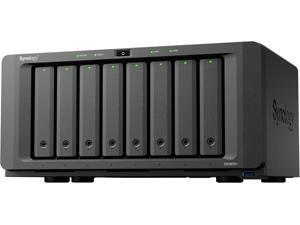
Synology DS1825+ Diskless System 8-bay DiskStation (Diskless)
$1,149 .99
Free Shipping
- Dependable Performance
- Up to 2,239/1,573 MB/s sequential read/write throughput1 supports officewide applications
- Fast and Flexible Networking
- Built-in 2.5GbE ports, supports 10GbE SFP+/RJ-45 and 25GbE SFP28 adapter
- cards
- Simple Expansion
- Scale up on demand to with two DX525 expansion units3 for up to 18 drive bays and 360 TB of raw storage
- Comprehensive Backups
- Protect your IT infrastructure with license-free solutions for backup,replication, and recovery
- Long-Term Support
- Backed by Synology's 3-year limited hardware warranty, extendable to 5 years
- in select markets
$1,149 .99
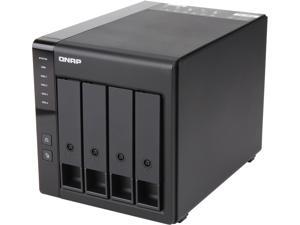
QNAP TR-004-US Diskless System Network Storage
$219 .00
Free Shipping
+ $25 off w/ promo code BMSFF37, limited offer
- 4-Bay
- Usage Backup & stream media through personal cloud
- Diskless System
- Micro processor with hardware RAID Processor
- 1 x Type-C USB 3.2 Gen 1
$219 .00
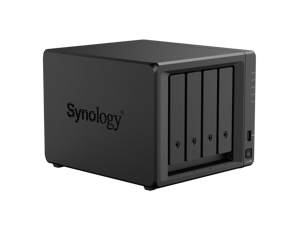
Synology 4-bay DiskStation DS925+
$639 .99
Free Shipping
- Dependable Performance
- Up to 522/565 MB/s sequential read/write
- throughput3 supports stable data
- transfers
- Fast and Flexible Networking
- Dual 2.5GbE ports provide fast network
- transfer speeds and increased
- redundancy
- Versatile Network Storage
- Leverage built-in file and photo
- management, data protection,
- virtualization, and surveillance solutions
- Capacity Expansion
- Add 5 extra drive bays for up to 180
- TB4 of storage with one DX525 expansion
- unit1
- Extendable Product Support
- Backed by Synology's 3-year limited
- hardware warranty, extendable to 5 years
- in select markets5,6
$639 .99
Loading Dynamic Data...
Workstations & Servers for Business
When should you bring cloud servers in house?
Cloud servers are great for startup business ventures. However, costs grow as a business adds headcount, and runs up billing by accumulating data. After a certain point, it makes business sense to bring some server infrastructure in-house. When that time comes, you will access your data assets on your own terms, and take on the task of protecting the privacy of customer information.
Check your SLA contract and bills for an itemized cost of cloud. Weigh that against the price of buying small business server hardware. Consider long term growth projections. A five year refresh cycle is standard for the tax advantages. Figure in cost of maintenance, licensing server software, and plan to refresh on time. Does it add up to savings?
Often it makes sense to keep some services running in the cloud while others are moved on-site. Think efficiency: a single virtualized server handle the bulk of the workload for a company. Domain services, e-mail server exchange, distributed office applications, and security software can run on one machine. Buying Citrix or VMware is needed to manage virtual computing.
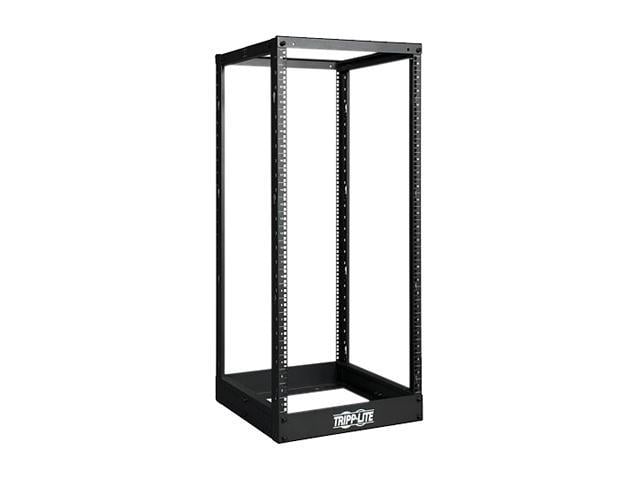
You will want racks and cabinets for servers guarding against physical hazards like dust and flooding. Tower servers fit inside server cabinets, and you can encase rackmount servers as well, or use wall mounts to save space. Elevating electrical devices off the floor helps avoid damage should the room take on water.
How are servers and workstations different?
Servers and workstations both supply muscle. Workstations are endpoints used like a regular desktop PC. Servers are infrastructure that distribute data and applications to endpoints. Servers are not usually configured to run endpoint applications. Server components have error-correcting firmware, server motherboards support redundancy—two LGA sockets for dual CPUs, extra space and connections for multiple power supply units and disk storage.
Often workstations have a server CPU and one or more professional-grade graphics cards. These help run engineering and modeling design software, or scientific applications that compute large datasets. These types of multi-threaded programs operate across CPU cores for peak performance.
Server configuration is managed with specialized software like Windows Server, Red Hat Linux, or Apache-based programming.
How does server hardware affect system performance?
Number of users, file size, application coding framework, queries per second—exceed certain thresholds slows a server and it fails eventually. Configuration, applications, and surrounding infrastructure affect hardware performance so calculations are difficult to pinpoint. Your best bet is to monitor use and performance, and test where applicable. Always set a growth trajectory for any IT purchase—especially when a buying small business server. You want to accommodate peak workload five years from now.
Hardware for a database server
Database applications like Oracle, SQL, MySQL, MS Access benefit from fast storage drives. Pay attention to drive ratings for read/write specifications to increase system I/O. Enterprise drives configured in RAID setup (redundant array individual disks) benefits reliability and performance. For redundancy, a business often deploys an identical slave server that stores a read-only database.
Hardware for a web server
Web applications add a front end to database servers. Web servers field HTTP requests from site users, and they benefit most from upgrading server RAM.For most sites, 80 percent of traffic queries 20 percent of site pages. Caching those high traffic pages in server memory powers up performance. If you generate revenue with e-commerce applications, make sure to attribute value to server uptime. Server motherboards with dual PSU and dual CPU support prevent outages.
Hardware for securing servers
The key to securing a transactional database is placing a firewall between a web server and database server. Protect files that contain customer information with a security appliance; place it between where sensitive data is stored and your internet-facing web server.
Hardware for shared application servers
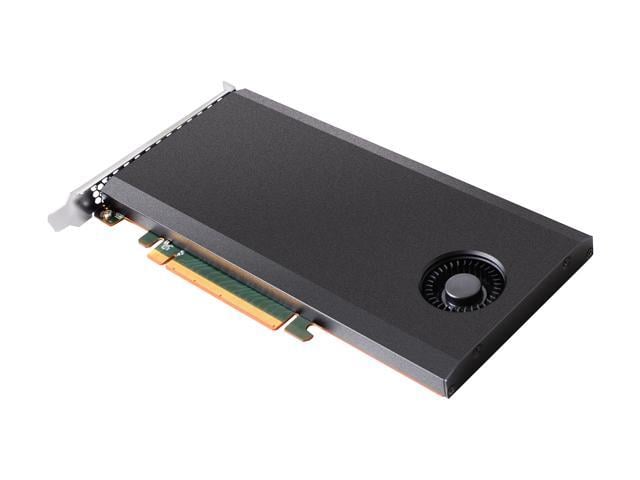
Collaboration software hosted on a production server benefits from enterprise disk storage (SAS interface) and error correcting ECC RAM for faster, more accurate versioning. Avoid virtual instances as they slow performance of applications, install a Hardware RAID and network card for shorter backup times.
Should you build a server for business?
Unless you’re a systems integrator, consensus among hardware architects favors buying a prebuilt server for running business systems. Manufacturer support and warranty are too valuable to pass up. In your test lab you can use a cheap server assembled from parts.
Can you order a custom server from an account executive?
Yes. Call with hardware configurations and account executives can source HP ProLiant, Dell PowerEdge, Lenovo ThinkServer to your specifications. Keep in mind pricing for server combos online may not include disk storage pay attention to the copy on the product page for online purchasing.
Can Newegg Business help with Windows Server licensing?
Yes. Server licensing is one of the most convoluted and confusing IT decisions you will face. You can waste hours reading and deciphering rules for software procurement. Do you want to get better value? Call account executives with accreditation in Windows Server 2016, and take advantage of free expertise. Never overpay for device CALs and user CALs again. Note that prebuilt servers online computers may include server software so check the text on the product page closely.
Which server chassis fits your business?
- New mini-servers pack serious computing power in a text-book sized case and make a good single-use application server or box for shared storage.
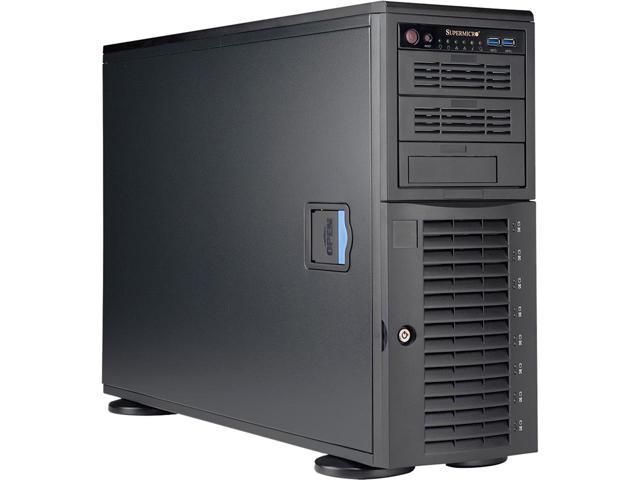
- A tower server resembles a desktop computer. A workable cheap server but has a couple drawbacks. Tower server run hot when clustered, and Ethernet cables tend to tangle when multiple Ethernet cables connect.
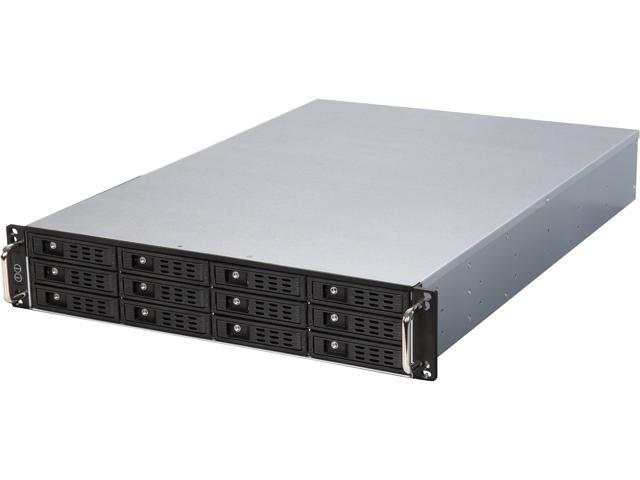
- You might opt for Rack-mounted servers with onboard fan cooling, accommodates neat cabling, and stackable for efficiency.
- Even smaller are Blade Servers rest inside enclosures that containing power cords and Ethernet cabling for the neatest look money can buy.
What comes with a barebones system?
Barebones means chassis and motherboard only. You need to buy server parts separately, the processor, server memory, drives, and power supply to install yourself. An account executive can find other components you need to complete the build. Note that a barebones system will require purchasing server software, or an open source distribution like Linux, Apache, Python, PHP, Perl, or whatever you choose.
What do RAID enclosures do?
Enclosures for external RAID adds protection around a disk redundancy setup you attach to production server. Depending on how many drives a storage array has, a server duplicates saved data across two or more drives called a RAID. Standard setups mirror drives for backup, a server with a RAID controller stripes data across different areas of drive platters. The server reads and writes in the same striping pattern.
SATA drives vs enterprise SAS hard drives
Drives for server motherboards have error correction built in the firmware, and a faster SAS interface. Servers run 24/7 in many instances, and enterprise drives are built to endure that wear and tear. An enterprise hard drive have a longer (five or seven year) warranty. Manufacturers make hard drives especially for RAID setup in addition to enterprise storage.
Become a NeweggBusiness Insider
Sign up to receive exclusive offers in your inbox.
See Current E-Blast Promotion
Who We Are
Who We Serve
Customer Service
B2B Marketplace
Newegg Logistics

© 2000-2026 Newegg Business Inc. All rights reserved.
Policy & Agreement | Privacy Policy | CA Transparency in Supply Chains Act | Cookie Preferences