


Webcam - Showing 601 - 624 of 1478 Products
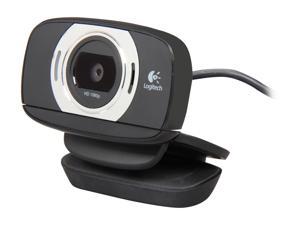

Logitech HD Portable 1080p Webcam C615 with Autofocus (960-000733)
- Brand: Logitech
- Name: Logitech HD Laptop Webcam C615 with Fold-and-Go Design, 360-Degree Swivel, 1080p Camera
- Interface: USB 2.0
- Max. Image Resolution: 8.0 MP (Software Enhanced)
- Video Capture Resolution: 1080p
- Frame Rate: 30 fps
- Focus Settings: Autofocus
- Part Number: 960-000733
- Model #: 960-000733
- Item #: 9SIV2S4KM82204
- Return Policy: Fuji Labs USA, INC. Return Policy
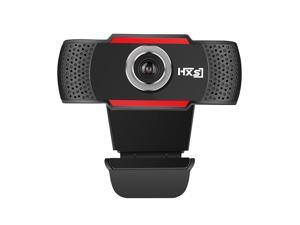
LUOM S20 480P webcam web cam camera USB2.0 with MIC for computer laptop desktop
- Brand: LUOM
- Name: Webcam USB Camera with MIC Microphone Web Camera For PC Laptop Computer
- Interface: USB 2.0
- Image Sensor: CMOS
- Max. Image Resolution: 640 x 480
- Effective Pixels: 2.0 M
- Video Capture Resolution: 640 x 480
- Frame Rate: 30 fps
- Model #: J-HXSJ S20B1-1
- Item #: 9SIV13NB838647
- Return Policy: Brinch's marketplace Return Policy
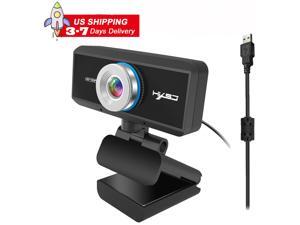
1MP 720P USB Web Camera (Upgraded), S90 Plug & Play Webcam with Built-in Dual ...
- Video Capture Resolution: 1920 x 720
- Color: Black
- Model #: ES90-11
- Item #: 9SIV155DEA5620
- Return Policy: ESTONE'S Business Return Policy
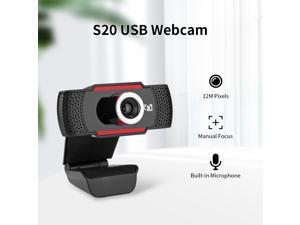
HXSJ S20 Webcam HD 480P PC Camera with Absorption Microphone MIC for Skype for Android ...
- Brand: LUOM
- Name: Webcam USB Camera with MIC Microphone Web Camera For PC Laptop Computer
- Interface: USB 2.0
- Image Sensor: CMOS
- Max. Image Resolution: 640 x 480
- Effective Pixels: 2.0 M
- Video Capture Resolution: 640 x 480
- Frame Rate: 30 fps
- Model #: J-HXSJ S20A-F
- Item #: 9SIV13NB7V1915
- Return Policy: Brinch's marketplace Return Policy
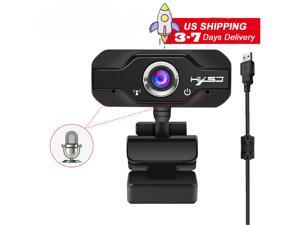
HXSJ S50 1MP Webcam, 720P Webcam with Microphone, Full 720P HD Video Webcam, ...
- Video Capture Resolution: 1920 x 720
- Color: Black
- Model #: ES50-5
- Item #: 9SIV155DEA5511
- Return Policy: ESTONE'S Business Return Policy

HD 480P Webcam with Built-in Microphone, Notebook Laptop PC Desktop Computer Web ...
- Brand: LUOM
- Name: Webcam USB Camera with MIC Microphone Web Camera For PC Laptop Computer
- Interface: USB 2.0
- Image Sensor: CMOS
- Max. Image Resolution: 640 x 480
- Effective Pixels: 1.0 M
- Video Capture Resolution: 640 x 480
- Frame Rate: 30 fps
- Model #: J-HXSJ A859B-A2
- Item #: 9SIV13NBB82685
- Return Policy: Brinch's marketplace Return Policy
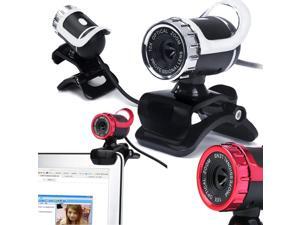
HXSJ HD Pixels High Definition Webcamera CMOS Rotatable Webcams USB Web Camera ...
- Brand: LUOM
- Name: Webcam USB Camera with MIC Microphone Web Camera For PC Laptop Computer
- Interface: USB 2.0
- Image Sensor: CMOS
- Max. Image Resolution: 640 x 480
- Effective Pixels: 1.0 M
- Video Capture Resolution: 640 x 480
- Frame Rate: 30 fps
- Model #: J-HXSJ A859-BK
- Item #: 9SIV13N8T00811
- Return Policy: Brinch's marketplace Return Policy
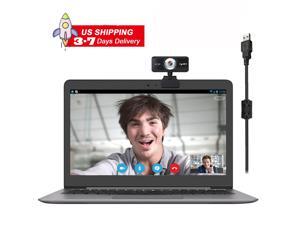
S90 1MP Webcam with Microphone, 720P Webcam USB 2.0 Desktop Laptop Computer Web ...
- Brand: LUOM
- Name: Webcam USB Camera with MIC Microphone Web Camera For PC Laptop Computer
- Interface: USB 2.0
- Image Sensor: CMOS
- Max. Image Resolution: 1280 x 720
- Effective Pixels: 2.0 M
- Video Capture Resolution: 1920 x 720
- Frame Rate: 30 fps
- Model #: JS90-2
- Item #: 9SIV13NDMH9941
- Return Policy: Brinch's marketplace Return Policy
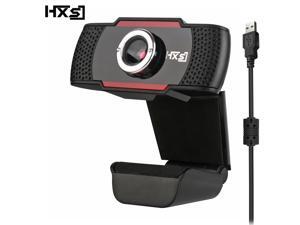
HXSJ S20 Webcam built-in sound absorption microphone with 0.3M pixels and 640 * 480 ...
- Brand: LUOM
- Name: Webcam USB Camera with MIC Microphone Web Camera For PC Laptop Computer
- Interface: USB 2.0
- Image Sensor: CMOS
- Max. Image Resolution: 640 x 480
- Effective Pixels: 2.0 M
- Video Capture Resolution: 640 x 480
- Frame Rate: 30 fps
- Model #: J-HXSJ S20-F
- Item #: 9SIV13N9AS4990
- Return Policy: Brinch's marketplace Return Policy


Microsoft LifeCam Cinema,Webcam with built-in noise cancelling Microphone, Light ...
- Image Sensor: CMOS
- Max. Image Resolution: Up to 5.0 MP (2880 x 1620 pixels, interpolated)
- Video Capture Resolution: 1280 x 720
- Frame Rate: Up to 30 fps at 720p
- Lens: High-precision glass element lens
- Part Number: H5D-00013
- Operating Systems Supported: Windows 8, Windows 7, Windows Vista, and Windows XP Service Pack 2
- Color: Black
- Model #: H5D-00013
- Item #: 9SIV2S4KMA0454
- Return Policy: Fuji Labs USA, INC. Return Policy
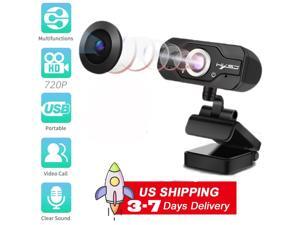
720p HD Webcam S50, 1MP USB Desktop Laptop Camera, Mini Plug and Play Video Calling ...
- Video Capture Resolution: 1920 x 720
- Color: Black
- Model #: ES50-1
- Item #: 9SIV155DEA5481
- Return Policy: ESTONE'S Business Return Policy
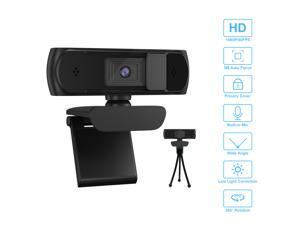
1080P Webcam With Privacy Shuttter Full HD Video Autofocus Webcam Computer Camera ...
- Interface: USB
- Image Sensor: CMOS
- Max. Image Resolution: 1920 x 1080
- Effective Pixels: 5.0 M
- Video Capture Resolution: 1920 x 1080
- Frame Rate: 30 fps
- Color: Black
- Model #: HA501
- Item #: 9SIV32KJJA9582
- Return Policy: Qishunfa Return Policy
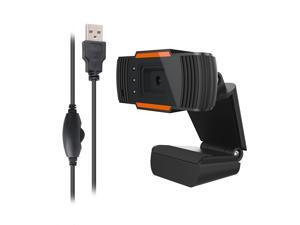
Webcam 480P HD Video Web Camera with Microphone USB Plug and Play Autofocus Camera
- Brand: LUOM
- Name: Webcam USB Camera with MIC Microphone Web Camera For PC Laptop Computer
- Interface: USB 2.0
- Image Sensor: CMOS
- Max. Image Resolution: 640 x 480
- Effective Pixels: 1.0 M
- Video Capture Resolution: 640 x 480
- Frame Rate: 30 fps
- Model #: J-HXSJ A870C3-A1
- Item #: 9SIV13NBB82705
- Return Policy: Brinch's marketplace Return Policy
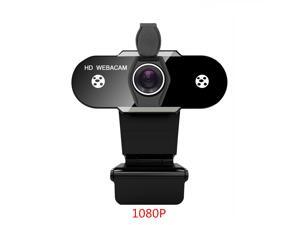
HD 1080P Webcam with Microphone & Privacy Cover USB Web Camera for Computers PC ...
- Interface: USB 2.0
- Max. Image Resolution: 1920 x 1080
- Frame Rate: 30 fps
- Operating Systems Supported: Wim XP, Android, IOS, Linx, etc. and above
- Disclaimer: Chicong
- Color: Black
- Model #: TTU-1080P
- Item #: 9SIV3CJDE39477
- Return Policy: Tong8way Return Policy
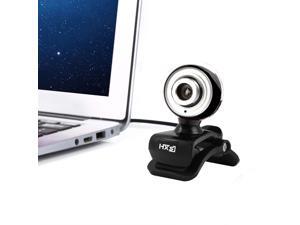
HXSJ 480P HD Webcam Camera USB 12 Microphone For Laptops 12M Pixels Computer ...
- Model #: E-A848-F
- Item #: 9SIV1559C96842
- Return Policy: ESTONE'S Business Return Policy
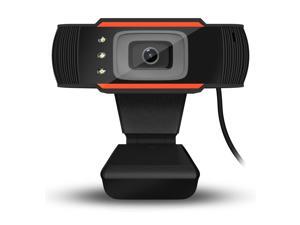
HXSJ 3LED HD Webcam 640X480 12.0M-Pixel PC Camera Rotatable Monitoring Home Video ...
- Color: Black
- Model #: E-A870C3-F
- Item #: 9SIV1559C96859
- Return Policy: ESTONE'S Business Return Policy
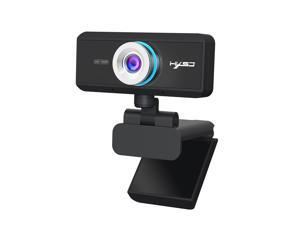
US inventory Webcam for Streaming HD 720P 30 FPS - 1.0 Millionpixels Computer Camera PC ...
- Brand: LUOM
- Name: Webcam USB Camera with MIC Microphone Web Camera For PC Laptop Computer
- Interface: USB 2.0
- Image Sensor: CMOS
- Max. Image Resolution: 1280 x 720
- Effective Pixels: 2.0 M
- Video Capture Resolution: 1280 x 720
- Frame Rate: 30 fps
- Model #: J-HXSJ S90A1-1
- Item #: 9SIV13NB838674
- Return Policy: Brinch's marketplace Return Policy
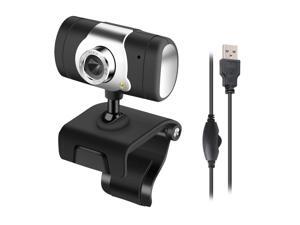
HXSJ USB Web Camera 480P HD Computer Camera Webcams Built-in Sound-absorbing ...
- Model #: E-A847
- Item #: 9SIV1559C96839
- Return Policy: ESTONE'S Business Return Policy
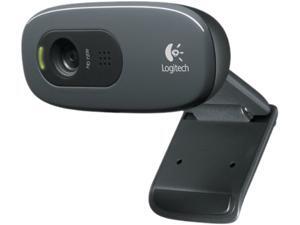
Logitech 960-000582 USB 2.0 HD Webcam C270
- Video Capture Resolution: 1280 x 720
- Operating Systems Supported: Microsoft Windows 7, Microsoft Windows XP SP2 or later, Microsoft Windows Vista
- Model #: 960-000582
- Item #: 9SIV0NRKT58016
- Return Policy: IT WHOLESALERS Return Policy
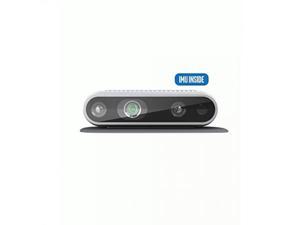

Intel RealSense Depth Camera D435i, Silver (82635D435IDK5P)
- Brand: Intel
- Color: N/A
- Model #: 82635D435IDK5P
- Item #: 9SIV2G2BMR8605
- Return Policy: PremierSource Return Policy
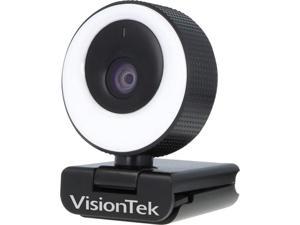
VisionTek VTWC40 Webcam 2 Megapixel 60 fps USB 2.0 901442
- Frame Rate: 60 fps
- Model #: 901442
- Item #: 9SIV2G2F543415
- Return Policy: PremierSource Return Policy
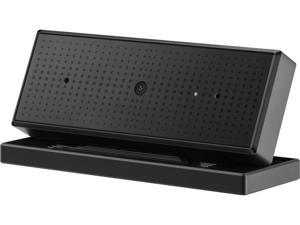

Asus ROG Eye S Full HD 60 fps Webcam with AI-powered, Noise-canceling Mics for Superior ...
- Brand: Asus
- Interface: USB
- Max. Image Resolution: 5.0 MP (Software Enhanced)
- Video Capture Resolution: 1920 x 1080
- Frame Rate: 1080p @ 60 fps, 1944p @ 30 fps
- Color: Black
- Features: Smooth, Full HD quality: 1080p resolution and 60 fps output provide sharp, fluid video quality that captures every detail. Brighter, clearer portrait shots: Face Auto Exposure and autofocus technologies help you stand out from the background and keep the image crisp. Blue-glass filter: A specially treated lens blocks infrared light, reducing unpleasant color shifts. AI-powered, noise-canceling mics: Smart recording with beamforming technology virtually eliminates unwanted background noise. Compact, foldable design: At a mere 17 mm thin when folded, ROG Eye S slips easily into a pocket.
- Model #: ROG EYE S
- Item #: 9SIVS10KU53880
- Return Policy: Yongrui electronic Commerce Co., Limited Return Policy
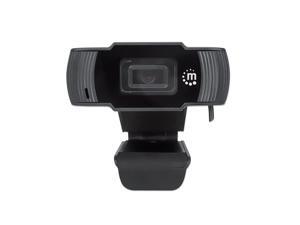
Manhattan 2MP 1080p Full HD 30fps USB Webcame with Microphone - Black
- Video Capture Resolution: 1920 x 1080
- Frame Rate: 30 fps
- Focus Settings: Fixed
- Lens: Lens: 2 megapixels Lens size: 1/4"
- Power Source: 5 VDC / 200 mA
- Operating Systems Supported: Available USB-A port Windows 7/8.1/10 Works in USB Video Device Class mode with video-calling clients on Mac 10.10 or above, Android 5.0 or above and Chrome OS
- Color: Black
- Package Contents: 1080p USB Webcam Quick Instruction Guide
- Model #: 462006
- Item #: 9SIV2G2C115548
- Return Policy: PremierSource Return Policy

Logitech B525 Webcam Logitech B525 Webcam - 2 Megapixel - 30 fps - USB 2.0 - 1280 x 720 ...
- Brand: Logitech
- Interface: USB 2.0
- Image Sensor: CMOS
- Max. Image Resolution: 1280 x 720
- Video Capture Resolution: 1280 x 720
- Frame Rate: 30 fps
- Color: Black
- Model #: 960-000841
- Item #: 9SIV2G2JUX3060
- Return Policy: PremierSource Return Policy
How to Choose the Right Webcam
Introduction
Adding a webcam to your conference calls and online conversations can enhance the experience for both you and the other party. In addition, it is a more economical and environmentally-friendly alternative to paying for a plane ticket and flying in for a face-to-face meeting in another city. Before purchasing a webcam however, you should consider how it will be used and what features you.
Video Resolution
Similar to a monitor or a HDTV, a webcam’s video resolution is represented as the number of horizontal pixels by vertical pixels. A few of the more common resolutions include 640 × 480, 1280 × 720 (720p), and 1920 × 1080 (1080p). A higher resolution means that the video you capture will be sharper and more detailed. For HD video recording, you will need a webcam that is capable of at least 720p video capture.
Image Resolution
Aside from recording and sending live video, a web cam can also be used to take still images. Some webcams have their video and image resolutions listed separately, with the latter rated in megapixels. If you plan to use the webcam to take still photos, you should try to find one that has a high megapixel rating.
Frame Rate
Along with resolution, frame rate is another important factor for capturing video. A higher frame rate will result in a smoother video with less stuttering. Some webcams are capable of 30 frames per second video recording, though more budget-oriented models may have frame rates that are slightly lower than that.
Microphone
For recording audio, you can either utilize a webcam’s built-in microphone or connect a dedicated microphone. A built-in microphone is usually adequate for most tasks that do not require professional-grade sound recording. If you plan to record or live stream studio-quality audio however, you will want to utilize a dedicated microphone.
Mounting
There are several different mounting methods and designs for webcams. Some need to be clipped on, others require a flat horizontal surface, and a few even support tripods. Clip-on webcams are excellent for use with thin LCD monitors and laptops but not for thicker objects such as desktop towers or CRT monitors. A freestanding webcam is beneficial if you have a large flat surface such as the top of a tower or perhaps a conference table.

