




Shop by Type


Featured Products See All
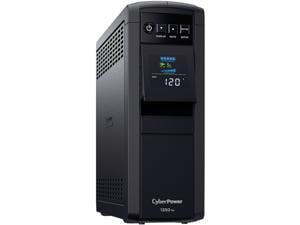
CyberPower CP1350PFCLCD PFC Sinewave UPS Systems - 1350VA/880W, 120 VAC, NEMA ...
$219 .95
Free Shipping
- Capacity: 1350VA / 880W
- Topology: Line Interactive
- Waveform: Sine Wave
- Output: 120Vac ± 5%
- Plug type & cord: NEMA 5-15P, 5 ft. cord
- Outlet types: 12 × NEMA 5-15R
- Communication: USB, Relay
- Data line protection: Network
- Management software: PowerPanel® Personal
- ENERGY STAR® certified: Yes
$219 .95
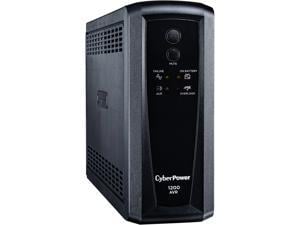
CyberPower CP1200AVR AVR UPS Systems - 1200VA/720W, 120 VAC, NEMA 5-15P, ...
$169 .95
Free Shipping
$15 promotional gift card w/ purchase, limited offer
- Circuit Breaker Yes
- Surge Energy Rating 1080 J
- Waveform Type Simulated Sine Wave
- Load Capacity (VA) 1200 VA
- Load Capacity (Watt) 720 W
- Battery Life 6 Year
- Hot Swappable Yes
- Number of Batteries 2
- Backup/Run Time (Half Load) 12 Minute
- Backup/Run Time (Full Load) 3 Minute
- Battery Characteristics Maintenance-free
- Typical Battery Recharge Time 8 Hour
- Bypass Switch Not Provided
- Dataline Protection RJ-45 / Coax
- Emergency Power OFF No
- Plug/Connector Type NEMA 5-15P
- Receptacle Type NEMA 5-15R
- Transfer Time 4 ms
- Receptacle Detail 8 x NEMA 5-15R
$169 .95
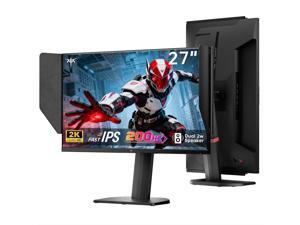
KTC 27 Inch Gaming Monitor 27M1, 1440p 200Hz Computer Monitor with Built-in Sperkers, Up ...
$159 .99
Free Shipping
- [Clear Gaming Experience] KTC 27-inch QHD monitor features Fast IPS panel with 1440P resolution for enhanced image clarity. It boasts 200Hz refresh rate, overclockable to 210Hz, 1ms (MPRT) response time ensures sharp visuals and a super-fast gaming experience. [Lifelike Colors] This 2K monitor offers 450 cd/m² brightness, 130% sRGB color gamut, and 99% DCI-P3 coverage. E < 2 accurate color reproduction and HDR support delivers stunning colors. [Stylish Design] This monitor with shielding hood features 2×2W speakers. The shielding hood effectively blocks reflected light, allowing for clear screen visibility and protecting your eyes from fatigue. [Adjustable Vertical Display] Ergonomic design supports 150±5mm height, tilt -5°~35°, swivel ±60°, and pivot -5°~90° adjustment. You can easily and smoothly adjust to any preferred angle. Flicker-free and low blue light modes make the gaming experience more comfortable. [Multiple Connectivity Options] This gaming monitor features two HDMI 2.0 ports (144Hz) and one DP 1.4 port (200Hz overclockable to 210Hz), allowing seamless connection to PCs, laptops, PS5 consoles, and other devices. It also includes a 100×100mm VESA mount. [Reliable Service] We are committed to serving you and solving all your problems, providing you with quality services, including 3-year quality guarantee and lifetime technical support. If you have any questions, please feel free to contact us, we will provide solutions within 24 hours.
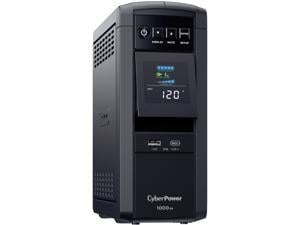
CyberPower CP1000PFCLCD PFC Sinewave UPS Systems - 1000VA/600W, 120 VAC, NEMA ...
$179 .95
Free Shipping
$10 promotional gift card w/ purchase, limited offer
- Capacity: 1000VA/600W
- Topology: Line Interactive
- Waveform: Sine Wave
- Output: 120Vac ± 5%
- Plug type & cord: NEMA 5-15P, 5 ft. cord
- Outlet types: 10 × NEMA 5-15R
- Communication: USB, Relay
- Data line protection: Network
- Management software: PowerPanel® Personal
- ENERGY STAR® certified: Yes
- Ideal for protecting sensitive electronics from power interruptions: Backup/Run Time (Half Load) 6 Minute & Backup/Run Time (Full Load) 2 Minute
$179 .95
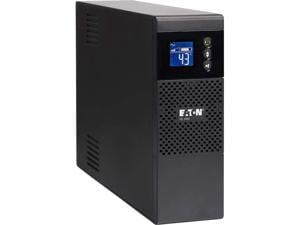
Eaton 5S1000LCD 5S UPS 1000VA 600 Watt 120V LCD Line-Interactive Battery Backup ECO ...
$221 .99
Free Shipping
- Load Capacity (VA) 1000 VA
- Load Capacity (Watt) 600 W
- Plug/Connector Type NEMA 5-15P
- Receptacle Type NEMA 5-15R
- Receptacle Detail 10 x NEMA 5-15R
- Number of Batteries 1
- Ideal for protecting sensitive electronics from power interruptions: Backup/Run Time (Half Load) 14 Minute & Backup/Run Time (Full Load) 3 Minute
$221 .99
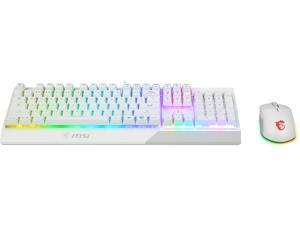

MSI Vigor GK30 Gaming Keyboard & GM11 Mouse Combo, RGB Gaming Set, Anti-Ghosting ...
Save: $20.00 (27%)
$54 .99
Free Shipping
- Vigor GK30 combo us includes Vigor GK30 gaming keyboard and clutch GM11 gaming mouse, the best combo fit for PC gaming Keyboard is equipped with special membrane switches for excellent mechanical feel Keyboard provides 6-region RGB illumination with 8 amazing light effects and supports MSI Mystic Light Mouse is asymmetric ergonomic design
Save: $20.00 (27%)
$54 .99
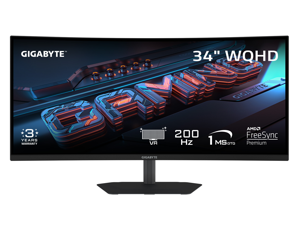

GIGABYTE 34 inch QHD 2K 1440P 200Hz AMD FreeSync Premium HDR400 Built-in Speakers ...
Save: $30.00 (11%)
$249 .99
Free Shipping
- NATIVE 1500R VA PANEL- The G34WQC2 features a stunning 34-inch curved VA display for a view closer to the human eye than a flat monitor, giving you a more immersive feel.
- COMPETITIVE EDGE WITH 200HZ REFRESH RATE AND 1MS RESPONSE TIME - Achieve a super-fast response time and smooth motion clarity with an 200Hz refresh rate and 1ms GTG response time.
- WIDE COLOR GAMUT - With 4000:1 contrast ratio, 95% DCI-P3 coverage, and 8-bit color depth, you can experience a fantastic color display and wide-gamut color coverage.
- SUPPORT VESA DISPLAY HDR 400 - With VESA DisplayHDR 400, the G34WQC2 ensures a more realistic and captivating gaming experience with accurate color and contrast reproduction.
- SUPPORT AMD FREESYNC PREMIUM - With AMD FreeSync Premium, the G34WQC2 provides an enhanced gaming experience by reducing screen tearing and stuttering.
- TACTICAL FEATURES TO ENHANCED GAMEPLAY - The G34WQC2 monitor elevates your gameplay with a suite of built-in, tactical assistance features designed to give you the edge in precision and control. Game Assist features, including Smart OD, timer, and crosshairs, help you on tracking the elapsed game time and focus on your in-game enemy.
- ERGONOMIC DESIGN - Get the perfect viewing angle (up to 178°) with an exclusive stand that's ergonomically designed to offer an extensive range of height adjustment (130mm), tilt (-5°~+21°), and swivel (+/-15°) adjustments.
Save: $30.00 (11%)
$249 .99
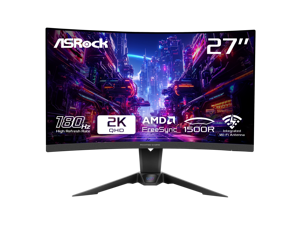

ASRock Phantom Gaming 27 inch QHD 2K 1440P 180Hz 1ms with AMD FreeSync Premium and ...
Save: $62.00 (31%)
$139 .99
Free Shipping
- 27" QHD (2560x1440) 1500R VA Display
- 180Hz High Refresh Rate
- 1ms (MPRT) Response Time
- 95% DCI-P3 / 132% sRGB Color Space
- Wide 178-Degree Viewing Angles
- AMD FreeSync Technology
- Flicker Free Technology
- ASRock Low Blue Light Technology
- 2 x HDMI 2.0, 1 x DisplayPort 1.4, 1 x Headphone Out
- Height, Swivel, Tilt Adjustment
- Integrated Wi-Fi Antenna (Compatible with Wi-Fi 4/5/6/6E/7)
Save: $62.00 (31%)
$139 .99
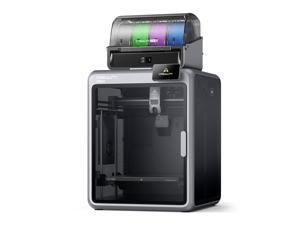
Creality K2 Pro Combo 3D Printer + CFS, 600mm/s, 300x300x300mm Build Volume, Active ...
Free Shipping
- 600mm/s Ultra High-Speed Printing with 20,000mm/s² Acceleration - Save Hours on Every Build: The Creality K2 Pro delivers blazing-fast 600mm/s print speeds with 20,000mm/s² acceleration, powered by precision step-servo motors on the X, Y, and extruder axes. Get professional-grade output in a fraction of the time compared to standard FDM 3D printers.
- Up to 16-Color Multicolor Printing with CFS (Creality Filament System) - 1 CFS Unit Included: The K2 Pro Combo ships with one CFS unit supporting up to 4 simultaneous filament colors. Expand to up to 4 CFS units for breathtaking 16-color prints. Features auto filament identification, smart switching, magnetic auto-cut, and run-out sensor for seamless multicolor workflows right out of the box.
- 300x300x300mm Large Build Volume - Print Full-Size Helmets, RC Parts & Large Prototypes: The K2 Pro handles large-format projects that smaller printers can't. Whether you're creating cosplay props, functional engineering parts, or batch production runs, the K2 Pro delivers the space and precision you need.
- Active Chamber Heating up to 60 degrees Celsius - ABS, ASA, PLA-CF, PA-CF & PPA-CF Engineering Materials Ready: The fully enclosed, actively heated chamber maintains stable temperatures up to 60 degrees Celsius, preventing warping and delamination when printing with high-performance engineering filaments like ABS, ASA, PLA-CF, PA-CF, and PPA-CF.
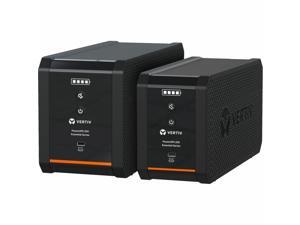
Vertiv PowerUPS 200 Essential Line Interactive Series PSA6E-800LVT, 800VA/450W, ...
$135 .99
Free Shipping
- Stabilizes output power during fluctuations, extends battery life, and provides clean power
- Easily and safely extend UPS life with convenient Vertiv-branded user-replaceable batteries
- Provides a quick view of remaining battery capacity with four LED indicators
- Comes with a full-unit coverage and an advanced replacement warranty for three years
- Intuitively silence loud UPS alarms after resolving problems with a dedicated mute button
$135 .99
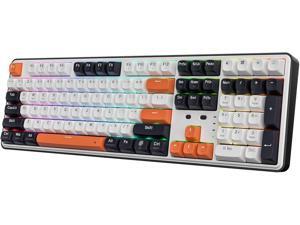
Redragon K689 PRO Wireless Gasket RGB Gaming Keyboard, 108 Keys Mechanical Keyboard ...
$64 .99
Free Shipping
- REDRAGON GASKET OUT - The body structure differs from traditional screw fixing by using precision-locked covers with gaskets to assist with noise reduction and flexibility. It provides even feedback while the vertical cushioning reduces rigid noise, delivering a crisp, clean and softer typing feel.
- 3-Mode Connection - Geared with Redragon advanced tri-mode connection technology, USB-C wired, BT 3.0/5.0 & 2.4Ghz wireless modes which make the user experience upgraded to another level in all fields.
- Custom Mint Mambo Switch - With thick-lubed custom linear switches combo with a gasket form factor, K689 PRO features cushioned rich linear travel with silky creamy and cozy typing feedback. The brand new upgraded socket is nearly all switches(3/5 pins) compatible.
- Noise Dampening x 3 - Equipped with 3.5mm PO foam, IXPE switch foam, bottom socket foam, along with the silicone gasket. Significantly reduce the hollow noise, creating dampened and ultra-clean typing acoustics, making each keystroke satisfying and comfortable.
- Ergonomic Design - The 2 stage adjustable feet makes typing more comfortable and relaxes your wrists. 3 colors Mixed Keycaps adding more DIY interest. When every time you play the game it can be a different experience.
- Pro Software Supported - Expand your options using the available software to design your own new modes and effects found on redragonshop. Macros with different keybindings or shortcuts for more efficient work and gaming.
$64 .99
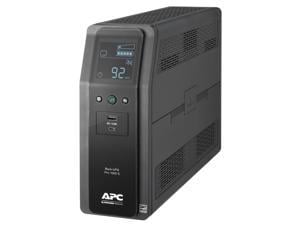
APC BR1000MS Back-UPS Pro, 1000VA/600W, Tower, 120V, 10x NEMA 5-15R outlets, Sine ...
Free Shipping
- Hot Swappable Yes
- Backup/Run Time (Full Load) 3.70 Minute
- Typical Battery Recharge Time 16 Hour
- Surge Energy Rating 1080 J
- Waveform Type Sine Wave
- Load Capacity (VA) 1000 VA
- Load Capacity (Watt) 600 W
- Plug/Connector Type NEMA 5-15P
- Receptacle Type NEMA 5-15R
- Number of Battery & Surge Outlets 10
- Transfer Time 10 ms
- Receptacle Detail 4 x NEMA 5-15R Surge /6 x NEMA 5-15R
- Ideal for protecting sensitive electronics from power interruptions: Backup/Run Time (Half Load) 12.2 Minute & Backup/Run Time (Full Load) 3.68 Minute
Loading Dynamic Data...
Computer Peripherals and Accessories Guide
Introduction
Computer peripherals are devices that are not a part of the computer, but instead complement it. Some peripherals such as monitors are essential, while others such as graphics tablets are specialized for specific tasks. Learn more about the many different types of computer peripherals and their uses below.
Computer Peripherals
Monitors
A monitor is an essential computer peripheral for many desktop systems, with some workstations having multiple for increased productivity. When shopping for a computer monitor, you should check compatibility with the computer’s video card. If the video card is unable to output the monitor’s native resolution, you may have to upgrade the video card or system.
Keyboards
Together with mice, keyboards are essential computer input peripherals. Even tablets and touchscreen computers can benefit from having keyboards, particularly for tasks such as word processing. Aside from comfortable ergonomics, some beneficial features that you may want to consider include backlighting, touch functionality, wireless connectivity, programmable keys, and more.
Mice
A computer mouse is another computer input peripheral that can be used for hours on end, so it needs to be ergonomic. Otherwise, users may experience strain-related injuries over a long period of time. Other considerations include wireless connectivity, smaller dimensions for portability, or a trackball design.
Printers
Though some organizations are migrating to paperless environments, there are industries and commercial sectors that continue to utilize printers daily. For instance, printing receipts and sales orders is sometimes required when working with clients and customers.
There are two main types of printers, laser and inkjet. The benefits of a laser printer include fast print speeds, high color accuracy, and high page yields for toner cartridges. However, an inkjet printer can have a lower initial purchase cost compared to a laser printer.
Scanners
Scanners are essential computer peripherals for users that need to save physical documents and images digitally for editing and archiving. There are two main types of scanners to choose from, flatbed and document-fed.
If your staff mostly scans paper media, document scanners are ideal. But for larger items such as books and magazines, you will need a flatbed scanner.
Power Management Devices
Power management devices are computer peripherals that regulate and split power delivery to electronic equipment. They allow your staff to safely power down their computers in case of blackouts and protect equipment from electrical surges and spikes.
Projectors
Unlike monitors, projectors are designed to display content for more than one user. When shopping for a projector, pay attention to important specifications such as brightness, resolution, and contrast ratio.
You should also consider what type of projector you need. There are three main projector technologies, LCD, DLP, and LCoS.
- LCD – LCD projectors have high color accuracy and brightness, but are not ideal for displaying content onto large surface areas.
- DLP – Compared to LCD, DLP projectors are capable of higher contrast ratios but have lower color accuracy.
- LCoS – Though LCoS projectors have high levels of brightness and color accuracy, they tend to cost more and have lower contrast ratios.
Microphones
Microphones can range from relatively basic desktop mics for conferencing to advanced condenser mics for studio-quality sound recording. To lower cost, choose one that is adequate for the task at hand rather than one with the most features.
Graphics Tablets
Like keyboards and mice, graphics tablets are a type of input device. However, they have a much more specialized purpose. They allow designers and artists to create digital images and designs free-hand, similar to using a pen or pencil.
Webcams
For teleconferencing and online meetings, video can be just as important as audio. Along with microphones, webcams can be used to facilitate more immersive and informative meetings. They are ideal computer peripherals for professionals that need to present sales information to clients, share design mockups with fellow team members, or interview potential employees.
