




Shop by Type


Featured Products See All
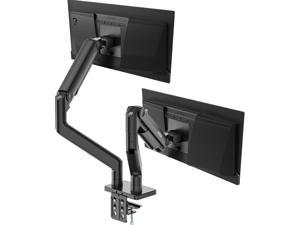

MSI MAG MT201D - Premium Heavy Duty Dual Monitor Stand Arms, 17-45" Support, VESA ...
Save: $37.00 (28%)
$92 .99
Free Shipping
- Unleash Maximum Efficiency with the MSI MAG MT201D Premium Heavy Duty Dual Monitor Stand.
- Maximize your workspace potential with our heavy-duty dual monitor stand arms.
- Engineered to accommodate monitors ranging from 17 to 45 inches, each arm supports up to 44 lbs, providing sturdy and adaptable positioning.
- Featuring VESA compatibility and an adjustable spring mount, setup is seamless with both clamp and grommet options included.
- Plus, rest easy knowing your investment is protected by our comprehensive 3-year coverage.
- Elevate your workstation with the sleek black aesthetics of the MSI MAG MT201D.
Save: $37.00 (28%)
$92 .99
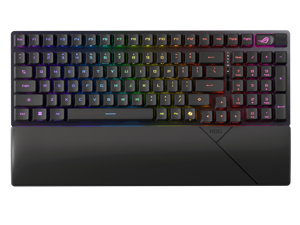

ASUS ROG Strix Scope II 96 RX Wireless Gaming Keyboard, Optical Switches, Low Latency ...
Save: $50.00 (28%)
$129 .99
Free Shipping
- 96% layout: Retains all function and number keys in a more compact and efficient layout that frees up desk space, with a form factor that is only 1 cm wider than a standard 80% keyboard.
- ROG RX optical switches: Light actuated for consistent wobble-free keystrokes with near-zero debounce delay.
- ROG-themed ABS keycaps: UV-coated keycaps with special ROG elements for unique look.
- Support ROG Polling Rate Booster: Achieves 8000 Hz polling rate and provides a 0.125 ms response time - up to 8X faster than other leading gaming keyboards.
- Tri-mode connection: Connect using Bluetooth? (up to three devices), 2.4 GHz with ROG SpeedNova wireless technology (up to 378 hours of battery life) or wired USB.
- Sound-dampening foam: Unique, integrated dampening foam structure absorbs pinging noises and echoes for improved keystroke acoustics.
- Enhanced typing experience: Pre-lubed keyboard stabilizers produce less friction for smoother keystrokes and stability for longer keys; UV-coated ABS keycaps offer a premium feel and shine resistance.
- Hotkeys: F1–F5 keys are pre-programmed as hotkeys for Xbox Game Bar and recording.
- Intuitive controls: Multi-function button and multiwheel for media playback, volume, and keyboard lighting.
- ROG Omni Receiver: Connect to multiple supported devices wirelessly with a single receiver.
- Ergonomic design: Three tilt positions and a detachable wrist rest.
Save: $50.00 (28%)
$129 .99
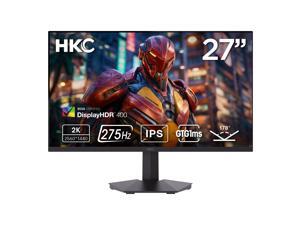

HKC 27 inch QHD 2K 1440P 275Hz Fast IPS 1ms DIC HDR400 95% DCI-P3 Low Blue Light, ...
Save: $34.00 (18%)
$149 .99
Free Shipping
- Ultra-Fast 275Hz Refresh Rate - Dominate every frame with QHD 2560 x 1440 resolution and 275Hz refresh rate, paired with 1ms DIC response time for ultra-smooth gaming and minimal motion blur.
- Immersive Fast IPS Display - 27-inch Fast IPS panel delivers exceptional color accuracy and consistency across 178° wide viewing angles, ensuring vivid, lifelike visuals.
- Stunning HDR Performance - HDR400 certification enhances contrast and brightness, producing deep blacks and brilliant highlights for gaming, movies, and content creation.
- Exceptional Color Precision - Covers 95% DCI-P3 color gamut with ?E=2 for true-to-life colors, ideal for professional work and entertainment.
- Advanced Eye Comfort - Hardware-level low blue light protection reduces eye strain and fatigue during extended gaming or work sessions.
- Versatile Connectivity - Equipped with 2 x HDMI 2.0, 1x DisplayPort 1.4, and Audio Out (A/O) for seamless connection to PCs, consoles, and multimedia devices.
- Sleek Design & Flexibility - Modern flat black design with -5°~15° tilt adjustment and 100 x 100mm VESA wall mount support for a customizable setup.
- Complete Accessories Included - Comes with 1.5M DP cable, 1.5M power card, 1.2M adapter, and manual (including repair card & certificate) for instant setup.
Save: $34.00 (18%)
$149 .99
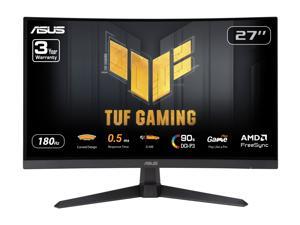
ASUS TUF Gaming 27 inch QHD 2K 1440P 180Hz with AMD FreeSync, 0.5ms, 1500R, Extreme ...
Save: $30.00 (15%)
$169 .99
Free Shipping
- 27-inch QHD 1500R curved gaming monitor with ultra-fast 180Hz refresh rate designed for professional gamers and immersive gameplay
- 0.5ms (GTG) response time for smooth gameplay, and ASUS Extreme Low Motion Blur (ELMB) technology to further reduce ghosting and motion blur
- FreeSync technology delivers a seamless, tear-free gaming experience by enabling VRR (variable refresh rate) by default
- Shadow Boost enhances image details in dark areas, brightening scenes without over-exposing bright areas
- Free 3-month Adobe Creative Cloud Subscription: Receive complimentary access with the purchase of this product (offer valid to 8/31/2026)
Save: $30.00 (15%)
$169 .99
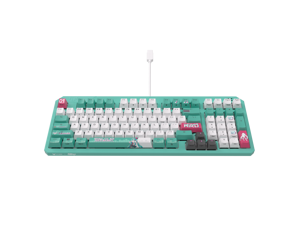
ASUS TUF Gaming K3 Gen II Hatsune Miku Edition Optical-Mechanical RGB Keyboard with IP57 ...
Save: $7.00 (7%)
$92 .99
Free Shipping
Save even more w/ promo code BMSF74, limited offer
- Compact, portable design: 97-key layout is highly portable and frees up more space for the mousing hand, and rear cable management slot allows for neater desktop setups
- IP57 waterproofing and dust resistance: Industry-leading protection for easy cleaning and long-lasting durability
- Optical-mechanical RGB switches: Featuring n-key rollover, 100% anti-ghosting, and 100-million-keypress lifespan
- Silicone-gasket mount and dampening foam: Absorbs pinging noises and echoes for improved keyboard acoustics and unrivaled typing experiences
- Detachable top plate: Allows for different looks and easy maintenance
- RBG lighting and Aura Sync: Per-key RGB lighting with up to 16.8-million colors, and Armoury Crate software for intuitive adjustments and syncing with ASUS Aura-enabled products
Save: $7.00 (7%)
$92 .99
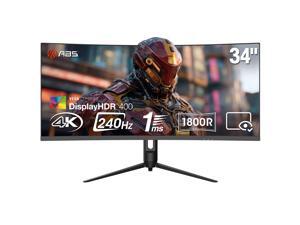

ABS 34 inch Ultrawide UWQHD 2K 1440P (Quasi 4K) 240Hz with AMD FreeSync 1ms HDR400 ...
Save: $40.00 (13%)
$279 .99
Free Shipping
- Immersive Ultrawide Display - 34-inch 21:9 curved VA panel with 3440x1440 QHD resolution and 1500R curvature delivers a panoramic field of view for maximum immersion
- Ultra-Smooth 240Hz Refresh Rate - Experience fluid motion and precise responsiveness with a blazing 240Hz refresh rate and ultra-fast 1ms response time for competitive gaming
- Vivid and True-to-Life Color - Covers 90% of the DCI-P3 color gamut with ?E=2 color accuracy producing rich vibrant visuals and realistic tones across every scene
- HDR400 Certified Performance - Enjoy stunning brightness and contrast with VESA HDR400 support enhancing highlights shadows and detail for cinematic-quality visuals
- Adaptive Sync Ready - Compatible with AMD FreeSync technology for tear-free stutter-free gameplay across both PC and console setups
- Ergonomic and Adjustable Design - Height adjustment up to 110mm with tilt swivel and pivot functionality providing the perfect viewing position for comfort and precision
- Comprehensive Connectivity - Equipped with 2x HDMI 2.1 ports DisplayPort 1.4 and audio-out for high-bandwidth connections supporting up to 240Hz refresh rate at QHD resolution
- Curved for Total Immersion - 1500R curvature wraps your vision for an engaging and natural viewing experience ideal for FPS racing and simulation games
- VESA Mount and Energy Efficient - Supports 75x75mm VESA wall mounting with external 19V power design operating at =65W for efficient reliable performance
Save: $40.00 (13%)
$279 .99
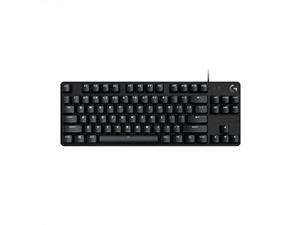

Logitech G413 TKL SE Mechanical Gaming Keyboard - Compact Backlit Keyboard with Tactile ...
Save: $20.00 (25%)
$59 .99
Free Shipping
- Take your gaming skills to the next level: The Logitech G413 TKL SE is a tenkeyless keyboard with gaming-first features and the durability and performance necessary to compete
- PBT keycaps: Heat- and wear-resistant, this computer gaming keyboard features the most durable material used in keycap design
- Tactile mechanical switches: Uncompromising performance is always within reach with this wired gaming keyboard
- Premium color, material and finish: Elevate your gaming setup with this backlit keyboard featuring a sleek, black-brushed aluminum top case and white LED lighting
- 6-Key rollover anti-ghosting performance: Experience reliable key input with this anti-ghosting keyboard versus non-gaming mechanical keyboards
- FN key media controls: Twelve (12) function (FN) keys let you control volume, play and pause, skip track, mute, toggle lighting, enter Windows lock, etc
Save: $20.00 (25%)
$59 .99
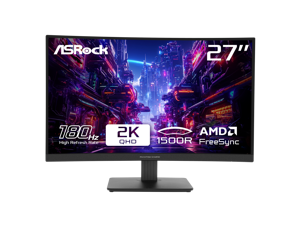

ASRock Phantom Gaming 27 inch QHD 2K 1440P 180Hz WITH AMD FreeSync Premium 95% ...
Save: $68.00 (35%)
$127 .99
Free Shipping
- 27" QHD (2560x1440) 1500R VA Display
- 180Hz High Refresh Rate
- 1ms (MPRT) Response Time
- 95% DCI-P3 / 132% sRGB Color Space
- Wide 178-Degree Viewing Angles
- AMD FreeSync Technology
- Flicker Free Technology
- ASRock Low Blue Light Technology
- 2 x HDMI 2.0, 1 x DisplayPort 1.4, 1 x Headphone Out
- Tilt Adjustment
Save: $68.00 (35%)
$127 .99
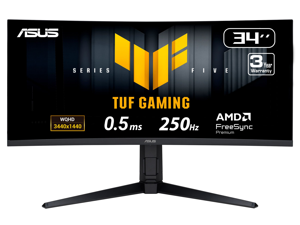
ASUS TUF Gaming 34 inch UltraWide QHD 2K 1440P 250Hz AMD FreeSync Premium 0.5ms ...
Save: $70.00 (18%)
$329 .00
Free Shipping
- 34-inch WQHD (3440 x 1440) 1500R curved gaming monitor with overclock to 250Hz refresh rate designed for professional gamers and immersive gameplay
- 0.5ms(min) response time to further reduce ghosting creates fluid gaming experience
- FreeSync Premium delivers a seamless, tear-free gaming experience by enabling VRR (variable refresh rate) by default
- ASUS Extreme Low Motion Blur Sync (ELMB SYNC) technology enables ELMB together with variable refresh rate, eliminating ghosting and tearing for sharp gaming visuals with high frame rates
- High Dynamic Range (HDR) technology with DisplayHDR 400 compliance supports HDR-10 format to enhance bright and dark areas
- DisplayWidget Center enables easy OSD access and monitor settings adjustments with a mouse
- TUF Gaming A.I technology with AI-powered features to enhance users' gaming experience
Save: $70.00 (18%)
$329 .00
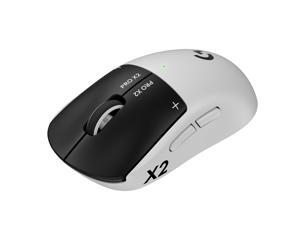
Logitech PRO X2 SUPERSTRIKE LIGHTSPEED Lightweight Wireless Gaming Mouse with ...
$179 .99
Free Shipping
- 61 grams
- ultra-low click-latency technology
- Haptic Inductive Trigger System (HITS)
- tunable actuation and rapid trigger reset points for both main mouse keys
- up to 30ms of improved performance
- Customizable 10-level actuation points
- Customizable 5-level Rapid Trigger reset points
- Real time click haptics with 6-intensity levels
- Proven design engineered with input from top esports professionals for prolonged gameplay
- Up to 90 hours of non-stop gaming
$179 .99
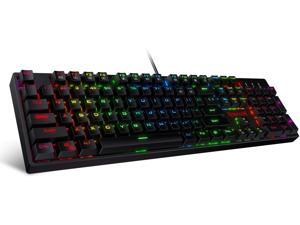
Redragon K582 SURARA RGB LED Backlit Mechanical Gaming Keyboard with 104 Keys-Linear ...
$39 .99
Free Shipping
- Professional Red Switches: Redragon K582 gaming keyboard is equipped with pluggable Redragon red switches, which are linear, top-to-bottom switches. These switches require less force to press down and the keys feel smoother and easier to use. No tactile "bump" but responsive. A great choice for work and play! N-key Rollover: 100% anti-ghosting 104 keys ensure the most accurate simultaneous key presses. Fully programmable - Reassign any key or set up the most extreme macros for effortless gaming. Dynamic RGB Backlight: 6 backlight themes and 18 backlight models allow you to type in the dark. You can adjust its brightness with FN + Up/Down. Arrow Key in any non-breathing mode. Extreme Durability: 50 million times keystroke test, small actuation force and short travel make it. Solid base with double injection ABS keycaps design, it is built to withstand a lifetime of gaming.
$39 .99
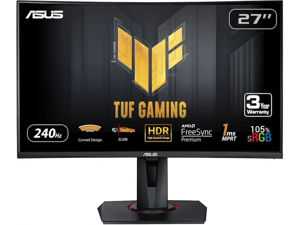
ASUS TUF Gaming 27 inch Full HD 240Hz AMD FreeSync Premium (Adaptive Sync) 1ms ELMB ...
Save: $140.00 (50%)
$139 .99
Free Shipping
- 27-inch FHD (1920x1080) 1500R curved gaming monitor with ultrafast 240Hz refresh rate designed for professional gamers and immersive gameplay
- 1ms (MPRT) response time for smooth gameplay, and ASUS Extreme Low Motion Blur (ELMB ™) technology to further reduce ghosting and motion blur
- FreeSync Premium delivers a seamless, tear-free gaming experience by enabling VRR (variable refresh rate) by default
- Features an ergonomically designed stand to offer extensive swivel, tilt and height adjustments
- Supports both Adaptive-Sync with NVIDIA GeForce* graphics cards and Freesync™ Premium with AMD graphics cards. *Compatible with NVIDIA GeForce GTX 10 series, GTX 16 series, RTX 20 series and newer graphics cards
Save: $140.00 (50%)
$139 .99
Loading Dynamic Data...
Computer Peripherals and Accessories Guide
Introduction
Computer peripherals are devices that are not a part of the computer, but instead complement it. Some peripherals such as monitors are essential, while others such as graphics tablets are specialized for specific tasks. Learn more about the many different types of computer peripherals and their uses below.
Computer Peripherals
Monitors
A monitor is an essential computer peripheral for many desktop systems, with some workstations having multiple for increased productivity. When shopping for a computer monitor, you should check compatibility with the computer’s video card. If the video card is unable to output the monitor’s native resolution, you may have to upgrade the video card or system.
Keyboards
Together with mice, keyboards are essential computer input peripherals. Even tablets and touchscreen computers can benefit from having keyboards, particularly for tasks such as word processing. Aside from comfortable ergonomics, some beneficial features that you may want to consider include backlighting, touch functionality, wireless connectivity, programmable keys, and more.
Mice
A computer mouse is another computer input peripheral that can be used for hours on end, so it needs to be ergonomic. Otherwise, users may experience strain-related injuries over a long period of time. Other considerations include wireless connectivity, smaller dimensions for portability, or a trackball design.
Printers
Though some organizations are migrating to paperless environments, there are industries and commercial sectors that continue to utilize printers daily. For instance, printing receipts and sales orders is sometimes required when working with clients and customers.
There are two main types of printers, laser and inkjet. The benefits of a laser printer include fast print speeds, high color accuracy, and high page yields for toner cartridges. However, an inkjet printer can have a lower initial purchase cost compared to a laser printer.
Scanners
Scanners are essential computer peripherals for users that need to save physical documents and images digitally for editing and archiving. There are two main types of scanners to choose from, flatbed and document-fed.
If your staff mostly scans paper media, document scanners are ideal. But for larger items such as books and magazines, you will need a flatbed scanner.
Power Management Devices
Power management devices are computer peripherals that regulate and split power delivery to electronic equipment. They allow your staff to safely power down their computers in case of blackouts and protect equipment from electrical surges and spikes.
Projectors
Unlike monitors, projectors are designed to display content for more than one user. When shopping for a projector, pay attention to important specifications such as brightness, resolution, and contrast ratio.
You should also consider what type of projector you need. There are three main projector technologies, LCD, DLP, and LCoS.
- LCD – LCD projectors have high color accuracy and brightness, but are not ideal for displaying content onto large surface areas.
- DLP – Compared to LCD, DLP projectors are capable of higher contrast ratios but have lower color accuracy.
- LCoS – Though LCoS projectors have high levels of brightness and color accuracy, they tend to cost more and have lower contrast ratios.
Microphones
Microphones can range from relatively basic desktop mics for conferencing to advanced condenser mics for studio-quality sound recording. To lower cost, choose one that is adequate for the task at hand rather than one with the most features.
Graphics Tablets
Like keyboards and mice, graphics tablets are a type of input device. However, they have a much more specialized purpose. They allow designers and artists to create digital images and designs free-hand, similar to using a pen or pencil.
Webcams
For teleconferencing and online meetings, video can be just as important as audio. Along with microphones, webcams can be used to facilitate more immersive and informative meetings. They are ideal computer peripherals for professionals that need to present sales information to clients, share design mockups with fellow team members, or interview potential employees.
