




Shop by Type



Featured Products See All
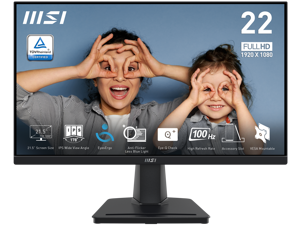

MSI 22 inch (21.5" Viewable) Full HD 100Hz IPS with Adaptive-Sync 1ms Low Blue Light Flicker ...
Save: $5.00 (7%)
$69 .99
Free Shipping
- Perfect 21.5" screen size for the programming, coding & website design workspace.
- TUV certified display ensures the protection and health of eyesight.
- MSI EyesErgo technology with Anti-Flicker technology helps prevent eye strain and fatigue.
- 100 Hz refresh rate provides a better viewing experience with flicker-free image.
- MSI Eye-Q Check helps have self-check eyes & reminds to take a rest while using the monitor for a long time.
- Maintain versatility across various devices by utilizing multiple input sources, such as HDMI™ and D-Sub(VGA) ports.
- Enjoy the cleanest environment with a convenient and removable cable management design.
- Standard VESA mountable & Accessory slot design.
Save: $5.00 (7%)
$69 .99
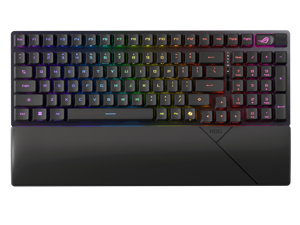

ASUS ROG Strix Scope II 96 RX Wireless Gaming Keyboard, Optical Switches, Low Latency ...
Save: $50.00 (28%)
$129 .99
Free Shipping
- 96% layout: Retains all function and number keys in a more compact and efficient layout that frees up desk space, with a form factor that is only 1 cm wider than a standard 80% keyboard.
- ROG RX optical switches: Light actuated for consistent wobble-free keystrokes with near-zero debounce delay.
- ROG-themed ABS keycaps: UV-coated keycaps with special ROG elements for unique look.
- Support ROG Polling Rate Booster: Achieves 8000 Hz polling rate and provides a 0.125 ms response time - up to 8X faster than other leading gaming keyboards.
- Tri-mode connection: Connect using Bluetooth? (up to three devices), 2.4 GHz with ROG SpeedNova wireless technology (up to 378 hours of battery life) or wired USB.
- Sound-dampening foam: Unique, integrated dampening foam structure absorbs pinging noises and echoes for improved keystroke acoustics.
- Enhanced typing experience: Pre-lubed keyboard stabilizers produce less friction for smoother keystrokes and stability for longer keys; UV-coated ABS keycaps offer a premium feel and shine resistance.
- Hotkeys: F1–F5 keys are pre-programmed as hotkeys for Xbox Game Bar and recording.
- Intuitive controls: Multi-function button and multiwheel for media playback, volume, and keyboard lighting.
- ROG Omni Receiver: Connect to multiple supported devices wirelessly with a single receiver.
- Ergonomic design: Three tilt positions and a detachable wrist rest.
Save: $50.00 (28%)
$129 .99
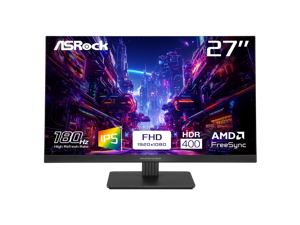

ASRock Phantom Gaming 27" Full HD 180Hz IPS with AMD FreeSync 1ms HDR400 Gaming ...
Save: $53.22 (33%)
$106 .77
Free Shipping
- 27" FHD (1920 x 1080) Flat IPS Display
- 180Hz High Refresh Rate
- 1ms Response Time (MPRT)
- sRGB 123% Color Gamut
- Wide Viewing Angles (178-Degree)
- AMD FreeSync Technology
- VESA DisplayHDR 400
- Flicker Free Technology
- Low Blue Light Technology
- 2 x HDMI 2.0, 1 x DisplayPort 1.2
- Tilt Adjustment
Save: $53.22 (33%)
$106 .77
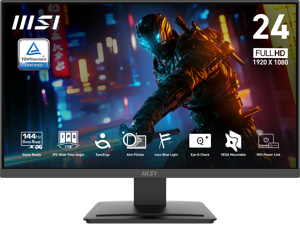
MSI 24 inch Full HD 144Hz IPS with AMD Adaptive Sync 1ms HDR Ready 102% sRGB LCD Gaming ...
Save: $30.00 (27%)
$79 .99
Free Shipping
- 24.5-inch Broadened Display - Enjoy the upgraded canvas in the limited space.
- 120 Hz refresh rate provides a better viewing experience with flicker-free image.
- IPS panel with 178° Wide Viewing Angle designed for a premium quality picture
- TÜV certified display ensures the protection and health of eyesight.
- MSI Eye-Q Check helps have self-check eyes & reminds to take a rest while using the monitor for a long time.
Save: $30.00 (27%)
$79 .99
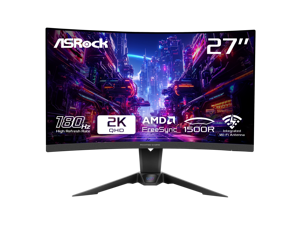
ASRock Phantom Gaming 27 inch QHD 2K 1440P 180Hz 1ms with AMD FreeSync Premium and ...
Save: $62.00 (31%)
$139 .99
Free Shipping
- 27" QHD (2560x1440) 1500R VA Display
- 180Hz High Refresh Rate
- 1ms (MPRT) Response Time
- 95% DCI-P3 / 132% sRGB Color Space
- Wide 178-Degree Viewing Angles
- AMD FreeSync Technology
- Flicker Free Technology
- ASRock Low Blue Light Technology
- 2 x HDMI 2.0, 1 x DisplayPort 1.4, 1 x Headphone Out
- Height, Swivel, Tilt Adjustment
- Integrated Wi-Fi Antenna (Compatible with Wi-Fi 4/5/6/6E/7)
Save: $62.00 (31%)
$139 .99
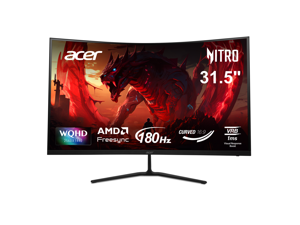

Acer Nitro 32 inch (31.5" viewable) WQHD 2K 1440P 180hz with AMD FreeSync 1ms 1000R ...
Save: $20.00 (9%)
$209 .99
Free Shipping
- 31.5" WQHD (2560 x 1440) 1000R Curved Widescreen Gaming Monitor
- AMD FreeSync Technology
- ZeroFrame Design
- Response Time: 1ms (VRB)
- Refresh Rate: 180Hz (Using Display Port) - 144Hz (Using HDMI Port)
- Color Saturation: sRGB 99%
- Panel Type: VA
- Acer VisionCare Technologies
- 2 Speakers, 2 Watts per Speaker
- Ports: 1 x Display Port 1.4, 2 x HDMI 2.0 Ports & 1 x Audio Out
Save: $20.00 (9%)
$209 .99
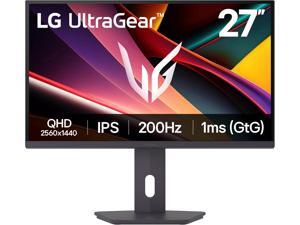

LG UltraGear 27 inch QHD 2K 1440P 200Hz AMD FreeSync Premium 1ms HDR400 Gaming ...
Save: $50.00 (20%)
$199 .99
Free Shipping
- 27" QHD (2560 x 1440) IPS Display
- 200Hz Refresh Rate & 1ms Response Time
- VESA DisplayHDR 400 & sRGB 99% (Typ.)
- AMD FreeSync Premium
- Tilt/Swivel/Height/Pivot Adjustable Stand
- Black Stabilizer, Crosshair, FPS Counter, and DAS
Save: $50.00 (20%)
$199 .99
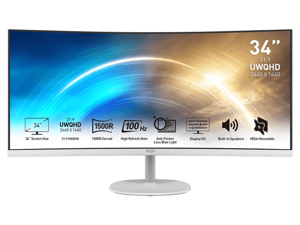
MSI 34 inch Ultrawide QHD 2K 1440P 100Hz AMD FreeSync 1ms Anti-Flicker & Low Blue Light ...
Save: $86.00 (30%)
$203 .99
Free Shipping
- 21:9 UWQHD 34" screen improve the way you multi-task and broaden your horizons
- 1500R curvature brings the most immersive viewing experience for your work & amusement.
- HDR Ready - Stunning visuals through contrast and shadow adjustment.
- TÜV certified display protects your eyesight and keeps your eyes healthy
- Anti-Flicker and Less Blue Light technologies prevent your eyes from strain & fatigue
- Ergonomic software, Display Kit, provides the most convenient tool, the proper color & display mode to you while working with it everyday
- 100Hz refresh rate provides a better viewing experience
- Keep the flexibility for your different devices with multiple input sources: 2x HDMI & 1x DP ports
- Standard VESA mountable design
- Always allow you to join an online conference call with built-in speakers
Save: $86.00 (30%)
$203 .99
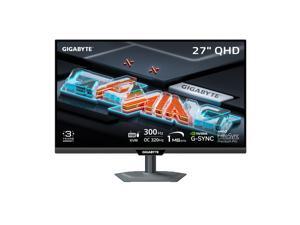

GIGABYTE 27 inch QHD 2K 1440P 300Hz/OC 320Hz IPS with AMD FreeSync Premium Pro & ...
Save: $80.00 (29%)
$199 .99
Free Shipping
- GAME WITH SUPERSPEED IPS PANEL – The M27Q3 features a stunning 27-inch Superspeed IPS display for the most smooth gaming experience ever!
- COMPETITIVE EDGE WITH 300HZ REFRESH RATE AND 1MS RESPONSE TIME – Achieve a super-fast response time and smooth motion clarity with an 300Hz/OC 320Hz refresh rate and 1ms GtG response time. Whether you’re in high speed FPS battles or intense esports competitions, the M27Q3 ensures every frame is delivered with precision, giving you the edge when milliseconds matter.
- LIFE-LIKE COLORS EXPERIENCE – With 1000:1 contrast ratio, 95% DCI-P3 wide color gamut, and 8-bit color depth, you can experience richer, more lifelike colors for a cinema-grade visual experience.
- SUPPORT VESA DISPLAY HDR 400 With VESA DisplayHDR 400, the M27Q3 ensures a more realistic and captivating gaming experience with accurate color and contrast reproduction.
- SUPPORT AMD FREESYNC PREMIUM AND NVIDIA G-SYNC COMPATIBLE With AMD FreeSync Premium and NVIDIA G-SYNC compatibility, the M27Q3 provides an enhanced gaming experience by reducing screen tearing and stuttering.
- TACTICAL FEATURES TO ENHANCED GAMEPLAY - The M27Q3 monitor elevates your gameplay with a suite of built-in, tactical assistance features designed to give you the edge in precision and control.
Save: $80.00 (29%)
$199 .99
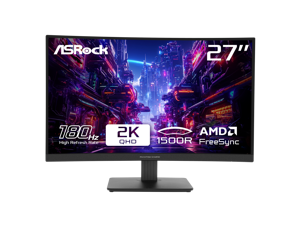
ASRock Phantom Gaming 27 inch QHD 2K 1440P 180Hz WITH AMD FreeSync Premium 95% ...
Save: $68.00 (35%)
$127 .99
Free Shipping
- 27" QHD (2560x1440) 1500R VA Display
- 180Hz High Refresh Rate
- 1ms (MPRT) Response Time
- 95% DCI-P3 / 132% sRGB Color Space
- Wide 178-Degree Viewing Angles
- AMD FreeSync Technology
- Flicker Free Technology
- ASRock Low Blue Light Technology
- 2 x HDMI 2.0, 1 x DisplayPort 1.4, 1 x Headphone Out
- Tilt Adjustment
Save: $68.00 (35%)
$127 .99
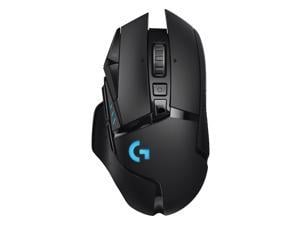

Logitech G502 Lightspeed Wireless Gaming Mouse with Hero 25K Sensor, PowerPlay ...
$84 .99
Free Shipping
- LIGHTSPEED Wireless: Exclusive Logitech G ultra-fast wireless technology used by pro gamers in competitions worldwide Next-gen HERO 25K Sensor: Logitech's most accurate sensor yet with up to 25,600 dpi for the ultimate in gaming speed, accuracy and responsiveness across entire DPI range 11 Customizable Buttons and Hyper-Fast Scroll Wheel: Assign custom macro and shortcut commands to the buttons for each game with Logitech G Hub software (Use hyper-fast scrolling to rapidly review menus, long web pages and more) Adjustable Weight System: Arrange up to six removable weights inside the mouse for personalized weight and balance tuning LIGHTSYNC RGB Technology: Fully customize RGB lighting from nearly 16.8 million colors, synchronize lighting with your gameplay, and create your own personal RGB animations
$84 .99
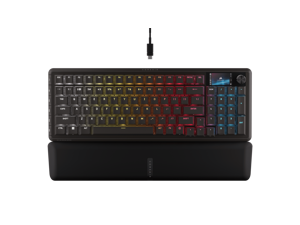

Corsair Vanguard 96 Wired Mechanical Gaming Keyboard – 96% Layout, MLX Plasma Linear ...
$179 .99
Free Shipping
- 96% keyboard that keeps it 100: The optimized 96% layout means you'll have full keyboard with arrow keys, a tenkey pad, an LCD screen, rotary dial, and 6 programmable G-keys, but in a super-compact frame that's roughly the size of a TKL keyboard.
- Vibrant full-color LCD screen: The keyboard of the future is here! Personalize your keyboard on a whole new level with a luminous integrated 1.9 inch LCD screen you can use to display custom animations, images, system specs, and more.
- Maximize every millisecond: Utilize ultra-responsive 8,000Hz hyper-polling to eradicate input lag. Get the fastest response times for your in-game actions and stream commands.
- Elgato Virtual Stream Deck integration: Map Stream Deck functions directly to the VANGUARD 96's programmable G-keys and utilize Virtual Stream Deck to create clickable shortcuts. Unlock a world of new found productivity and enhanced in-game performance.
- FlashTap SOCD: With CORSAIR FlashTap SOCD handling, choose how the keyboard should resolve accidental SOCD inputs so you can Move Like You Mean It.
$179 .99
Loading Dynamic Data...
Computer Peripherals and Accessories Guide
Introduction
Computer peripherals are devices that are not a part of the computer, but instead complement it. Some peripherals such as monitors are essential, while others such as graphics tablets are specialized for specific tasks. Learn more about the many different types of computer peripherals and their uses below.
Computer Peripherals
Monitors
A monitor is an essential computer peripheral for many desktop systems, with some workstations having multiple for increased productivity. When shopping for a computer monitor, you should check compatibility with the computer’s video card. If the video card is unable to output the monitor’s native resolution, you may have to upgrade the video card or system.
Keyboards
Together with mice, keyboards are essential computer input peripherals. Even tablets and touchscreen computers can benefit from having keyboards, particularly for tasks such as word processing. Aside from comfortable ergonomics, some beneficial features that you may want to consider include backlighting, touch functionality, wireless connectivity, programmable keys, and more.
Mice
A computer mouse is another computer input peripheral that can be used for hours on end, so it needs to be ergonomic. Otherwise, users may experience strain-related injuries over a long period of time. Other considerations include wireless connectivity, smaller dimensions for portability, or a trackball design.
Printers
Though some organizations are migrating to paperless environments, there are industries and commercial sectors that continue to utilize printers daily. For instance, printing receipts and sales orders is sometimes required when working with clients and customers.
There are two main types of printers, laser and inkjet. The benefits of a laser printer include fast print speeds, high color accuracy, and high page yields for toner cartridges. However, an inkjet printer can have a lower initial purchase cost compared to a laser printer.
Scanners
Scanners are essential computer peripherals for users that need to save physical documents and images digitally for editing and archiving. There are two main types of scanners to choose from, flatbed and document-fed.
If your staff mostly scans paper media, document scanners are ideal. But for larger items such as books and magazines, you will need a flatbed scanner.
Power Management Devices
Power management devices are computer peripherals that regulate and split power delivery to electronic equipment. They allow your staff to safely power down their computers in case of blackouts and protect equipment from electrical surges and spikes.
Projectors
Unlike monitors, projectors are designed to display content for more than one user. When shopping for a projector, pay attention to important specifications such as brightness, resolution, and contrast ratio.
You should also consider what type of projector you need. There are three main projector technologies, LCD, DLP, and LCoS.
- LCD – LCD projectors have high color accuracy and brightness, but are not ideal for displaying content onto large surface areas.
- DLP – Compared to LCD, DLP projectors are capable of higher contrast ratios but have lower color accuracy.
- LCoS – Though LCoS projectors have high levels of brightness and color accuracy, they tend to cost more and have lower contrast ratios.
Microphones
Microphones can range from relatively basic desktop mics for conferencing to advanced condenser mics for studio-quality sound recording. To lower cost, choose one that is adequate for the task at hand rather than one with the most features.
Graphics Tablets
Like keyboards and mice, graphics tablets are a type of input device. However, they have a much more specialized purpose. They allow designers and artists to create digital images and designs free-hand, similar to using a pen or pencil.
Webcams
For teleconferencing and online meetings, video can be just as important as audio. Along with microphones, webcams can be used to facilitate more immersive and informative meetings. They are ideal computer peripherals for professionals that need to present sales information to clients, share design mockups with fellow team members, or interview potential employees.
