




Shop by Type


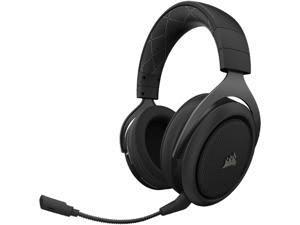
Featured Products See All
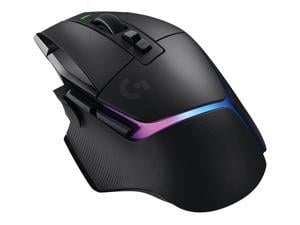

Logitech G502 X PLUS LIGHTSPEED Wireless RGB Gaming Mouse - Optical mouse with ...
Save: $25.00 (16%)
$134 .99
Free Shipping
- From the legacy of Logitech’s most popular G502 design, G502 X PLUS is reimagined and redesigned
- All-new hybrid optical-mechanical switch technology for incredible speed and reliability, as well as precise actuation with crisp response, for hours of performance gaming
- This RGB gaming mouse features glowing 8-LED lighting that’s customizable and adapts as you game with startup/power-down effects and battery optimisation through active play detection.
- This wireless mouse features pro-grade connectivity, with an updated protocol achieving 68 percent faster response rate than the previous generation and improved reliability.
- Incredibly precise down to the sub-micron for high-precision accuracy with zero smoothing/filtering/acceleration for high gaming performance every time on the computer.
- Switch between hyper-fast free spin and precise ratcheting mode, and tilt left and right for two additional personalizable controls.
Save: $25.00 (16%)
$134 .99
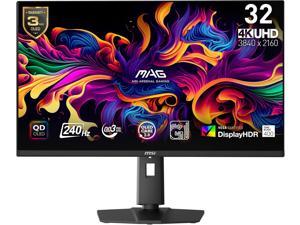

MSI 32 inch UHD 4K 240Hz AMD FreeSync Premium 0.03ms HDR400 OLED Gaming Computer ...
Save: $100.00 (11%)
$799 .99
Free Shipping
- Next-Gen QD-OLED Panel - With stunning image quality and fast response time.
- Fastest 0.03ms GtG response time and 240Hz refresh rate.
- QD Premium Color - Ensures the color meets the market standard - Delta E=2.
- Incredible HDR visual - VESA DisplayHDR True Black 400.
- MSI OLED Care 2.0 - Reduced the risk of OLED burn-in.
- Console Mode - Provide HDMI 2.1 with a full 48 Gbps bandwidth.
- Adjustable Stand - Easily change the position of the monitor for maximum ergonomics.
- 3-Year Burn-In Warranty - Including coverage for OLED burn in.
Save: $100.00 (11%)
$799 .99
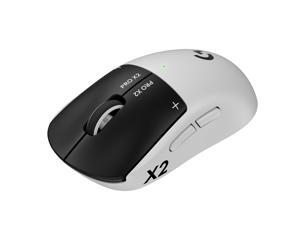
Logitech PRO X2 SUPERSTRIKE LIGHTSPEED Lightweight Wireless Gaming Mouse with ...
$179 .99
Free Shipping
- 61 grams
- ultra-low click-latency technology
- Haptic Inductive Trigger System (HITS)
- tunable actuation and rapid trigger reset points for both main mouse keys
- up to 30ms of improved performance
- Customizable 10-level actuation points
- Customizable 5-level Rapid Trigger reset points
- Real time click haptics with 6-intensity levels
- Proven design engineered with input from top esports professionals for prolonged gameplay
- Up to 90 hours of non-stop gaming
$179 .99
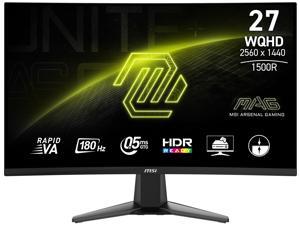
MSI 27 inch QHD 2K 1440P 180Hz with AMD FreeSync Sync 0.5ms HDR Ready support VRR Ai ...
Save: $20.00 (10%)
$179 .99
Free Shipping
- Rapid VA Panel - Provides 0.5ms (GtG, Min.) response time, optimizes screen colors and brightness.
- Curved Screen for surround view
- WQHD High Resolution - Games will look even better, displaying more details.
- 180Hz Refresh Rate - Respond faster with smoother frames.
- 0.5ms (GtG, Min.) Response Time - Eliminate screen tearing and choppy frame rates.
- Night Vision - Smart black tuner to brighten your day by bringing out the fine details in dark areas.
- Adaptive-Sync Technology - Tear free, stutter free, fluid gaming.
- Less Blue Light - Use a software solution to reduce the light emission in the blue-violet region of the blue light spectrum.
Save: $20.00 (10%)
$179 .99
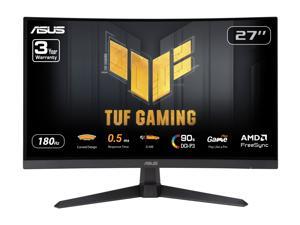

ASUS TUF Gaming 27 inch QHD 2K 1440P 180Hz with AMD FreeSync, 0.5ms, 1500R, Extreme ...
Save: $30.00 (15%)
$169 .99
Free Shipping
- 27-inch QHD 1500R curved gaming monitor with ultra-fast 180Hz refresh rate designed for professional gamers and immersive gameplay
- 0.5ms (GTG) response time for smooth gameplay, and ASUS Extreme Low Motion Blur (ELMB) technology to further reduce ghosting and motion blur
- FreeSync technology delivers a seamless, tear-free gaming experience by enabling VRR (variable refresh rate) by default
- Shadow Boost enhances image details in dark areas, brightening scenes without over-exposing bright areas
- Free 3-month Adobe Creative Cloud Subscription: Receive complimentary access with the purchase of this product (offer valid to 8/31/2026)
Save: $30.00 (15%)
$169 .99
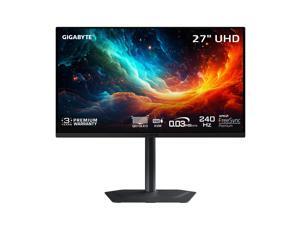

GIGABYTE 27 inch UHD 4K 240Hz with AMD FreeSync Premium Pro &, G-SYNC Compatible ...
Save: $350.00 (35%)
$649 .99
Free Shipping
- Resolution & Panel: 27" UHD 3840x2160 QD-OLED Gaming Monitor
- Refresh Rate & Response: 240Hz refresh rate, 0.03ms GTG response time
- Color Accuracy: 99% DCI-P3, 10 bit color
- Special Features: Type C KVM, VESA DisplayHDR True Black 400, TÜV Rheinland Certified, VESA Certified ClearMR 13000, HBR3, AMD FreeSync Premium Pro, G-SYNC Compatible
- Connectivity: 2x HDMI 2.1, 1x Displayport 1.4, 1x USB Type-C, 2x USB 3.2 Downstream ports, 1x USB 3.2 Upstream port, 1x Earphone Jack
- VESA Wall Mount Compatible 100*100mm
- Accessories: Power cable, HDMI 2.1 cable, DP cable, USB cable, QSG, Warranty card, Color calibration test report
- 3 Year Warranty
Save: $350.00 (35%)
$649 .99
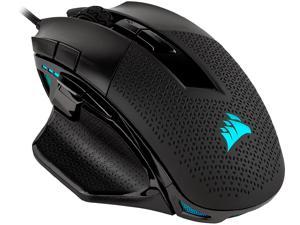

CORSAIR NIGHTSWORD RGB Performance Tunable FPS/MOBA Gaming Mouse, Black, ...
Save: $20.00 (20%)
$79 .99
Free Shipping
- CORSAIR-exclusive software automatically detects the center of gravity in real time, allowing you to adjust weight between 115g and 137g and fine-tune balance to perfectly fit your grip
- A custom Pixart PMW3391 native 18,000 DPI optical sensor, adjustable in 1 DPI resolution steps, gives you total sensitivity customization and ultra-accurate tracking
- Built with a comfortable contoured shape that naturally fits your hand, with high-performance rubber grips inspired by pro sports equipment
- Ten fully programmable buttons let you customize your gaming, with the in-game advantage of powerful macros and key remaps
- Includes two sets of weights with six mounting locations, offering 120 different weight and balance configurations for a precisely calibrated gaming experience
- Dynamic, four-zone RGB backlighting with dozens of presets and effects and near-limitless customization
- Onboard storage with hardware macro playback lets you take your lighting and macro profiles to any PC
Save: $20.00 (20%)
$79 .99
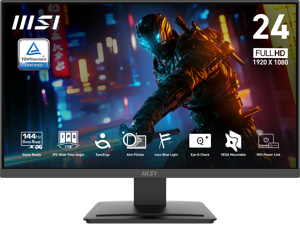
MSI 24" Full HD 144Hz IPS with AMD Adaptive Sync 1ms HDR Ready 102% sRGB LCD Gaming ...
Save: $30.00 (27%)
$79 .99
Free Shipping
- 24.5-inch Broadened Display - Enjoy the upgraded canvas in the limited space.
- 120 Hz refresh rate provides a better viewing experience with flicker-free image.
- IPS panel with 178° Wide Viewing Angle designed for a premium quality picture
- TÜV certified display ensures the protection and health of eyesight.
- MSI Eye-Q Check helps have self-check eyes & reminds to take a rest while using the monitor for a long time.
Save: $30.00 (27%)
$79 .99
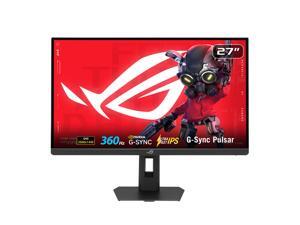
ASUS ROG STRIX 27 inch QHD 2K 1440P 360Hz DUAL MODE to 25" Full HD IPS AMD FreeSync ...
Save: $70.00 (11%)
$579 .99
Free Shipping
- Ultimate Esports Performance: 27-inch QHD (2560 x 1440) Ultrafast IPS display with an ultra-smooth 360Hz refresh rate, built for professional-level gaming.
- NVIDIA G-SYNC Pulsar: Revolutionary technology delivering 4X more motion clarity for a perceived 1000Hz experience, ensuring buttery-smooth visuals without GPU upgrades.
- Ultrafast 1ms Response: Eliminate ghosting with a 1ms (GTG) response time and ULMB 2 for maximum sharpness during high-speed action.
- Pro-Grade Color Accuracy: Features 90% DCI-P3 color gamut and Delta E < 2 factory pre-calibration for stunning, industry-leading visual precision.
- Adaptive HDR Visuals: HDR10 support with 500 cd/? peak brightness and Ambient Adaptive technology that auto-adjusts to your room's lighting.
- Modern Connectivity: Includes HDMI 2.1 (FRL), DisplayPort 1.4 DSC, and a USB 3.2 hub for high-bandwidth gaming and easy peripheral access.
- Full Ergonomic Design: Highly adjustable stand (tilt, swivel, pivot, height) with Aura Sync RGB lighting to customize your gaming setup.
Save: $70.00 (11%)
$579 .99
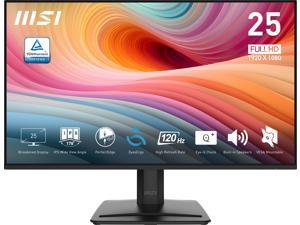
MSI 24" inch (24.5" viewable) Full HD 120Hz IPS 1ms Less Blue Light Anti-Flicker Anti-Glare ...
Save: $25.00 (23%)
$84 .99
Free Shipping
- 25"(24.5" viewable) Broadened Display - Enjoy the upgraded canvas in the limited space.
- 120 Hz refresh rate provides a better viewing experience with flicker-free image.
- IPS panel with 178° Wide Viewing Angle designed for a premium quality picture
- TÜV certified display ensures the protection and health of eyesight.
- MSI Eye-Q Check helps have self-check eyes & reminds to take a rest while using the monitor for a long time.
Save: $25.00 (23%)
$84 .99
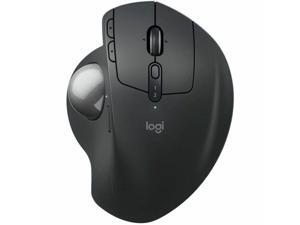
Logitech MX Ergo S Plus Advanced Wireless Trackball Mouse, USB-C Rechargeable Wireless ...
$99 .99
Free Shipping
- Optical Wireless 32.81 ft Bluetooth 2.40 GHz Rechargeable Graphite USB 2048 dpi Trackball, Scroll Wheel 8 Button(s) 6 Programmable Button(s)
$99 .99
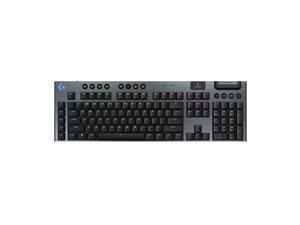
Logitech G915 X LIGHTSPEED Full-size Wireless Mechanical Gaming Keyboard - GL Red Linear ...
Save: $65.00 (25%)
$194 .99
Free Shipping
- Full-Size Wireless Keyboard for Gaming: The Logitech G915 X LIGHTSPEED is built on a legacy of performance; sleek design and next-gen engineering elevate every level of play
- Choose your connectivity with tri-mode: Connect with 2.4 GHz LIGHTSPEED wireless, Bluetooth, or USB-C wired data mode
- Intuitive Control: G915 X features KEYCONTROL, nine advanced G keys, media controls, a volume roller, and a numpad
- Speed and Precision: Achieve speed, precision and comfort with low-profile GL mechanical switches
- Elevated Typing Experience: With a brushed aluminum top plate and double-shot PBT keycaps
- Light Up the Game With LIGHTSYNC RGB: Access ~16.8M colors to customize play and create themes; sync with other Logitech G gear in G HUB
- Play for Longer: Up to 36 h of battery life with RGB at 100%, up to 90 h of battery life with RGB at 50%, and up to 800 h with RGB off
- Cutting-Edge Design: Measuring only 23mm high, this PC gaming keyboard offers increased control with a slim, sleek aesthetic
Save: $65.00 (25%)
$194 .99
Loading Dynamic Data...
Computer Peripherals and Accessories Guide
Introduction
Computer peripherals are devices that are not a part of the computer, but instead complement it. Some peripherals such as monitors are essential, while others such as graphics tablets are specialized for specific tasks. Learn more about the many different types of computer peripherals and their uses below.
Computer Peripherals
Monitors
A monitor is an essential computer peripheral for many desktop systems, with some workstations having multiple for increased productivity. When shopping for a computer monitor, you should check compatibility with the computer’s video card. If the video card is unable to output the monitor’s native resolution, you may have to upgrade the video card or system.
Keyboards
Together with mice, keyboards are essential computer input peripherals. Even tablets and touchscreen computers can benefit from having keyboards, particularly for tasks such as word processing. Aside from comfortable ergonomics, some beneficial features that you may want to consider include backlighting, touch functionality, wireless connectivity, programmable keys, and more.
Mice
A computer mouse is another computer input peripheral that can be used for hours on end, so it needs to be ergonomic. Otherwise, users may experience strain-related injuries over a long period of time. Other considerations include wireless connectivity, smaller dimensions for portability, or a trackball design.
Printers
Though some organizations are migrating to paperless environments, there are industries and commercial sectors that continue to utilize printers daily. For instance, printing receipts and sales orders is sometimes required when working with clients and customers.
There are two main types of printers, laser and inkjet. The benefits of a laser printer include fast print speeds, high color accuracy, and high page yields for toner cartridges. However, an inkjet printer can have a lower initial purchase cost compared to a laser printer.
Scanners
Scanners are essential computer peripherals for users that need to save physical documents and images digitally for editing and archiving. There are two main types of scanners to choose from, flatbed and document-fed.
If your staff mostly scans paper media, document scanners are ideal. But for larger items such as books and magazines, you will need a flatbed scanner.
Power Management Devices
Power management devices are computer peripherals that regulate and split power delivery to electronic equipment. They allow your staff to safely power down their computers in case of blackouts and protect equipment from electrical surges and spikes.
Projectors
Unlike monitors, projectors are designed to display content for more than one user. When shopping for a projector, pay attention to important specifications such as brightness, resolution, and contrast ratio.
You should also consider what type of projector you need. There are three main projector technologies, LCD, DLP, and LCoS.
- LCD – LCD projectors have high color accuracy and brightness, but are not ideal for displaying content onto large surface areas.
- DLP – Compared to LCD, DLP projectors are capable of higher contrast ratios but have lower color accuracy.
- LCoS – Though LCoS projectors have high levels of brightness and color accuracy, they tend to cost more and have lower contrast ratios.
Microphones
Microphones can range from relatively basic desktop mics for conferencing to advanced condenser mics for studio-quality sound recording. To lower cost, choose one that is adequate for the task at hand rather than one with the most features.
Graphics Tablets
Like keyboards and mice, graphics tablets are a type of input device. However, they have a much more specialized purpose. They allow designers and artists to create digital images and designs free-hand, similar to using a pen or pencil.
Webcams
For teleconferencing and online meetings, video can be just as important as audio. Along with microphones, webcams can be used to facilitate more immersive and informative meetings. They are ideal computer peripherals for professionals that need to present sales information to clients, share design mockups with fellow team members, or interview potential employees.
